
The Problem: Sharing Technical Documents Without Mixing Up Clients
Every machine or automation system sold by this company comes with a significant volume of technical documentation, including software manuals, electrical schematics, certifications, signed contracts and technical drawings. Material that needs to be exchanged with the end client in an organised, secure and durable way, often to meet technical and legal obligations that require certain documents to be retained for a decade or more.
Before this project, the company had no adequate tool to manage this exchange.
The old intranet was in fact a public site built on a generic content management platform, with a few menu pages and essential content, designed more as an informational showcase than as a real working tool.
The real issue to solve, though, was not so much internal use as the need to offer its clients a restricted, organised access to the technical materials tied to each machine they had purchased.
The most delicate challenge was therefore permissions management. No client should be able to see content intended for another client, and each area had to feel like a space designed specifically for that particular relationship, not a generic module shared by everyone.
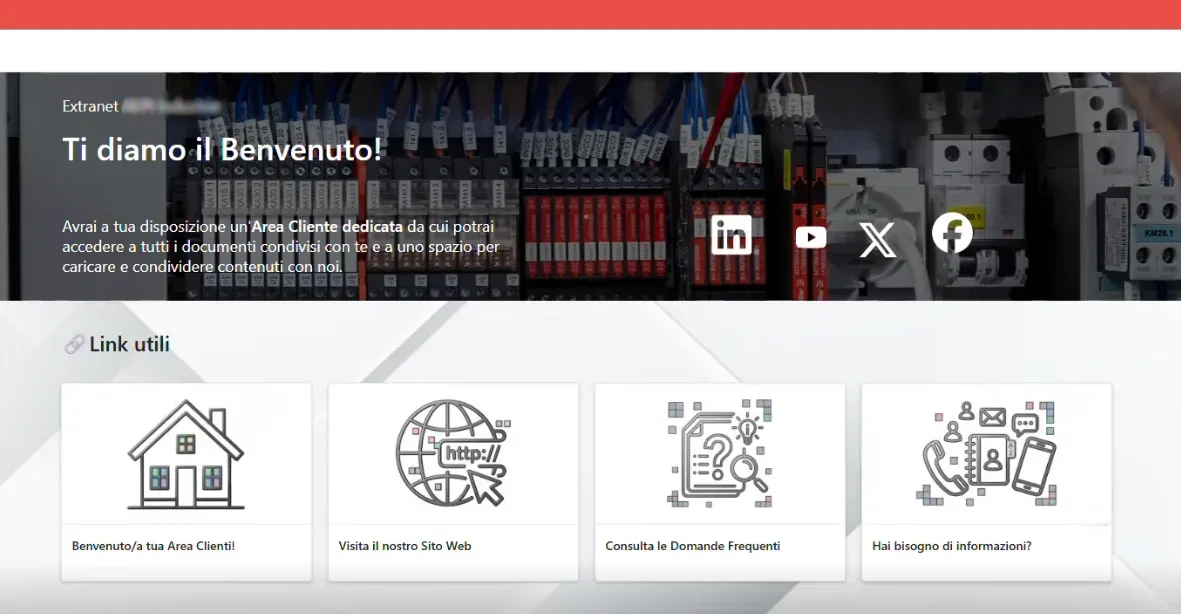
Home page of an automation company's extranet
Our Solution: An Extranet Built Inside the Intranet
The solution found relies on a simple but effective principle.
Since all of the company’s clients already have a corporate account in the supplier’s Microsoft domain, it was possible to build what, in every practical sense, functions as an extranet, while technically remaining a restricted area inside the same company intranet.
A solution that dramatically simplifies permissions management compared to a genuinely separate external platform.
The client who logs in finds a welcome page with links to the company’s social channels, the ability to view general news and documents, a collection of useful links such as the corporate website and FAQs, plus informational content and corporate videos.
The true heart of the system, though, is their own personal client area, reachable through a dedicated button on the home page or from the side menu. Inside this area, each client has two separate folders: one where the company uploads documents to share, such as electrical schematics or certifications related to the purchased machine, and one where the client can upload materials to share with the supplier, such as a signed contract.
Every client area has been customised with the client’s own logo, to reinforce the perception of a tailor-made service rather than a standardised module shared by everyone. Around ten of these areas have been configured so far, with the expectation that the number will grow progressively as the client network adopts the tool.
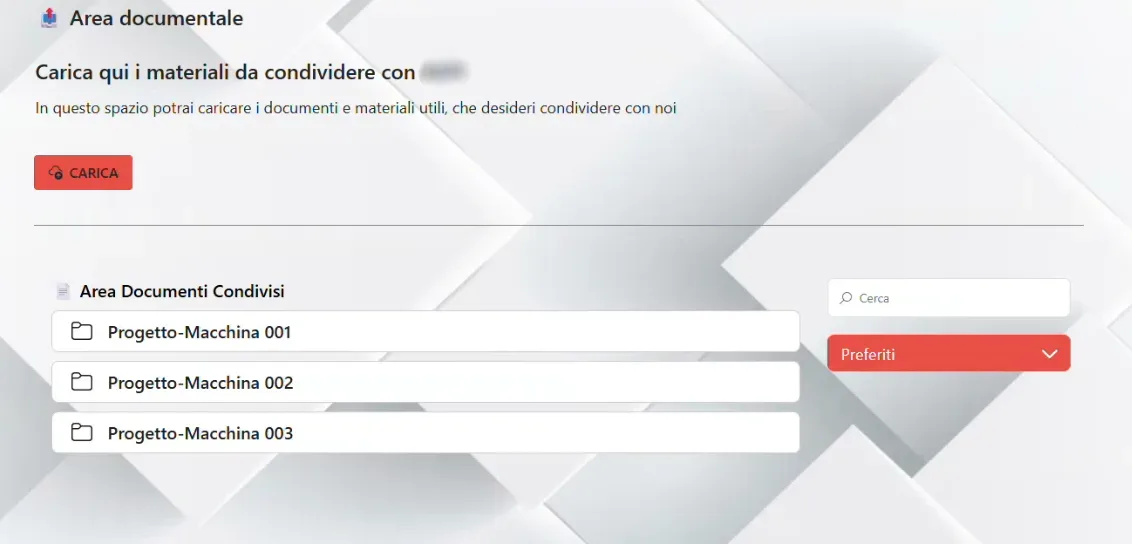
Client area inside the company extranet
Alongside the extranet, an intranet was also built, but with a deliberately different approach compared to many other projects.
The client’s choice was to reorganise the existing menu and content into a more structured setup, without focusing on visual enrichment. A choice driven by the target audience. Most of this company’s employees are technicians, IT staff and maintenance workers, people who value a practical, straightforward solution.
Tools, useful documents, news and the company calendar are now all organised in a simple, immediate way.
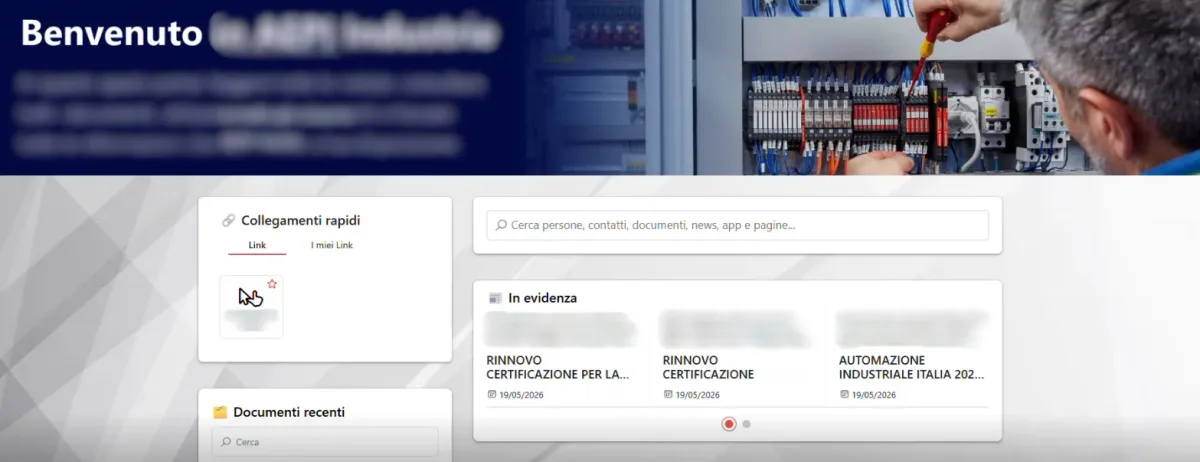
Home page of the intranet.ai company intranet
The Results: A Fast, Practical, Already Scalable Solution
The project stood out for its speed and concreteness, helped by a very collaborative client already used to working with technical tools. The total implementation time was two months, a result consistent with the expectations of a project designed to be simple and direct from the start.
Building the extranet logic, once the base structure was defined together with the client, was carried out very quickly, precisely because the principle proved easy to replicate for each new client area.
The client areas configured so far number around ten, but the structure is designed to accommodate a potentially much larger number, simply by replicating the scheme already defined.
One aspect worth noting is that, over time, the client company will be able to manage the creation of new areas independently, once it has become familiar with the process.
What’s Next?
One of the most original developments in the definition phase concerns the integration between the company directory and the badge-reading system already in use at the company.
The idea is to show, directly on the internal directory page, whether a colleague is actually present at the company at a given moment or not, drawing on a periodic upload of a file with data from the attendance system. A feature designed to meet a very practical, everyday need, typical of an environment made up mostly of technicians and maintenance staff who move often between offices and production departments.
In addition, a significant portion of the technical documents tied to individual clients currently still resides in employees’ personal cloud storage. Migrating to the new document management system represents the natural next step, to centralise all of the company’s documents in a single, structured, secure environment.
When a company’s real need is to communicate with its clients, not just with its employees, the intranet can become the foundation on which to build a true restricted area, without needing a separate digital environment.
Need to share documents securely and in an organised way with your clients, without leaving your Microsoft 365 environment? Book a demo and discover how intranet.ai can help you build your restricted client area.