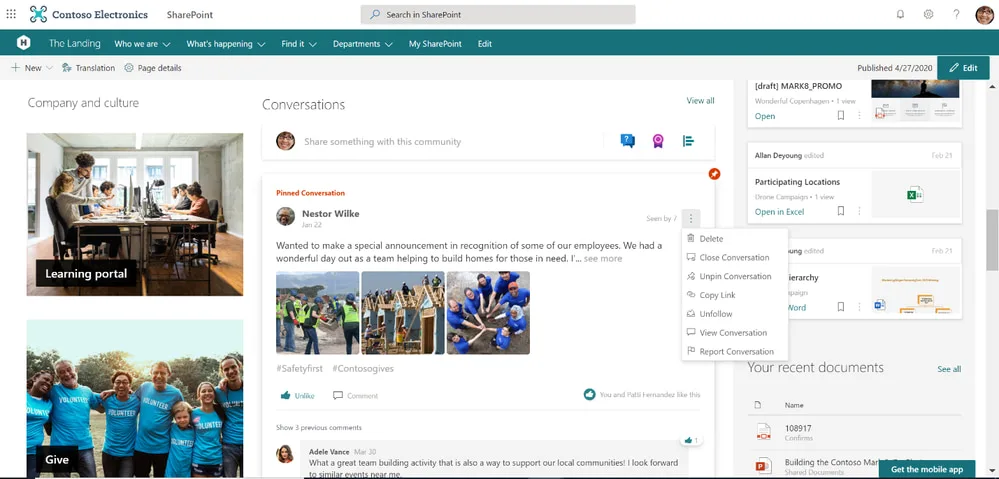
From communication to the automation of internal processes, the opportunities that an Office 365 portal offers companies are invaluable for increasing productivity and improving the employee experience.
In this article, we will explore the most important features that define the Office 365 portal (now Microsoft 365) and we will learn why the SharePoint Online corporate intranet is the best solution to bring them together, leading to the creation of a modern digital workplace.
What you will find in this article
What is the Office 365 portal?
The Office 365 portal, now part of the Microsoft 365 suite, is one of the most widely used digital work platforms in the world. Through the portal, users can access a wide range of cloud solutions such as Outlook, Calendar, Excel, Word, PowerPoint, and OneDrive, allowing them to work from anywhere, on any device, and at any time.
But the Office 365 portal is not limited to providing applications for individual productivity: it also offers advanced collaboration tools, such as Microsoft Teams and SharePoint Online, which help improve internal communication and knowledge management.
See intranet.ai in action
A ready-to-use intranet on SharePoint Online, live in days. Book a free demo with our team.
Book a demoOverview of the mobile application
How to access the Office 365 portal
The Office 365 portal is the main access point for using the applications and services included in the Microsoft 365 ecosystem and its various subscription plans.
To access the portal, follow these steps:
-
Go to www.office.com.
-
Select “Sign in” and enter your Microsoft email address and password.
-
Choose one of the available applications to start using it.
Once logged in, you will see that the portal features an extremely intuitive interface, allowing you to quickly perform actions such as managing documents in Word, collaborating with colleagues on Teams, updating data in an Excel spreadsheet, creating a PowerPoint presentation, or sending a message via Outlook.
New users also have access to a free trial of up to 30 days to explore Office features without any initial financial commitment. At the end of the trial, they can choose one of the Microsoft plans that include Office applications.
For businesses, some interesting subscription options include:
-
Microsoft 365 Business Basic, which includes web and mobile versions of Word, Excel, PowerPoint, and Outlook, as well as services such as Teams, Exchange, OneDrive, and SharePoint.
-
Microsoft 365 Business Standard, which offers, in addition to Business Basic features, the desktop versions of Office applications.
-
Microsoft 365 Business Premium, which includes all Business Standard features along with additional security and business device management capabilities.
Office 365 apps: key tools in the portal
Once you access the Office 365 portal, the applications you use most frequently will appear prominently, along with the most recent documents created within them. In addition to enabling real-time collaboration with your team, the portal allows you to work independently, securely share files, and store data in the Microsoft cloud, eliminating the risk of data loss.
Let’s take a look at the main Office 365 applications (now included in the Microsoft 365 environment) that support users in their daily activities and are accessible directly from the portal’s main page.
Microsoft Outlook
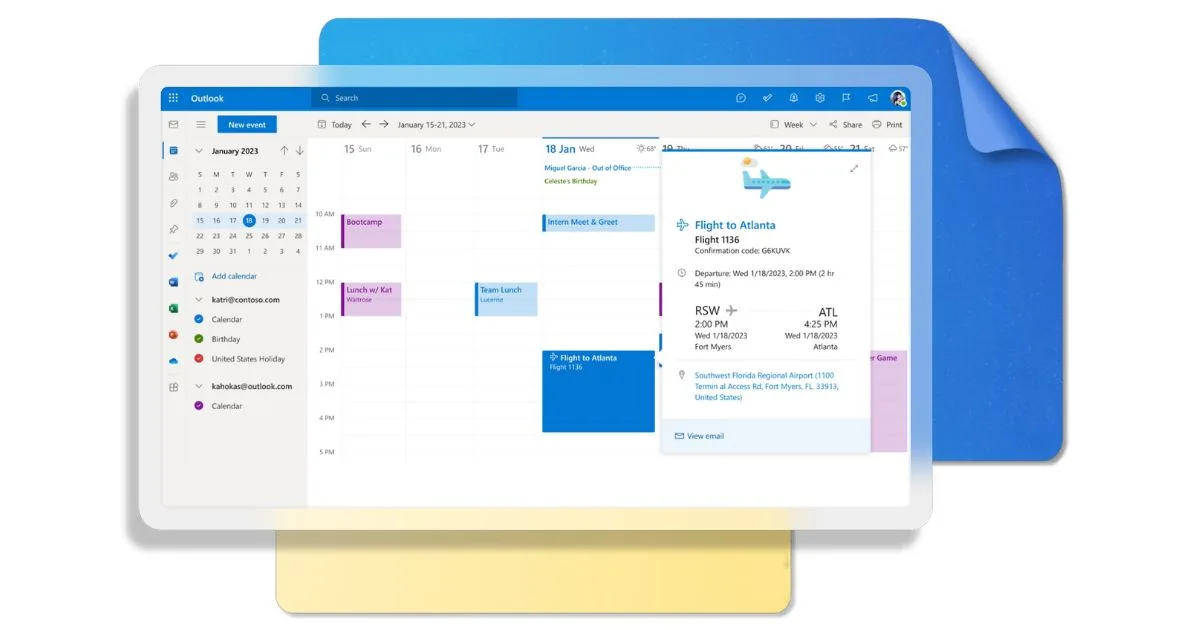
Outlook is the go-to software in the Office 365 suite for managing email and calendar. First and foremost, privacy and the protection of data shared via email are top priorities, which is why the tool includes dedicated security systems to safeguard communications against phishing, viruses, and malware.
Its search functions allow you to quickly find messages, contacts, and documents, while the integrated calendar makes it easy to schedule business meetings by providing real-time visibility of colleagues’ availability.
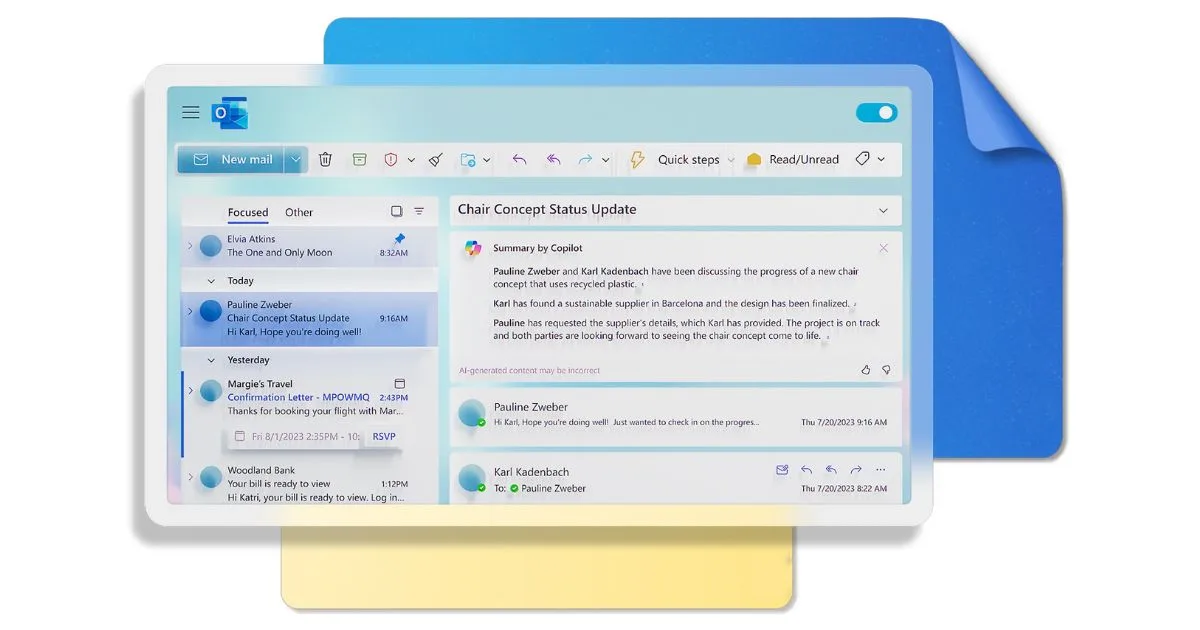
Thanks to the introduction of Copilot, it is possible to manage emails more efficiently with the support of artificial intelligence in drafting, editing, and summarizing messages in the personal inbox.
Outlook integrates seamlessly with other Microsoft 365 applications. For example, you can assign tasks using Microsoft To Do, collaborate on shared documents with Word, mention contacts from your address book directly in emails, or manage projects with Planner, all while staying within the platform.
The user experience is further enhanced by dynamic themes, a new feature powered by artificial intelligence, which allows for detailed customization of the application’s interface.

Microsoft Word
Everyone knows Word as the ideal software for writing. However, there is much more to discover. Thanks to its advanced features, it is not just a tool for creating documents but provides comprehensive support for productivity.
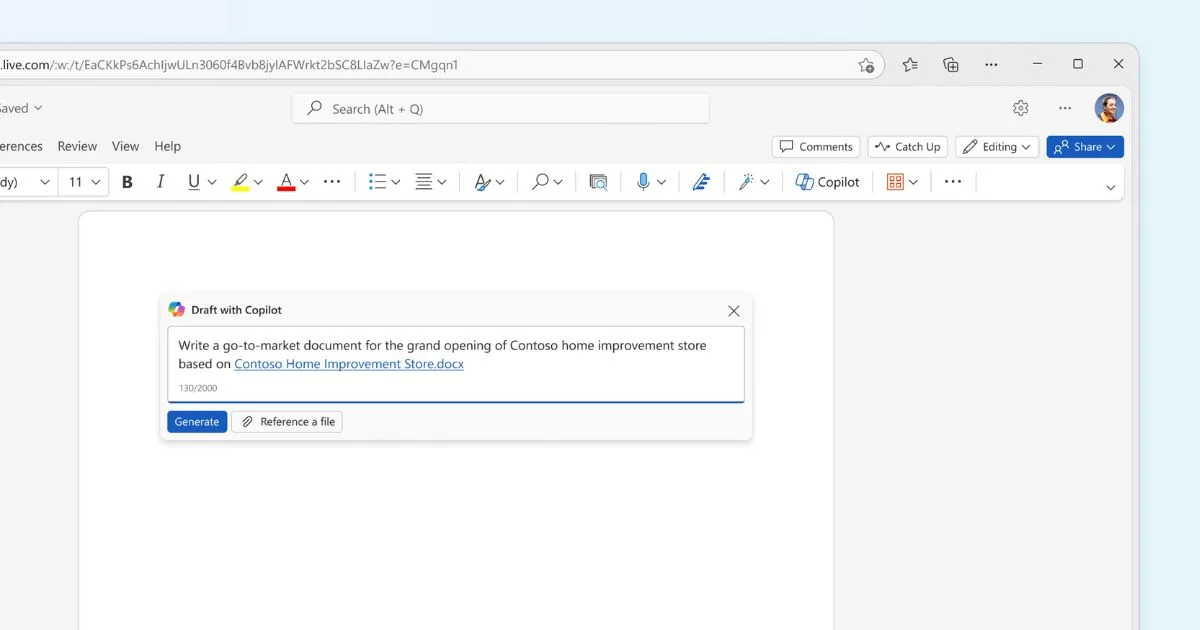
With Copilot in Word, for example, you can refine documents by transforming ideas into well-structured content, starting from a simple prompt shared with Microsoft’s AI.
For those looking for writing support, Microsoft Editor checks spelling, grammar, style, and punctuation, ensuring flawless and professional texts.

Creating documents in Word is also simplified through the use of customizable templates: resumes, letters, and reports, to name a few, can be quickly created with a layout designed to structure information, text, and graphics in the most suitable way to achieve the intended goal.

With the real-time collaboration feature, multiple users can edit, comment, and suggest changes to a document’s content, keeping the team always aligned on the author, date, and information related to each contribution.

Microsoft PowerPoint
PowerPoint is the renowned designer of the Office 365 suite, designed to create engaging presentations effortlessly. Everything starts with an idea, and PowerPoint helps us bring it to life.
Thanks to the recent integration of Copilot, small ideas can be transformed into complete presentations: texts and graphics are selected by artificial intelligence to build our narrative, with slides designed to keep the audience engaged throughout.
And let’s not forget Designer, PowerPoint’s traditional assistant, which continues to suggest the most original and elegant layouts to enhance the content of each slide.
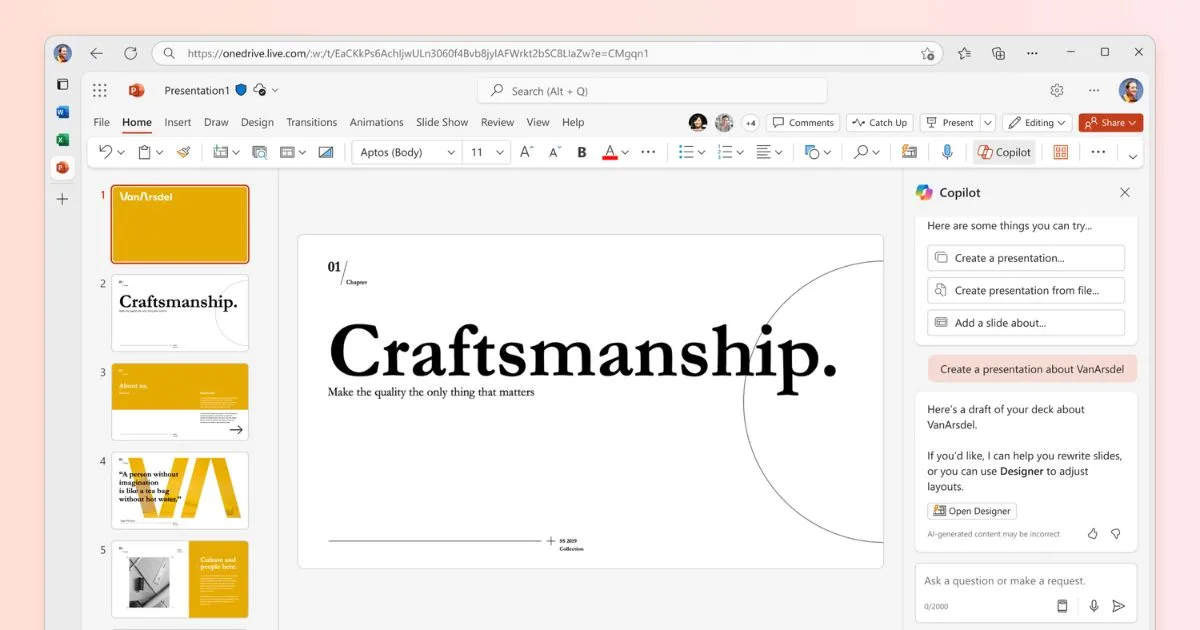
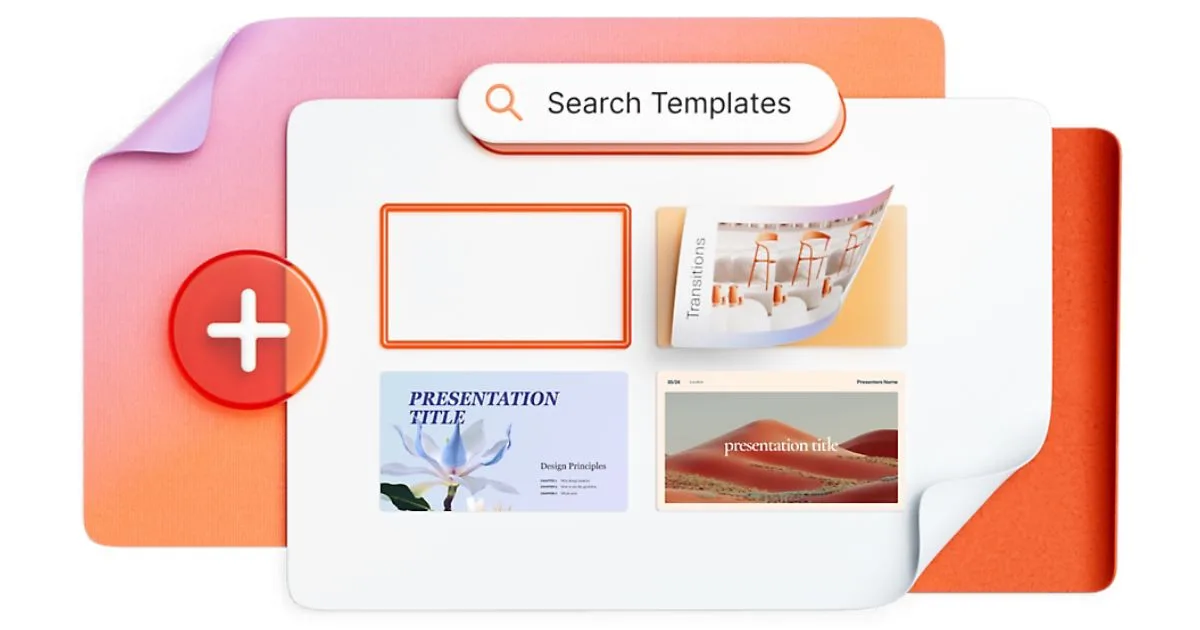
PowerPoint also offers a wide range of customizable templates, designed to suit any context: business, academic, or creative. Digital ink also allows you to add a personal touch with drawings and annotations made directly on the slides.
But creating a presentation is not enough; you need to engage your audience. This is where the cameo feature comes into play, allowing you to add pre-recorded videos in which the presenter explains the content of each slide. Additionally, the speaker coach provides valuable tips to refine your speech, improve your pacing, and choose the right words to connect with your audience from the very first slide.

Microsoft Excel
Microsoft Excel is an essential tool for anyone working with data. Its ability to manage large volumes of information and transform them into visual analyses, useful for making solid decisions in a short time, is what sets it apart.
Among its strengths, charts stand out, allowing data to be represented in a clear and engaging way. The forecasting function adds an extra layer of analysis, enabling the identification of future trends based on historical data.
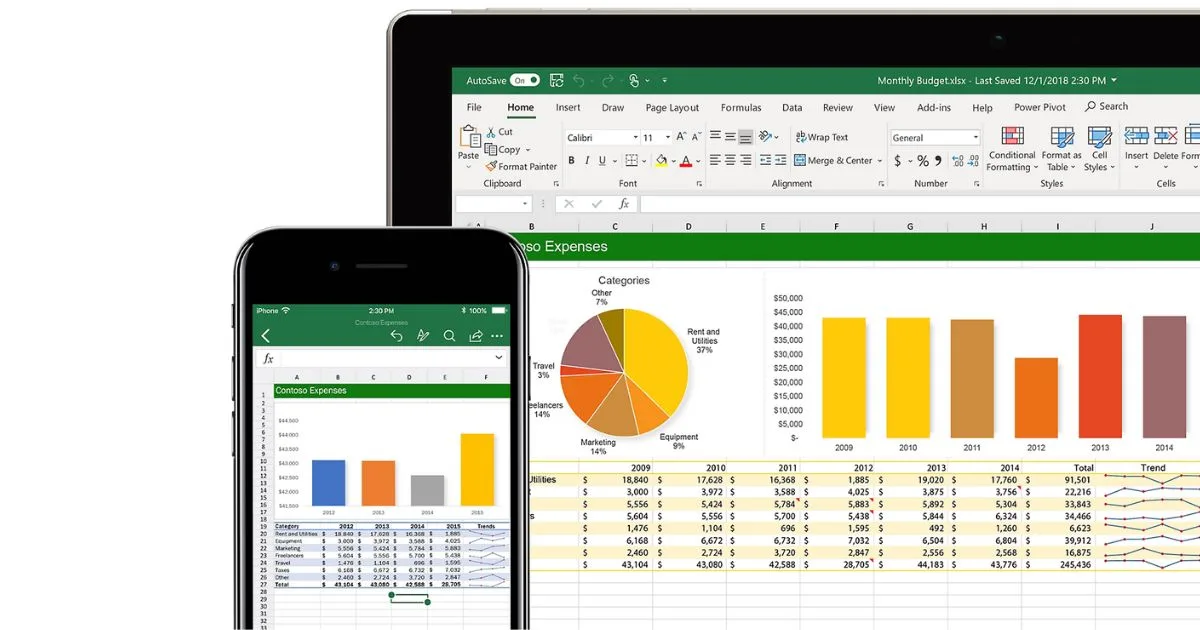
Thanks to the integration with OneDrive and SharePoint, multiple users can work on the same file simultaneously, with updates visible in real time. This eliminates long email chains exchanged between colleagues and ensures that everyone has access to the most up-to-date version of the document.
Data entry also features an important innovation: Excel allows you to import information directly from a photo, transforming an image into a table. This feature, based on OCR technology, is particularly useful for those who still frequently work with paper documents.

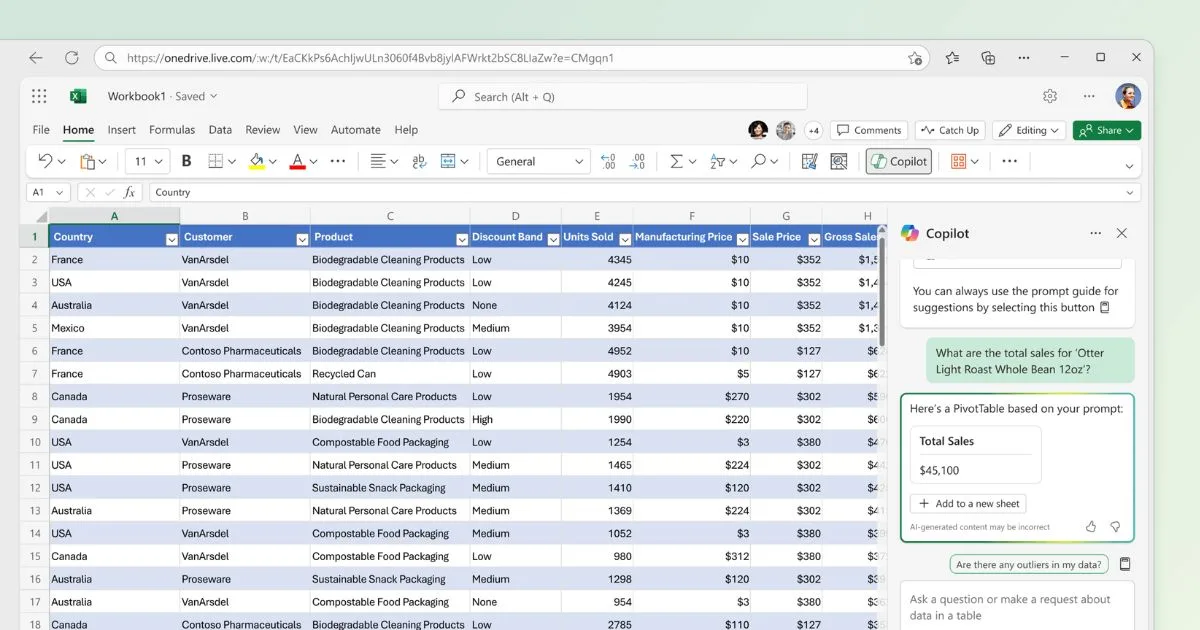
For those who need to organize business projects, Excel offers tools such as Pivot Tables and Power Query, which support the analysis of large amounts of data and the subsequent creation of detailed reports.
In combination with functions like SUM, IF, and VLOOKUP, these tools enable a more customized management of information. Additionally, thanks to Power Pivot, it is possible to create complex data models and analyze the relationships between tables from different sources.
Microsoft OneDrive
Where are the data circulating in the Office 365 portal stored?
The answer is OneDrive, the personal cloud storage service of Microsoft 365. However, it is important to note that data within the Office 365 portal can also be stored in other services, such as SharePoint for shared documents or Exchange for emails.
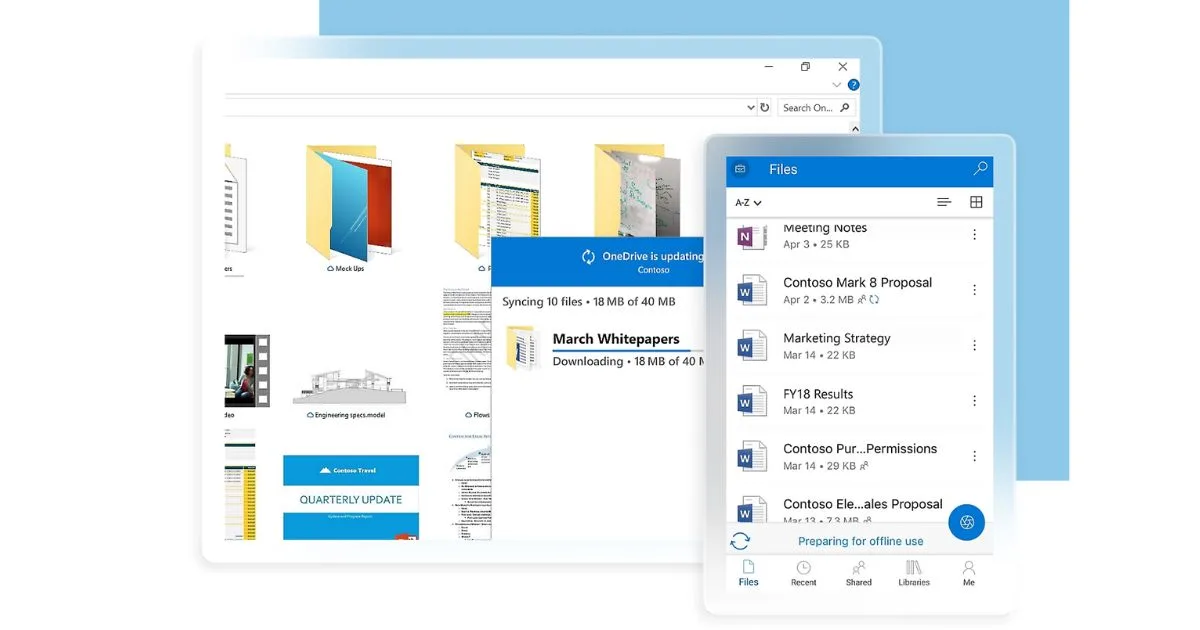
OneDrive allows you to share files, photos, and document folders, eliminating the need for large email attachments or external drives. Additionally, it offers the ability to:
-
access files without taking up space on the device thanks to the “Files On-Demand” feature;
-
scan and store documents, notes, receipts, and more directly from a smartphone;
-
edit and share files from any device, anywhere;
-
ensure data security through advanced encryption and multi-factor authentication;
-
track changes made to documents in real time, maintaining access to previous versions for future reference.
The evolution of the Office 365 portal: the intranet
Organizations increasingly need a digital environment capable of integrating tools, communications, and resources into a single platform, supporting employees in their daily tasks, wherever they are. The corporate intranet of SharePoint Online addresses this need by transforming the traditional Office 365 portal into a dynamic and interactive space.
It is not just about bringing Microsoft applications together but about creating an ecosystem capable of supporting collaboration, simplifying access to information, and connecting people.
With an intelligent solution, all organizational content is contextualized in a single environment designed to optimize internal processes and enhance user engagement.
Let’s see why this intelligent solution is the intranet.
Why switching to a corporate intranet?
What the SharePoint Online intranet offers
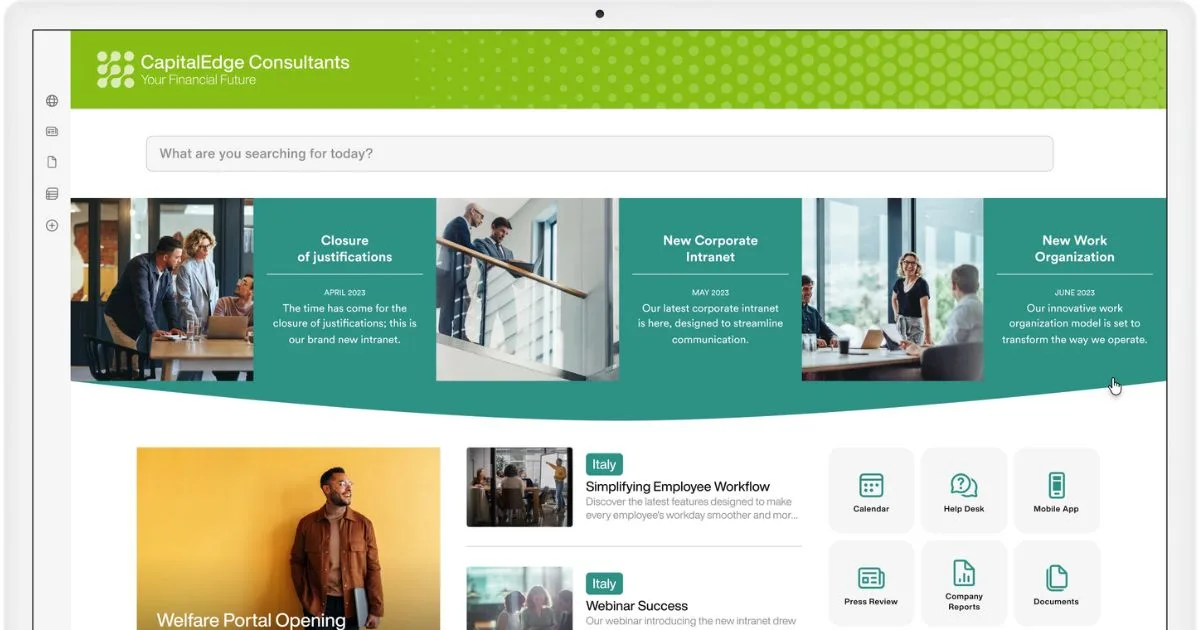
The corporate intranet is a private network accessible exclusively to people within an organization. This platform is capable of centralizing communications, news, documents, and essential services for employees.
Compared to the Office 365 portal (now Microsoft 365), the intranet offers a more structured and personalized work experience by integrating all the applications that make up the suite.
In short, when a user accesses the intranet, they enter a digital ecosystem rich in information, documents, and tools, designed for simplifying daily tasks and collaboration with colleagues.
SharePoint: the communication portal
SharePoint Online, part of the Microsoft 365 suite, was designed to connect people and enhance collaborative processes. Available in the cloud, it serves as the foundation for building modern corporate intranets.
Its key features include:
-
Creating intuitive, flexible, and dynamic corporate sites.
-
Enabling targeted communications for specific groups.
-
Storing and organizing information in intelligent digital archives.
-
Providing dedicated sites for teams, departments, or corporate initiatives.
-
Managing permissions and simplifying request handling, such as leave requests and technical support.
-
Integrating Microsoft 365 apps, third-party tools, or proprietary solutions to enrich communication and optimize internal processes.
Do you really need SharePoint?
Document management
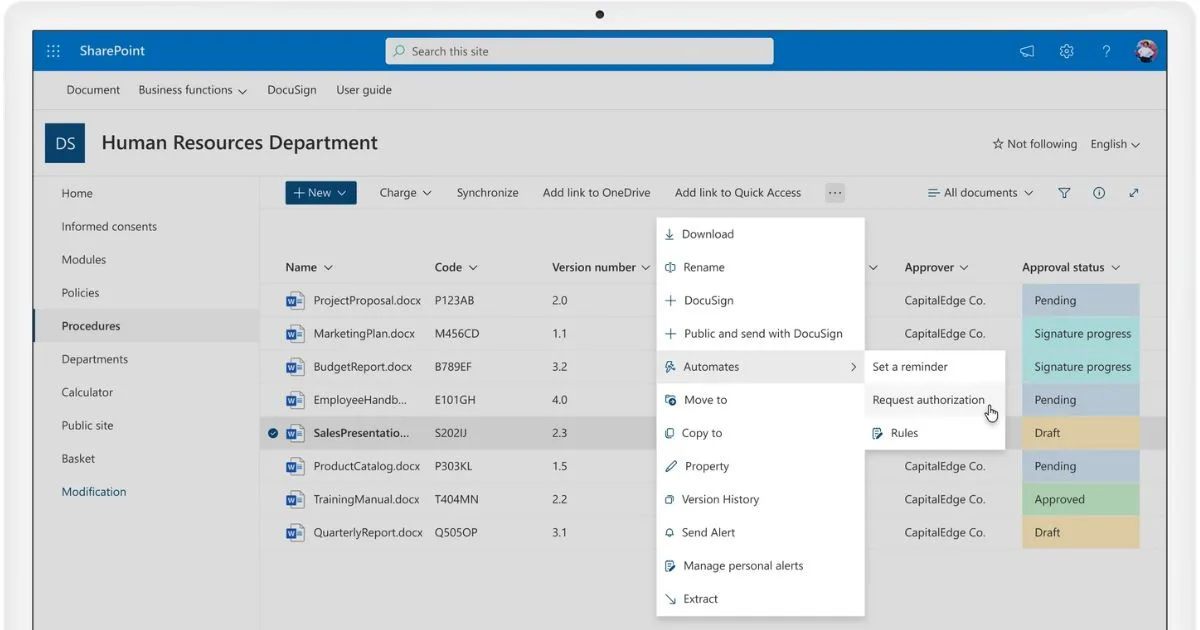
The true strength of SharePoint lies in its centralized and collaborative document management. Thanks to lists and libraries, it is possible to replace traditional file systems with a modern platform that:
-
Enables real-time co-authoring.
-
Facilitates file classification with intelligent metadata.
-
Automates organization and data extraction with Microsoft Syntex.
-
Provides automatic versioning to track every change.
-
Allows granular access management for individual files or entire libraries.
The company’s digital reflection
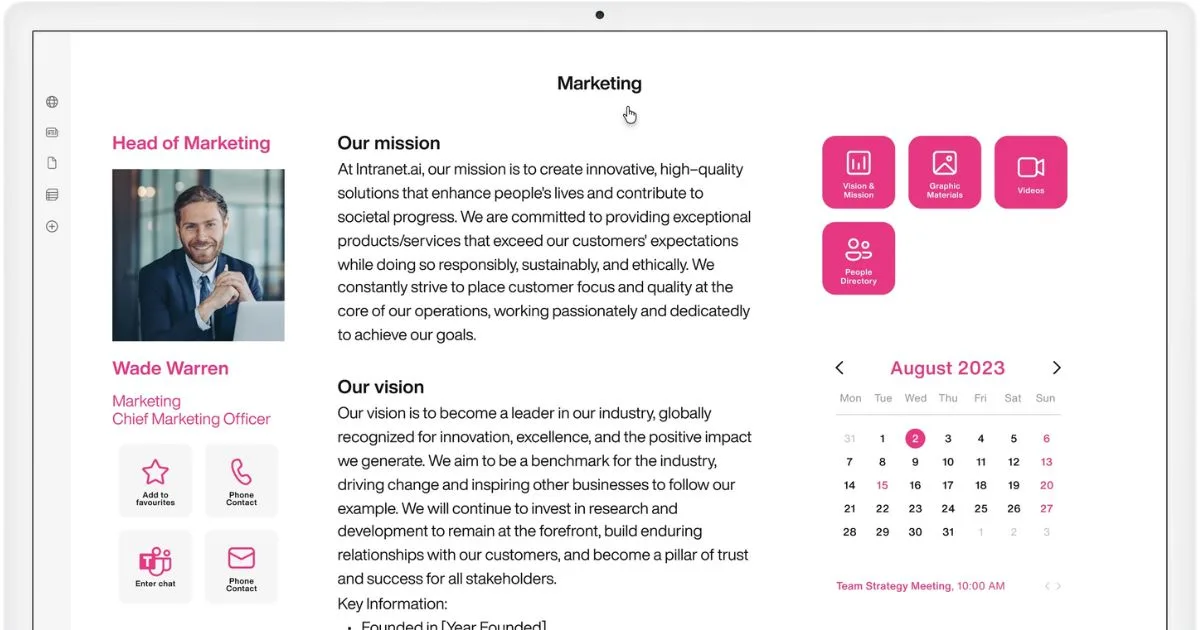
Within the intranet, each department can find a dedicated space for its communications, resources, news, and in-depth pages.
These areas can include tools to create:
-
Blogs, newsletters, and custom announcements.
-
Interactive dashboards to monitor department performance.
-
Pages that simplify access to relevant information and contacts.
Integration with Microsoft Teams
Teams is at the heart of modern business collaboration, as it provides a unified platform for managing tasks, sharing content, and storing information, with the following benefits:
-
Integration with Planner and Loop for task management.
-
Shared channels to easily collaborate with external teams.
-
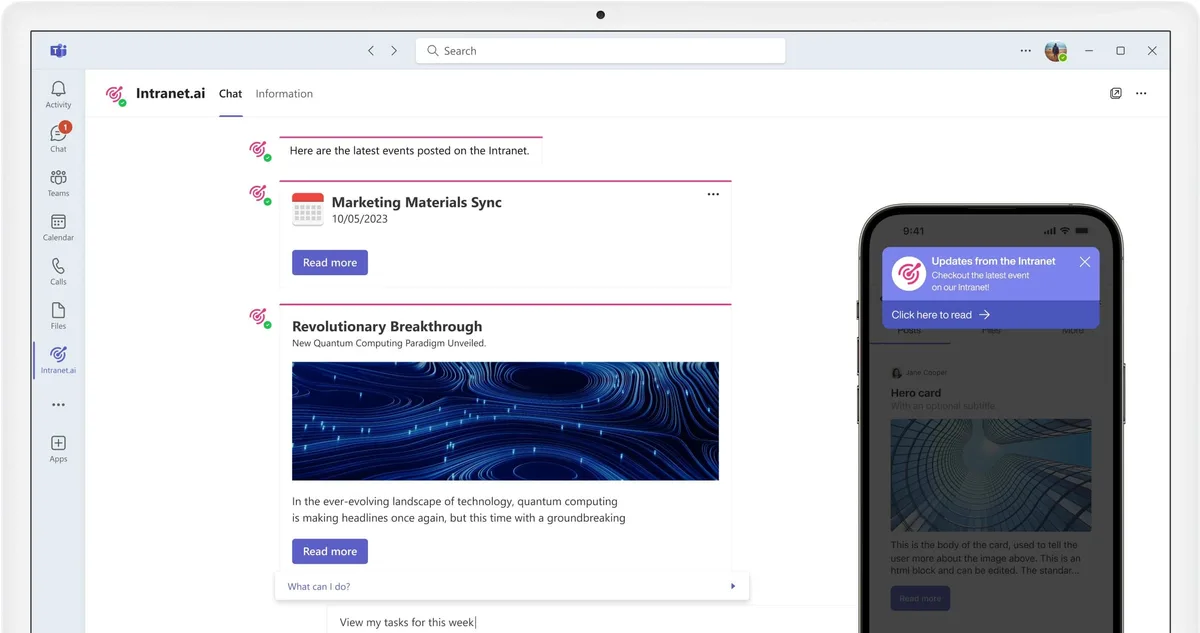
Smart notifications to distribute intranet news.
-
Centralized document storage, with real-time tracked changes accessible to all team members.
Thanks to the integration with Viva Engage, Teams further enhances its capabilities with new tools to boost engagement, starting with corporate communities, which allow users to share ideas, opinions, questions, and experiences related to topics of interest for colleagues and the entire organization.
Integration with Yammer (now Viva Engage)
Now known as Viva Engage, this app:
-
Works as a corporate social network for asking questions, sharing knowledge, and starting discussions on topics of common interest.
-
Includes new features such as Storylines and Leadership Corner, designed to connect the corporate audience with management.
-
Supports internal communication campaigns to promote company initiatives, encouraging active participation from all staff.
-
Replaces emails with a communication system similar to the most popular social media, based on posting, liking, and commenting.