
The Problem: a new service, with no tool to support it
The bank already had a solid intranet, built together with intranet.ai the year before, with documents, applications and internal communications.
What was missing was something more specific. A couple of months after the request, a new contact center service was set to go live, a centralized point of contact for customer support. The operators who would answer calls and emails, however, had no single place to find updated procedures, the most common scenarios, or pre-written reply templates ready to be personalized and sent.
The bank’s IT manager, with this need clearly in mind, already knew that SharePoint makes it possible to build knowledge bases.
What was needed was the support to do it well, on time, and integrated into the existing intranet rather than becoming yet another separate tool to manage. The main concern was timing: barely a month and a half between the request and the service’s activation date, with the need to populate the structure, train the operators and test everything before launch day.
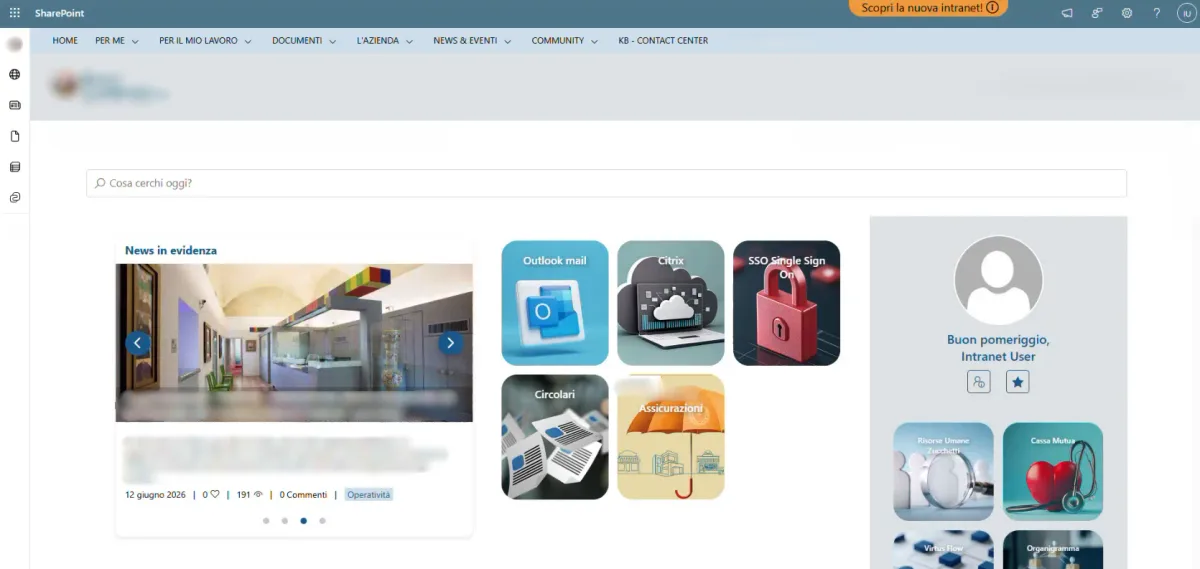
Home page of a bank's SharePoint intranet
Our Solution: a structure designed for finding the answer in seconds
The proposal was not to settle for a list of documents, but to build a real vertical knowledge base site, connected to the main portal but organized according to its own logic, designed exclusively for someone who needs to look up information while they have a customer on the phone.
This isn’t the same as a generic intranet explaining how company processes work. Here, every extra second of searching translates into a longer wait for the person calling.
The structure was organized into six thematic macro sections, each corresponding to an area of expertise for operators: financial advisory is one of them. Each section leads to a descriptive page listing the available articles, using one of the web parts designed specifically for knowledge bases: a page navigation menu that gives users an immediate overview of the content and lets them move between articles without losing their orientation.
Every single article follows a shared template, built together with the client. It always opens by stating the purpose of the page, then moves on to the prerequisites needed to handle that specific case and the procedure the operator has to follow step by step. There is always a pre-written reply template ready to be personalized and sent to the customer in seconds, together with any related contacts or links for those who want to learn more.
A second component, the breadcrumbs, keeps the navigation path always visible, so it’s always clear where you are relative to the overall structure, while a third element shows the page authors, useful for knowing who to contact in case of doubts about the content. Completing the picture is an internal index, which lets users jump directly to the desired section of a long article, for example going straight to the reply template without having to scroll through the whole procedure.
On the homepage, the bank was also able to take advantage of intranet.ai’s intelligent search, which reads the text content of the articles and responds by interpreting the natural language of operators’ questions. It effectively represents a further layer of fast access to information, designed for those who don’t have time to navigate menus while handling a request in real time.
Everything started with gathering requirements together with the client.
From there, the team independently defined the structure, the macro categories and the templates, sharing everything with the client’s point of contact for final approval. Only once the go-ahead was given were the first articles populated together with the client, and only at the end came the dedicated training session for internal editors, designed to make them able to keep publishing content fully independently, simply by copying the ready-made template.
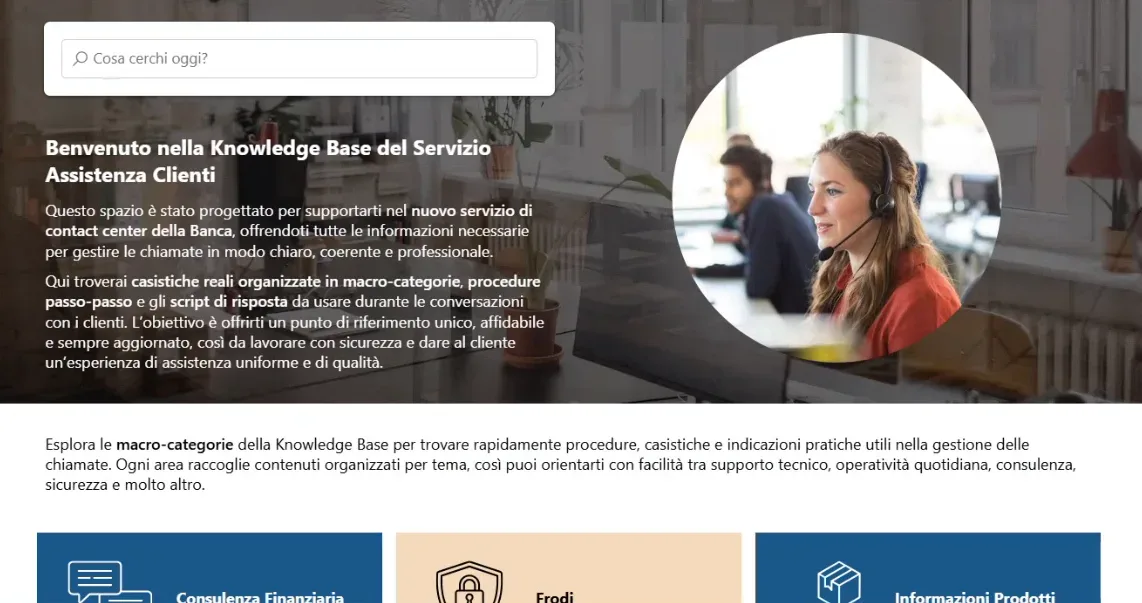
Intelligent search in the SharePoint intranet
The Results: a structure ready on time, and already alive
The project was completed in one month, in line with the timeline set by the launch of the new customer support service.
Since then, the knowledge base has been updated with new sections, and some specific areas have been reorganized, a sign of a site that is genuinely used and not simply consulted once and abandoned.
The bank’s editors, trained during the project, are now able to add new articles independently following the predefined templates, contacting the intranet.ai team only for deeper structural changes or to open entirely new sections. A balance that lets the bank stay agile in its day-to-day content management, without having to continuously depend on external support.
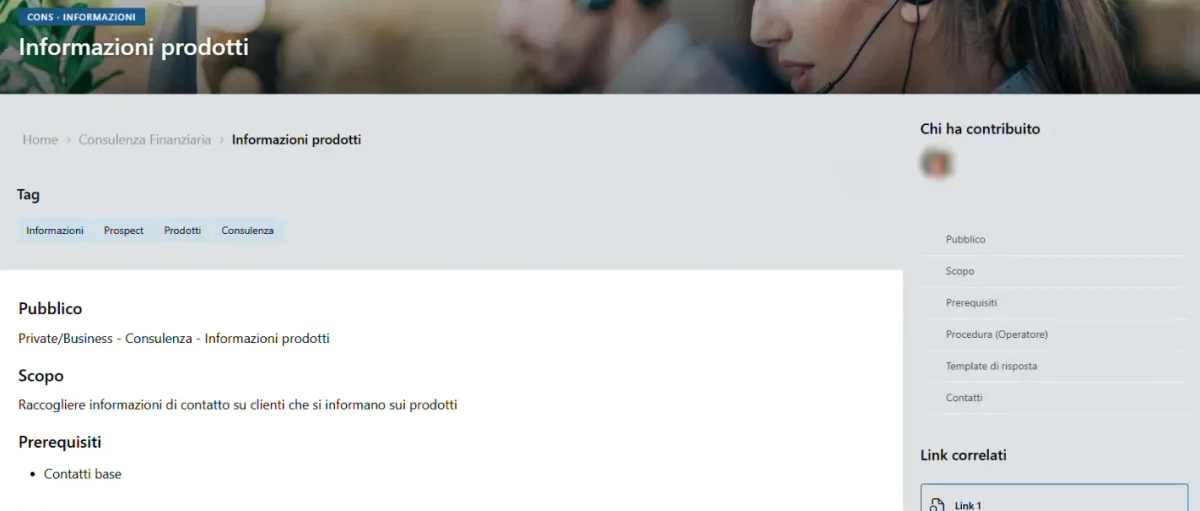
Shared template in the SharePoint intranet
What’s Next?
The structure built for the contact center is designed to stay open and keep evolving: new articles will continue to be added following the same framework defined at the start of the project, as new scenarios emerge that need to be documented.
The potential of intelligent search, already active and appreciated by operators, also represents a solid foundation for building further rapid-assistance tools, should the contact center service grow in volume or in the complexity of the requests it handles.
It’s likely that in the future the knowledge base will be enriched with further artificial intelligence tools, capable of independently interpreting operators’ more complex requests and directly suggesting the most suitable procedure, further reducing call handling times.
The topic of content governance also remains central to the project’s future: keeping internal procedures aligned with what’s published in the knowledge base, updating articles every time a regulation or operational practice changes, will probably be this tool’s most ongoing challenge, now that the initial build phase has been completed successfully.
When a new service already has a launch date set, the challenge is to build an effective tool in time, and make it simple enough to grow without needing to be redesigned from scratch.
Do you need a knowledge base for your customer support team or for a new service about to launch? Book a demo and find out how intranet.ai can help you build it in time.