
Decision guide
Knowledge management system on Microsoft 365: how to choose it
A knowledge management system is how your company captures and retrieves what it knows. On Microsoft 365 it is not one product to buy — it is three decisions to get right. This guide walks through them, with the tools we build and use every day.
What a knowledge management system actually is
A knowledge management system is not a product you install — it is the combination of three things working together: a place where knowledge lives, a way to keep it written and current, and a search experience that surfaces the right answer at the moment someone needs it. Vendors sell pieces of this. No single purchase solves all three.
On Microsoft 365, the first piece — where knowledge lives — is largely already decided: SharePoint Online is the storage and permissions layer underneath Teams, OneDrive and Viva, whether a company set out to use it for knowledge management or not. The real question is never "SharePoint or not" — it is what gets built on top of it, and who keeps it alive.
Why most knowledge management projects stall
The pattern repeats across companies of every size. Someone sets up a SharePoint site or a wiki space, writes the first dozen pages with real enthusiasm, and then the updates slow down. Six months later the space still exists, but nobody trusts it — the procedures are outdated, the org chart is wrong, and the search returns three versions of the same policy with no way to tell which one is current. The platform did not fail; the editorial process did. Structure and storage are solved problems. Keeping content written and correct, week after week, is the part that actually determines whether a knowledge base survives its first year.
What changed with Viva Topics retiring
For a few years, Microsoft's answer to "who keeps it written" was Viva Topics: an AI layer that scanned SharePoint and Teams content and auto-generated topic pages. Microsoft retired it in February 2025, pointing customers back to SharePoint Online plus Microsoft Search as the supported foundation — without replacing the curation piece Topics used to cover. That gap is real, and it is why the market now has two honest answers: pay an editorial team to write and maintain pages by hand, or bring in an AI agent that drafts and updates them from the content people already produce (the approach we cover in the "why it matters" section below, and that SecondBrain 365 is built around).
How to tell if your gap is structure, content, or search
Before choosing a fix, diagnose which of the three layers is actually broken. If people cannot find where to even start looking, the problem is structure — navigation, FAQ pages, a clear information architecture. If the pages exist but nobody trusts them, the problem is content — stale, contradictory, or simply missing. If the content is good but people still cannot find it, the problem is search — and most out-of-the-box SharePoint search struggles with natural-language questions, not just keyword matches. The three cards below map each symptom to the fix, and the sections after that go deeper on each one.
The framework
Three decisions, not one purchase
Every knowledge management system that works on Microsoft 365 answers the same three questions. Every one that fails skipped at least one of them.
1. Where does knowledge live?
Scattered knowledge cannot be managed. The home base on Microsoft 365 is the SharePoint intranet: sites, pages, permissions and navigation your people already have. Our knowledge base tools for the SharePoint intranet add the structure — FAQ pages, curated menus, document areas — that raw SharePoint leaves to you. For the file-governance side of the problem, see the guide to the document management system on Microsoft 365.
2. Who writes and maintains it?
Structure without content is an empty shelf — and content goes stale the week after it is written. This is the gap most projects underestimate, and the one AI now covers: an AI that writes and maintains the knowledge base from the content your teams already share, instead of only answering from it.
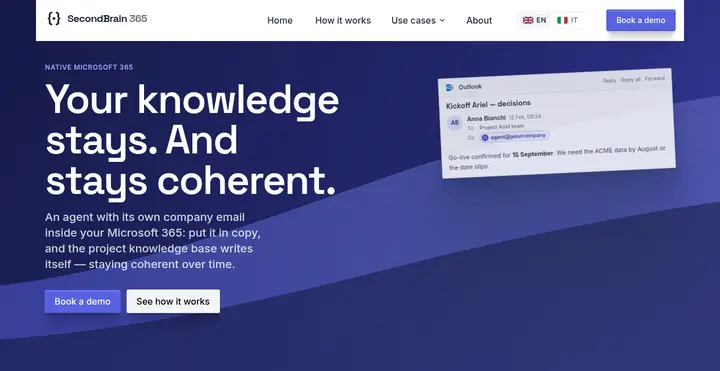
See SecondBrain 365 in action
An AI agent with its own Microsoft 365 identity that drafts and maintains your knowledge base from the content your team already shares — no blank page to start from.
3. How do people find answers?
A knowledge base is judged at the moment of the question. Microsoft Search covers the basics; an intranet adds advanced search, FAQ surfaces and curated entry points, so the answer shows up where people work — in SharePoint and Teams.
Why it matters
What actually changes when knowledge is centralized — and AI-maintained
Two separate upgrades, often bundled into one project. Each pays for itself on its own.
Centralizing removes the hidden tax of asking around
When procedures live in five different places — a pinned Teams message, someone's OneDrive, an email thread, a wiki nobody updated — every question becomes a small interruption: ping a colleague, wait, get an answer that may itself be out of date. Centralizing on one searchable home doesn't just make search faster; it removes the interruption from the colleague who had the answer, which is the cost nobody puts on a spreadsheet.
AI search understands the question, not just the keywords
Classic enterprise search matches words in the query to words in the document — it misses the procedure that answers the question using different terminology. An LLM-based search layer reads intent: it can connect "how do I get IT to reset my VPN" to a page titled "Remote access troubleshooting" with no shared keywords at all. That difference is most visible exactly where static search fails today — long, specific, internal questions.
Generative AI changes who writes, not only who searches
The classic failure mode of knowledge management is not a search problem: it's that nobody has time to write the page. The new generation of tools flips that — an AI agent can draft and keep pages current directly from the meetings, emails and chats where the knowledge already gets produced, so a page exists even when no single person ever sat down to "write the wiki". The editorial layer still reviews and corrects; it stops being the bottleneck.
The alternatives
Build on SharePoint, buy a platform, or both
The honest comparison depends on where you start from. These are the three situations we see most often.
You already use Confluence or an external wiki
The real question is whether to keep paying for a second home for knowledge outside Microsoft 365. We compared the two platforms feature by feature in SharePoint vs Confluence — including what a migration actually involves.
You have SharePoint, but knowledge is scattered
The platform is not the bottleneck — structure and habits are. Start from the intranet tools for knowledge management: what to centralize first, which pages matter, how FAQ areas and document libraries fit together.
You have the structure, but nobody writes
The shelf exists and stays empty: pages outdated, procedures undocumented, the same questions asked in chat every week. That is an authoring problem, not a platform problem — and it is what SecondBrain 365 exists for: an AI agent with its own Microsoft 365 identity that turns shared content into knowledge base pages and keeps them consistent.
Explore SecondBrain 365
The AI agent that writes your knowledge base for you — turns meetings, emails and chats into pages, and flags contradictions before a colleague trips over them.
Knowledge management system — FAQ
What is a knowledge management system?
A knowledge management system (KMS) is the set of tools a company uses to capture, organize and retrieve what its people know: procedures, decisions, project documentation, FAQs. On Microsoft 365 it is rarely a single product — it is the combination of a structured home (usually the SharePoint intranet), a way to keep content written and current, and a search experience that actually answers questions.
Is SharePoint enough as a knowledge management system?
SharePoint provides the foundation: sites, pages, permissions, versioning and search. What it does not provide out of the box is curation — someone still has to write the pages, keep them current and organize them so people can find answers. That is why most companies pair SharePoint with an intranet layer for structure and navigation, and increasingly with AI tools that author and maintain the content itself.
How is a knowledge management system different from a document management system?
Document management governs files — versions, approvals, retention, compliance. Knowledge management governs answers — the procedures, decisions and know-how people search for, regardless of which file they live in. Mature Microsoft 365 setups need both, and they are chosen separately.
What replaced Viva Topics for knowledge management in Microsoft 365?
Microsoft retired Viva Topics in February 2025 and recommends SharePoint Online plus Microsoft Search as the foundation. The curation gap Topics left — pages that organize knowledge by subject and stay up to date — is now covered either by editorial work on the intranet or by dedicated AI agents that write and maintain those pages automatically.
Bring a working knowledge management system to your Microsoft 365
intranet.ai gives your knowledge base its structure, navigation and search — live in 24 hours, with 80+ components for communication, learning and knowledge.
Video tour
Want to see intranet.ai in 5 minutes?
An interactive product tour. No form, no appointment.