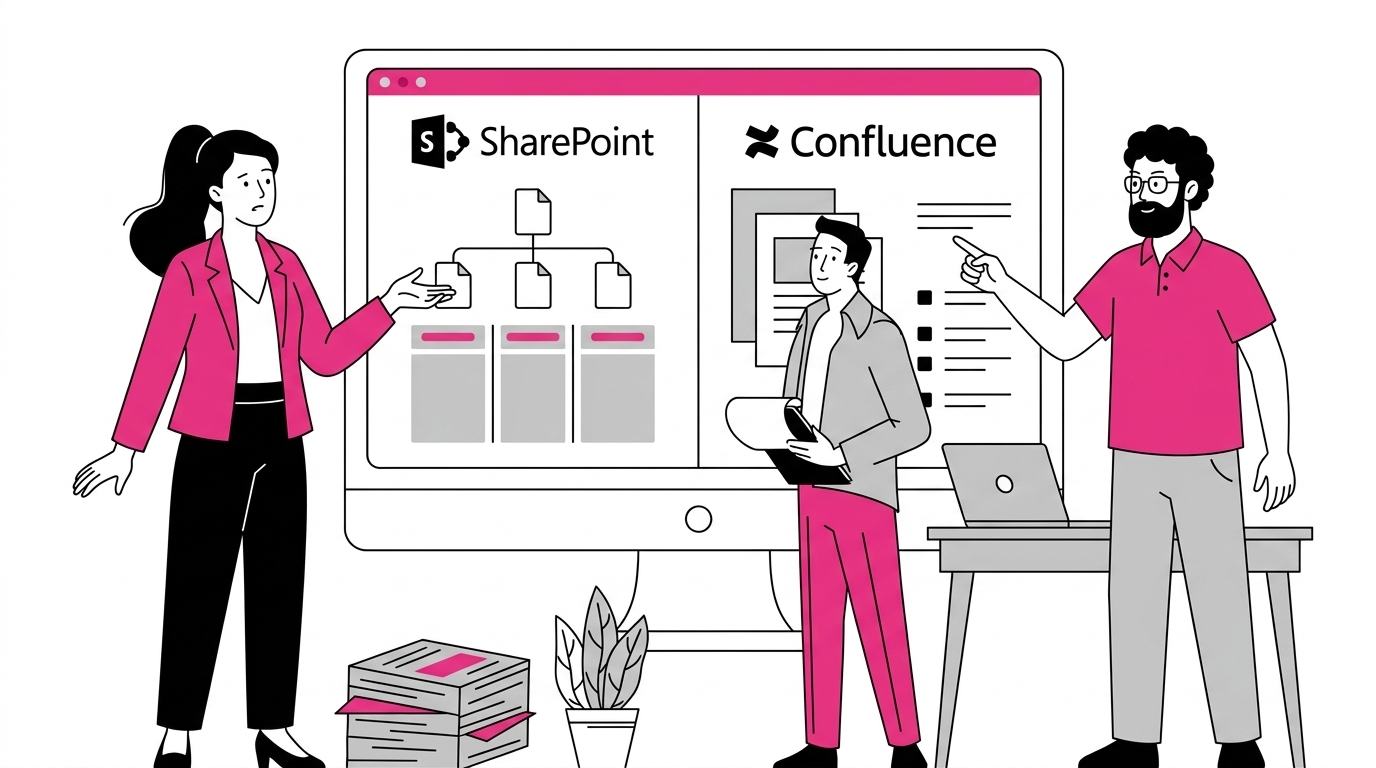
Choosing the right collaboration and knowledge management platform can make a significant difference in terms of productivity and return on investment. SharePoint Online and Confluence are two leading solutions in this space, offering highly valued features for content management and information sharing.
However, choosing which system to adopt is not only about evaluating the available features, but also about assessing how well they meet real needs for scalability, integration, and flexibility.
In this article, we will conduct an in-depth comparison between Microsoft 365’s SharePoint and Atlassian’s Confluence, analyzing their strengths and limitations. We will also explore how to manage the migration to the platform that best fits your company’s needs, with expert advice from the intranet.ai team.
What you will find in this article
Differences and similarities
Collaboration and knowledge management platforms help reduce document fragmentation, improve interdepartmental communication, and enhance overall work quality within a company. Regardless of size, organizations face common challenges (scalability among them).
As documents and information continue to grow, without a proper cataloging system, there’s a risk of duplicating or losing data, impacting both efficiency and compliance.
For this reason, it’s necessary to adopt a centralized platform that allows you to:
-
standardize internal processes;
-
make information updates easier;
-
monitor how data is stored, modified, and shared.
SharePoint and Confluence are among the most appreciated tools to achieve these goals.
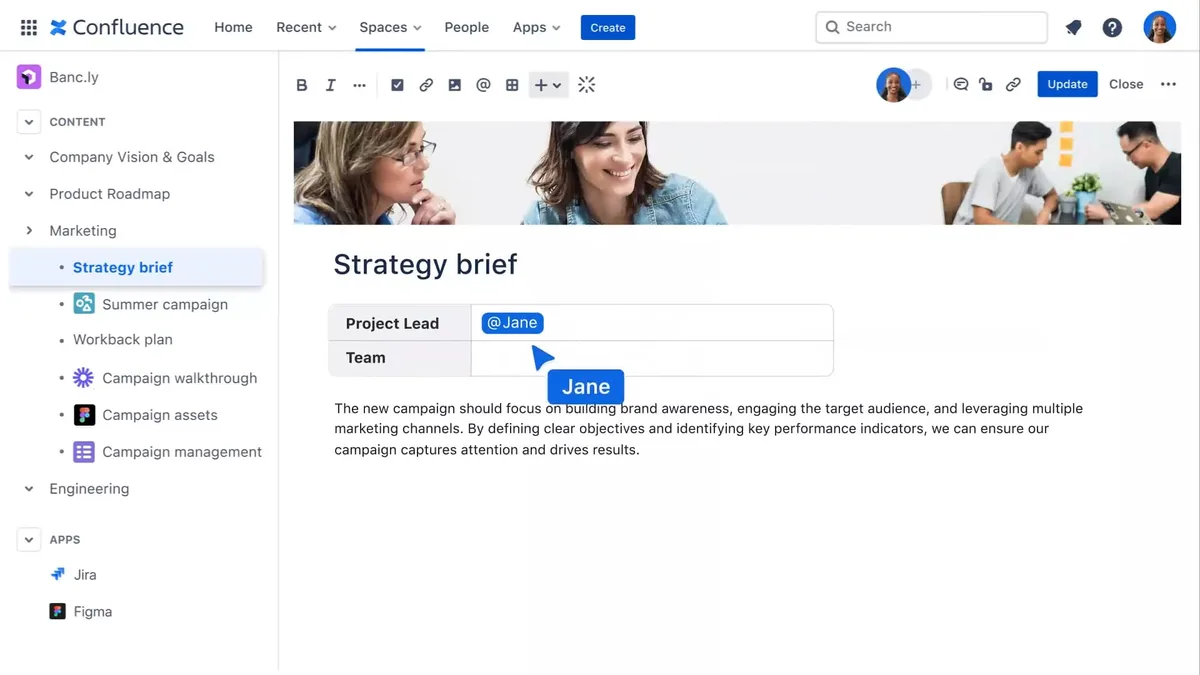
Confluence is a product launched by Atlassian in 2004, designed to provide a collaborative wiki for collecting documents, procedures, and content pages, organizing information into spaces that are easy to manage and consult.
Its structure is based on the concept of a knowledge base, where each department can create pages and subpages containing text, images, or attachments, with commenting and simultaneous editing features. Information is organized through a fairly intuitive hierarchy, and the internal search function suggests related materials.
One of its strengths is the integration with Jira, another tool developed by Atlassian for project and ticket management. Those working in software development environments especially appreciate the ability to link specific issues, create backlogs, and document every phase of a project’s lifecycle in a centralized way.
In terms of required skills, Confluence is generally easier to implement compared to SharePoint, especially if the main need is to create an internal repository.
In addition to Jira, Confluence can also integrate with Trello and Bitbucket.
This means that for a software development team using Jira for bug tracking and Trello for task planning, Confluence can serve as a documentation archive and a knowledge hub tied to product goals.
Moreover, it’s common to use Slack as a messaging platform which, thanks to dedicated connectors, allows users to receive notifications about page updates in Confluence or create quick links to archived documents during conversations.
As for configuring Confluence (for example, creating custom templates or using plugins for managing specific workflows) technical skills are required to implement such extensions, although not necessarily at an advanced programming level.
SharePoint was launched in the early 2000s as part of the Microsoft 365 ecosystem. Its initial purpose was to provide a document management and collaboration system integrated with Word, Excel, PowerPoint, and all the Microsoft applications included in the suite.
Over time, however, the platform took on a broader role, becoming a true framework for building intranets, shared file libraries, and communication portals.
From a basic functionality standpoint, SharePoint allows you to:
-
Create sites and document libraries where you can upload, search, and access all content versions in a granular way.
-
Manage user permissions to define which teams can edit, view, or share archived materials.
-
Integrate Microsoft 365 web parts (for example, a group calendar linked to Outlook, a feed with Viva Engage posts, a Power BI dashboard, or a project plan created in Planner).
-
Design pages for corporate sites such as the intranet and extranet, including news, alerts, training materials, and data from external sources to connect people inside and outside the organization.
Most companies adopting SharePoint benefit from its close integration with Teams and OneDrive, enabling them to centralize communication and collaboration workflows that underpin daily activities.
See intranet.ai in action
A ready-to-use intranet on SharePoint Online, live in days. Book a free demo with our team.
Book a demoWhat is SharePoint Online and what is it used for?
A guide to the best choice
After our brief introduction to SharePoint Online and Confluence, let’s continue the comparison between these two tools by examining how each solution addresses the needs of intranets, knowledge bases, and collaboration. We will also look at the key criteria to consider when evaluating a migration scenario.
Knowledge and document management
When we talk about knowledge management, we refer to a company’s ability to organize, share, and keep its information assets up to date. In this regard, SharePoint and Confluence meet organizational needs in different ways.
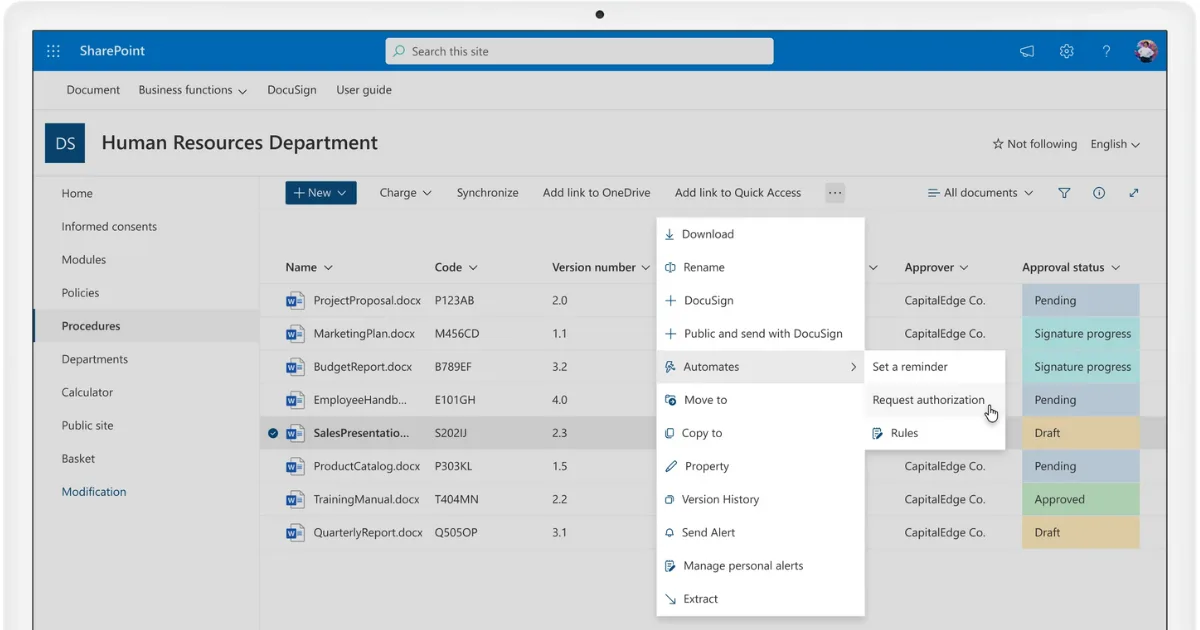
Starting with SharePoint, thanks to its close integration with Microsoft 365, its features facilitate the management of structured documents, with a robust system for version control and granular permission management.
This allows content to be divided into sites, libraries, and lists, always with the ability to define who can make changes or just view. Indexing processes and search (powered by Microsoft Search) also help locate files quickly, while metadata simplify the process of categorizing and retrieving information.
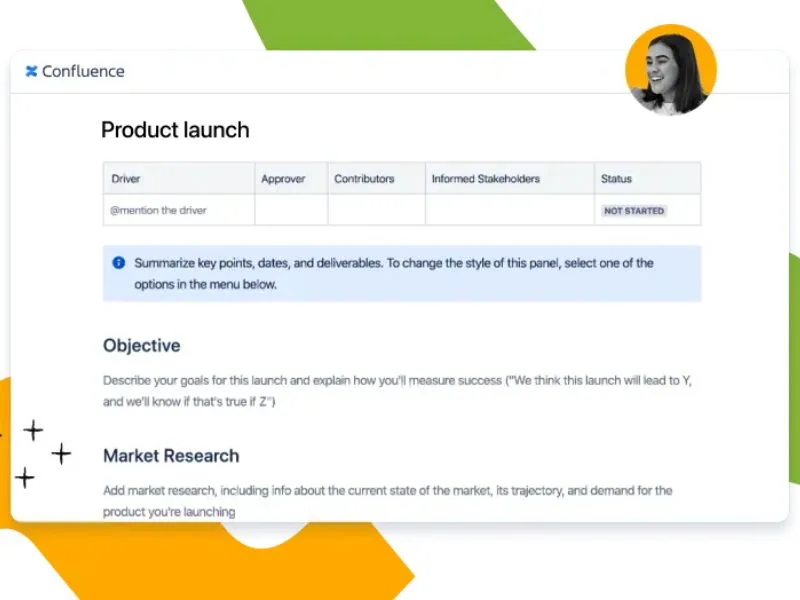
Confluence, on the other hand, is designed as a wiki platform and emphasizes the creation of spaces where text-based pages become dynamic assets. Collaboration takes place through simultaneous editing, including comments and a hierarchical architecture organized by topics.
While it does allow document uploads, Confluence places a stronger focus on shared text, documentation pages, and project notes. Knowledge management activities are thus centered on creating repositories for articles, guides, and procedures, always enriched by contextual discussions.
In terms of usage, while SharePoint is ideal for centralizing documents, communications, and corporate services (ensuring high compliance standards and strict access controls) Confluence is more agile when it comes to producing text content and sharing ideas in a less formal way, especially when related to software development cycles.
Creation of corporate sites
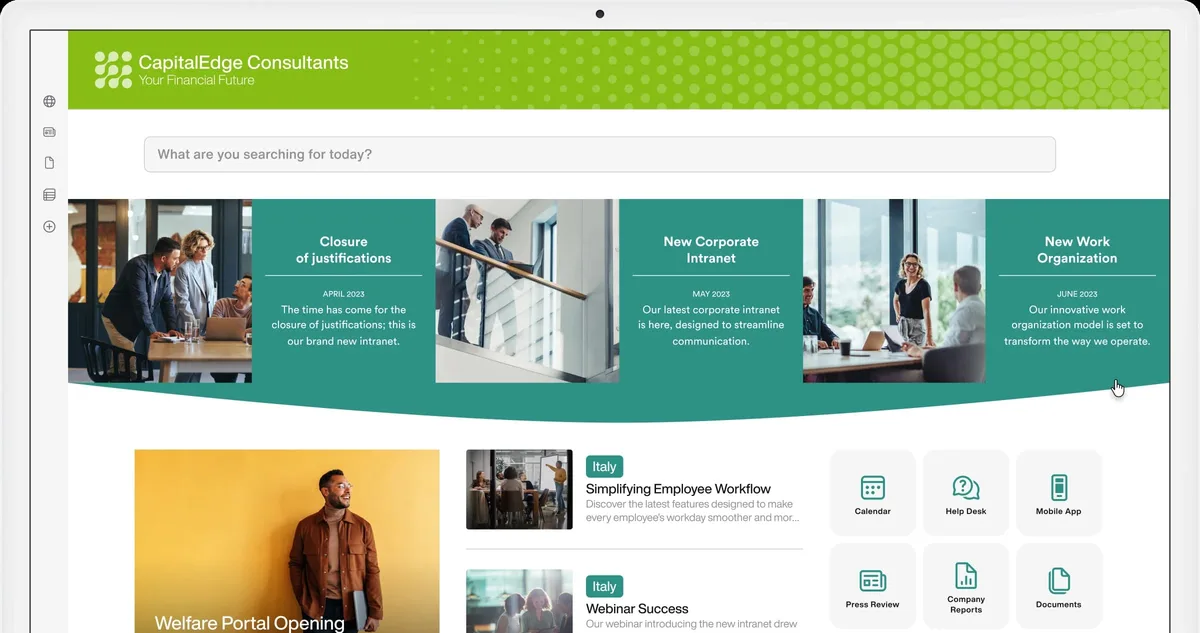
When building internal portals, SharePoint provides a structure that allows you to create:
-
communication sites to share news and resources;
-
team sites to support the activities of a workgroup;
-
hub sites to group multiple business units with unified navigation.
Users can customize the layout using web parts, adding features such as group calendars, task lists, and document libraries, always with a focus on integration within the Microsoft ecosystem. Many companies take advantage of this flexibility to enrich the intranet with news feeds, department-specific areas, and links to frequently used applications.
Confluence, on the other hand, focuses on creating thematic spaces rather than full-fledged sites. It therefore does not offer the same variety of tools as SharePoint for building corporate portals, although it is possible to create home pages for each collaboration space.
This setup is useful for creating wikis and knowledge bases; however, it may require more effort to scale if the goal is to build a comprehensive site with navigation components and more structured content.
Versioning, customization, and integration with external environments
When it comes to content versioning, SharePoint and Confluence follow different approaches.
The former allows for managing multiple versions of the same document, with check-in and check-out options and granular control over user access; the latter stores the page history, allowing users to view previous versions at any time and compare changes, though it remains primarily focused on text updates.
Regarding customization, SharePoint stands out for its flexibility, from theme editing to the addition of custom web parts, and even the development of more advanced components using the SharePoint Framework or platforms like Power Apps.
Confluence does not go quite as far, unless the company decides to adopt plugins available on Atlassian’s Marketplace.
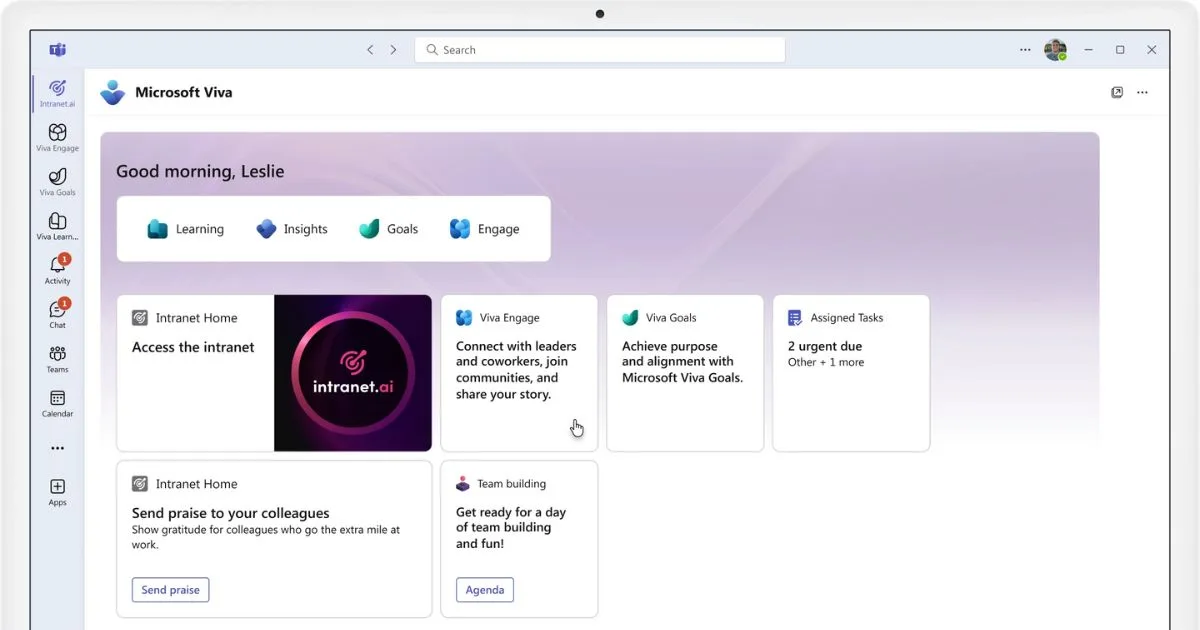
Finally, in terms of integration with external environments, SharePoint especially benefits from its native compatibility with the Microsoft ecosystem.
As mentioned at the beginning of the article, Confluence easily integrates with Jira, Trello, and Bitbucket, also offering numerous plugins to connect with Slack and other third-party tools.
Costs and licensing
SharePoint licensing is generally included in the Microsoft 365 Business plans (Standard or Premium) and in the Enterprise plans (E3 or E5). This means the monthly investment covers not only the use of SharePoint, but also various services including the Office suite, Teams, Exchange, and OneDrive.
In medium to large companies, purchasing Microsoft 365 is often a given, making SharePoint more of a value-added solution than an additional expense. On the other hand, in companies that don’t require the full Microsoft ecosystem, the extra cost and complexity may need to be justified.
Confluence uses a pricing model based on the number of users and the type of plan (Standard, Premium, Enterprise), sometimes including limits in terms of storage and features. Organizations looking to scale the platform to hundreds or thousands of users may see a significant increase in costs.
In more detail, the current costs to access SharePoint and Confluence respectively are summarized in the table below.
Pricing comparison
License type Product Price
Microsoft 365 Business Basic SharePoint €5.60 per user/month
Microsoft 365 Business Standard SharePoint €11.70 per user/month
Microsoft 365 Business Premium SharePoint €20.60 per user/month
Microsoft 365 E1 SharePoint €7.40 per user/month
Microsoft 365 E3 SharePoint €23.10 per user/month
Microsoft 365 E5 SharePoint €39.50 per user/month
Free Confluence Free for up to 10 users, with basic features.
Standard Confluence €5.75 per user/month, with additional features compared to the Free plan.
Premium Confluence €11 per user/month, with advanced features, 24/7 support, and unlimited storage.
Enterprise Confluence Available only with an annual subscription, offering features for large organizations. Pricing varies based on requirements.
Which one to choose?
To conclude the comparison between SharePoint Online and Confluence, the table below summarizes the main advantages and limitations of the two platforms, to help each company choose the best solution.
Summary of pros and cons of SharePoint and Confluence
Usage area SharePoint features Confluence features
Document management
-
Excellent for managing structured documents with real-time collaboration, versioning and granular permissions.
-
BUT less intuitive for creating unstructured content.
-
Great for creating knowledge bases and sharing information collaboratively.
-
BUT versioning is limited to text content.
-
BUT less suitable for managing complex documents.
Corporate sites
-
Highly flexible in creating sites with custom layouts.
-
BUT may require technical skills for complex customizations.
-
Great for creating wikis and collaborative spaces.
-
BUT limited in building complex sites with navigation and structured content.
Integrations
-
Native integration with Microsoft products (Teams, Outlook, OneDrive, Viva, and Power Platform).
-
BUT may require custom extensions to integrate with non-Microsoft products.
-
Native integration with Jira, Trello, Slack, and other Atlassian apps.
-
BUT may require custom extensions to integrate with Microsoft or third-party products.
Collaboration
-
Solid collaborative management for company documents and content.
-
Can be enhanced with custom web parts (like those from intranet.ai) to increase engagement and facilitate idea sharing.
-
Real-time collaborative editing, with contextual comments and mentions.
-
BUT less focused on collaborative management of structured archives.
From Confluence to SharePoint, how to manage migration safely
The decision to migrate from Confluence to SharePoint Online can be driven by several factors, especially the desire to align internal collaboration with the Microsoft 365 ecosystem.
This choice often becomes necessary when Confluence’s wiki-focused features no longer meet the needs of a growing organization, or when a company aims to adopt a single platform to manage its intranet, document repositories, and internal process automation.
Another key consideration is compliance.
SharePoint offers advanced security mechanisms, with granular control over permissions and data retention policies. In sectors with strict regulations (such as finance or healthcare), switching to an environment where the document lifecycle is governed by standardized policies can be a compelling reason to migrate.
Of course, a migration process is not without challenges.
Transferring pages from Confluence (rich with text, images, attachments, comments, and links) must ensure that internal links and space hierarchies remain consistent within the new SharePoint structure. In particular, it is important to account for the distinction between wiki pages and document libraries, as the storage logic differs.
For instance, attachments in Atlassian’s platform are stored directly on pages, whereas in SharePoint they may be better placed within dedicated document libraries.
Permission management is of utmost importance.
Confluence typically manages access permissions through Atlassian groups, while SharePoint uses permission lists tied to specific sites and libraries.
Therefore, before proceeding, it’s advisable to map the correspondences between Confluence groups and Microsoft 365 groups or roles, to avoid situations where entire departments lose access to their documents, or conversely, gain inappropriate permissions.

Let’s now get into the technical part.
To carry out the migration, it’s possible to adopt a more manual approach or use third-party solutions specifically designed to connect Confluence with SharePoint.
The manual approach often involves exporting content into intermediate formats (such as HTML or XML files) and then importing it into SharePoint, with a meticulous effort required to fix the links.
This method is low-cost in terms of licenses, but can be very demanding for the teams managing the data transfer, with likely risks of duplication or loss of migrated information.
This is why organizations often prefer to adopt third-party solutions that offer more advanced data import features. These tools are capable of preserving the page structure and migrating elements like comments, tags, and attachments with fewer errors.
Some of these solutions even include a permission group mapping interface.
These are software tools that integrate with Confluence and SharePoint APIs to automate much of the migration process, reducing the risk of file corruption. Among the most widely used are ShareGate, AvePoint Fly, and Xillio.
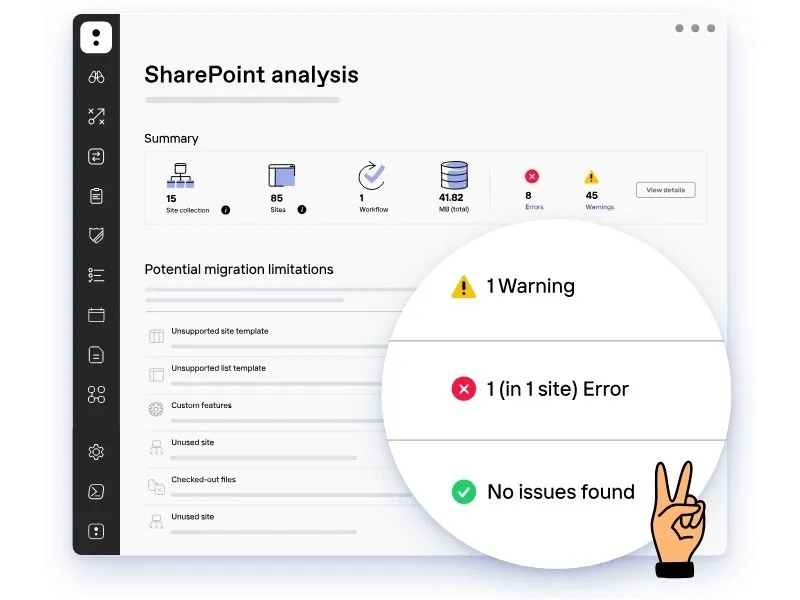
As a best practice, we recommend mapping out the target structure of SharePoint in advance, deciding which sites and libraries will correspond to the different spaces in Confluence. After that, it’s helpful to run pilot tests on a sample of content and plan validation phases, so you are prepared in case of technical inconsistencies.
To avoid losing important information, we also advise performing preliminary backups of the entire Confluence archive, including historical versions of individual pages along with their attachments.
Lastly, internal training and communication should never be overlooked.
When migrating from Confluence to SharePoint, access paths and navigation logic change. Everyone in the company must know how to find documents in the new environment, with the necessary guidance and knowledge to retrieve the content they need without constantly asking colleagues.
For this reason, we recommend organizing short training sessions on how to use the new SharePoint environment, as well as distributing updates and guidelines tailored to each department and role.
If the company lacks the skills to manage the migration, both technically and in terms of training, it can always turn to external consultants, including the expert intranet.ai team, who are well worth mentioning.
With over two decades of experience, we can support every company in building their digital workplace. Migration is included in our services, along with the option to request our support for user training and managing internal communication effectively, thanks to the capabilities of our SharePoint-based intranet.
Without the right skills, some companies (wrongly) decide to handle the migration on their own, only to end up spending a huge amount of time, energy, and money fixing the damage done to their infrastructure.
Others rely on solutions that are not aligned with the real needs of employees and, as a result, turn out to be an investment with no return.
What are these solutions?
We’ll take a closer look in the next section.
Open-source alternatives to SharePoint:Are they worth it?
We’ve seen how SharePoint Online is a complete collaboration and document management platform, designed to integrate seamlessly with the Microsoft 365 ecosystem.
It offers a solid, secure, and constantly updated environment (maintained by Microsoft), capable of boosting an organization’s overall productivity through better communication and collaboration across teams and departments.
However, in certain situations, a company may consider open-source alternatives to SharePoint. The reasons for such a choice (beyond a misjudgment of its digital infrastructure) might include:
-
Less dependency on Microsoft: companies working with different technologies might prefer platforms compatible with other standards.
-
Very limited budget: if the goal is to integrate specific features for just one process, such as document management, alternative solutions may be considered, even though Microsoft does offer licensing plans tailored for businesses lacking the resources to adopt a full-fledged digital workplace platform.
At the same time, it’s important to highlight that SharePoint’s completeness and reliability offer greater guarantees in terms of both efficiency and security, especially when the goal is to unify work tools within a single ecosystem.
If a company still wants to explore alternatives for migrating its data from Confluence, it’s important to know what the market offers.
Some of the main open-source alternatives to SharePoint include:
-
Alfresco: well-known for Enterprise Content Management and large-scale document management. It offers a modular architecture and advanced auditing features but may require technical expertise for optimal configuration.
-
Nuxeo: combines ECM and Digital Asset Management. It includes AI-powered features useful for analyzing large volumes of documents, though adoption may be challenging without expert support.
-
Liferay: designed as a digital experience platform and enterprise web portal. Suitable for building intranets with social features, but may require technical adjustments to achieve the same native integration that SharePoint guarantees with Microsoft 365, and socially, with Viva Engage.
These open-source solutions may appeal to those seeking maximum development flexibility and potentially lower licensing costs (or none at all with community editions). However, the burden of configuration and maintenance falls entirely on the company, which must manage updates, security, and bug fixes, unlike with a managed cloud service like Microsoft 365.
This is one of the reasons many companies prefer SharePoint.
As mentioned earlier, Microsoft ensures regular security patches and updates, helping reduce vulnerability risks. It also integrates perfectly with the suite’s tools, providing a unified and streamlined workspace for daily collaboration.
While it’s true that open-source solutions are often highly customizable, SharePoint, despite being an enterprise product, remains highly flexible, thanks to connectors and APIs that allow integration with third-party solutions.
Unlike many open-source solutions, Microsoft and its partners offer professional support services, with resources and specialized expertise ready to assist throughout every stage of migration and digital workplace setup.
In fact, for companies that don’t have an internal IT team or SharePoint expertise, it’s not only possible but recommended to rely on a Microsoft partner like intranet.ai, who can provide support to:
-
Manage the migration from open-source platforms (or other systems) to SharePoint, minimizing data loss risks and ensuring a smooth transition process.
-
Customize the new SharePoint environment to meet the specific needs of the organization, leveraging deep Microsoft ecosystem expertise and proven best practices.
-
Train users to use SharePoint and the integrated digital workplace, helping internal teams become self-sufficient in managing their own operations.
-
Maximize integration with Microsoft 365 by implementing custom automations and adding content and features that enhance usefulness, engagement, and adoption rates of the new platform.
Open-source solutions and other commercial platforms like Confluence can be valid alternatives only in specific cases, such as when there’s a very focused requirement or the company prefers extensive control over the source code.
In most other cases, SharePoint remains the most reliable choice for companies seeking an integrated document management and collaboration system that is continuously updated and capable of ensuring the highest level of data security.
And with support from the intranet.ai team, even organizations without internal expertise can successfully adopt this powerful platform and make the most of its features.
Need a hand managing your SharePoint sites?
We’ve got more than 100 on deck to support your company in:
-
Distributing the right permissions to users
-
Ensuring the security of shared information
-
Improving document and resource management
-
Developing custom web parts and branded graphics
Contact us