Internal communication is vital for the success of an organization, as it ensures efficiency in business operations, cohesionin inter-team collaboration, and a sense of belonging that can engage all colleagues.
In this article, we will explore the role of internal communication, highlighting its main features and how it differs from external communication.
We will also analyze the benefits of a well-structured strategy and the best tools to implement it, with a special focus on applications from the Microsoft 365 ecosystem.
What you will find in this article
What is internal communication
Internal communication is what enables the optimization of internal processes, increases employee engagement, and, without exaggeration, ensures the success of the entire organization. It’s not just about sharing information, but about creating a synergistic system in which people, processes, and goals are interconnected.
Every company is made up of a complex network of individuals and teams, each with specific roles and different responsibilities. Internal communication is essential to ensure that all parts of this network work in a coordinated way, keeping them aligned over time towards a common goal. As a result, clear internal communication minimizes misunderstandings and helps create a more collaborative and productive work environment.
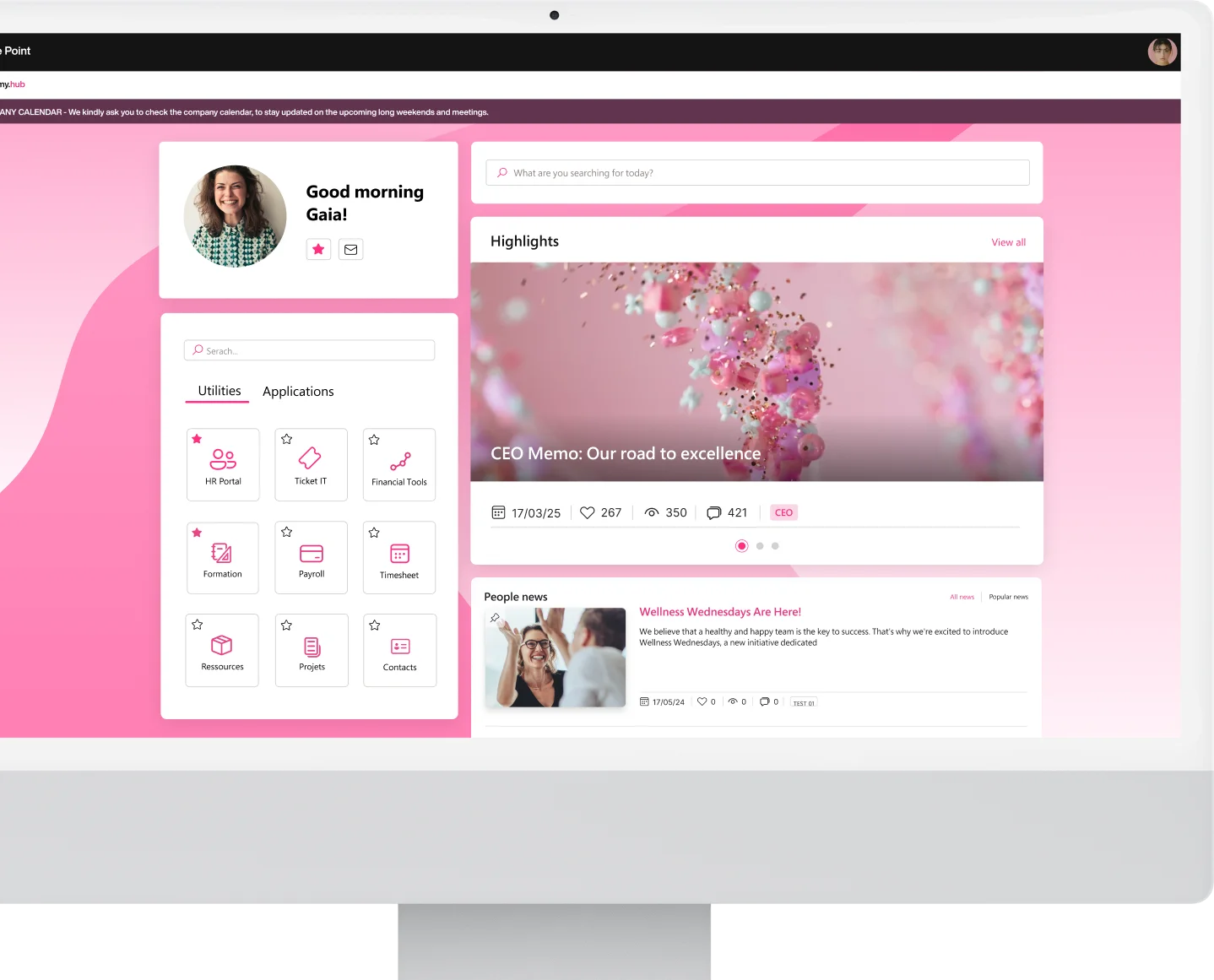
Today, fortunately, there are modern solutions that help effectively manage the communication flow at the core of an organization. One example is the corporate intranet built with SharePoint Online, which forms the beating heart of Microsoft’s digital workplace.
In fact, the SharePoint intranet brings together all the main Microsoft 365 applications, including Microsoft Forms, which allows the creation of custom surveys and forms to collect feedback, or Microsoft Teams, which instead enables document sharing, project task management, and real-time communication with colleagues, wherever they are.
See intranet.ai in action
A ready-to-use intranet on SharePoint Online, live in days. Book a free demo with our team.
Book a demoBenefits and features of the SharePoint intranet
The role of internal communication is also important to support change. Let’s clarify with an example: when a company introduces new technologies to digitalize internal processes, the way daily activities are carried out naturally changes.
In these cases, internal communication plays the role of facilitating the adoption of new tools introduced in the organization, such as the corporate intranet, helping staff quickly understand how to use them to ensure there is no slowdown in workflows.
However, simplifying innovation within the company is not the only outcome that can be achieved through a solid communication strategy. Below is a summary of the most important goals:
-
Alignment: internal communication helps clearly convey the company’s mission, vision, and strategies. For individuals, it becomes easier to understand how their work contributes to overall goals; for the company, at the same time, it becomes easier to strengthen the sense of belonging and responsibility among different teams.
-
Engagement: the more people feel informed and included, the more motivated they are to give their best. Regularly updating staff on company results and achievements—also through an internal newsletter (easy to create and quick to read on the SharePoint Online intranet)—can strengthen the sense of community. Moreover, according to a McKinsey report, effective internal communication can increase engagement by 20–25% and deliver a higher ROI compared to companies that choose not to invest in communication with their employees.
-
Promotion of a positive culture: internal communication shapes the culture of an organization. A transparent environment that encourages open dialogue between teams and management will be more appreciated and stimulating than a closed work environment, where communication is limited to the delivery of directives and workers are treated as mere cogs in a machine perceived as obscure and distant.
-
Crisis management: the world is rapidly changing, and adaptability is what separates a healthy company from one destined to fail. Good internal communication, therefore, helps clarify the path to follow and manage the inevitable unforeseen events and difficult moments, responding promptly to the needs of the company and its people.

What distinguishes internal communication from external communication?
Although internal and external communication in a company have different goals and target audiences, the two dimensions are closely interconnected. On the one hand,internal communication is aimed at employees and is intended to inform, engage, and motivate; on the other hand,external communication focuses on dialogue with customers, partners, and all those who can be considered external stakeholders, with the aim of promoting the brand and its values.
So, what is the relationship between these two spheres of corporate communication?
First of all, an organization that communicates effectively internally is able to create a solid foundation for projecting a more consistent and trustworthy image externally. For example, a sales team that fully understands company values thanks to well-structured internal communication will be better equipped to convey them to customers.
What types exist?
Let’s now dive into the topic and explore the types of internal business communication, analyzing how each of them helps achieve a specific goal.
As we’ve seen, internal communication is the process through which information, directives, news, and notices circulate within an organization. It’s not just the mere transmission of data between management and employees: it also includes dialogue between teams, colleagues, and departments. Its primary function, therefore, is to create an information flow that fosters transparency, efficiency, and cohesion, with positive effects on overall productivity.
To better explain why it is important to structure effective internal communication, let’s consider the example of a company with multiple geographically distributed offices: without a well-organized communication system, there could be delays in accessing information or misunderstandings between managers and teams, resulting in difficulties in coordinating activities.
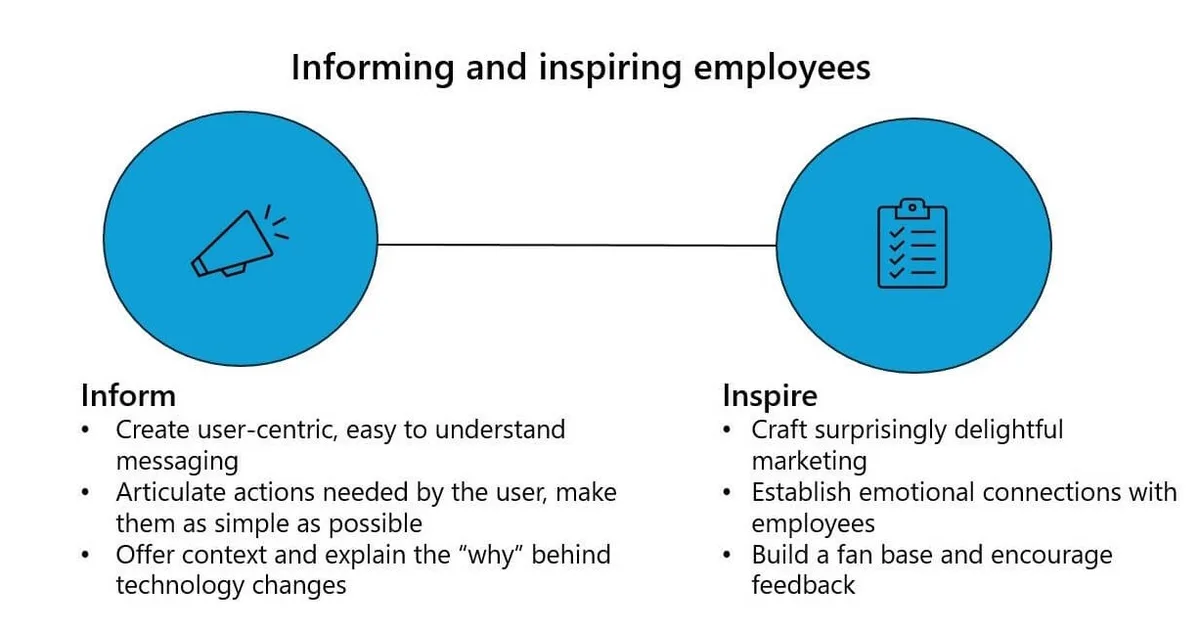
Well-structured internal communication, on the other hand, allows quick access to information, real-time collaboration with colleagues, and timely problem solving, even when time zones don’t align. But how can internal communication be made effective? In general, it’s important to keep three key aspects in mind:
-
Clarity of messages
-
Use of appropriate channels
-
Ongoing request for feedback
These three elements form the foundation of the communication pyramid and characterize any information flow within an organization.
After that, we can classify internal communication types based on the direction and tone of the information flow. Let’s illustrate them in the table below.
Internal business communication: main types
Types of internal communication Description
Vertical Occurs between different hierarchical levels. It can be downward (top to bottom) or upward (bottom to top). Downward communication is used to convey directives, goals, or updates, while upward communication allows employees to provide feedback, propose ideas, or report issues.
Horizontal Occurs between colleagues at the same hierarchical level or between teams working on shared projects. It fosters knowledge sharing and collaborative problem solving.
Formal Follows specific rules and uses official channels such as corporate emails, reports, or meetings. It is used to convey strategic information or document processes.
Informal Occurs spontaneously, often through conversations between colleagues or interactions on corporate social networks. Although less structured, it is useful for team building and improving the work environment.
In addition to the three previously mentioned factors (clarity, appropriate channels, and feedback), the four types of internal corporate communication listed in the table share the goal of creating a work environment where people feel more engaged and motivated.
Here are a couple of examples to understand how to achieve these results.
Examples of how to manage internal business communication
Communication goals Implementation methods Practical example
Engagement and motivation Communication helps colleagues understand the value of their role, achieved goals, and future objectives, keeping them aligned and motivated over time. Creation of an internal newsletter to recognize colleagues’ achievements, promote ongoing projects, and increase participation in future corporate initiatives.
Productivity Internal communication simplifies access to information, helping people quickly find what they need to carry out their tasks without wasting time searching. Adoption of a portal such as the corporate intranet, which not only distributes company news but also facilitates access to information, resources, applications, and contacts.
The problem with traditional internal communication
It might sound new, but we all probably know it already: too many emails are circulating in companies. There can be endless reasons to justify the persistent use of a communication tool dating back to 1971. But topping the list is the resistance to change.
It almost seems paradoxical if we think about every company’s evergreen promise of innovation, yet the massive sending of emails remains a constant even today. However, this way of communicating is not only ineffective, but even harmful.
Like silent cholesterol molecules, the countless pieces of information sent daily via email pose a risk for any organization. Over time, they can cause real heart attacks in the internal communication system, leading to the paralysis of core functions like data transmission, task assignment, and updates.
A related risk, equally serious, is the progressive numbing of colleagues’ attention, as they are constantly forced to monitor the relentless flow of notifications flooding their inboxes every day, carrying the most disparate information.
As is clear from our overview of what the goals and benefits of internal communication should be, for many companies, coordinating activities in this inefficient way is the norm—or rather, the habit—stemming from the stagnant mindset of “we’ve always done it this way.”
A paradigm shift is needed, which means adopting new tools to manage internal communication. We’ve already discussed the corporate intranet integrated with the Microsoft 365 ecosystem, but let’s now take a closer look at why the intranet is the ideal solution to improve internal communication and, with it, all internal processes within an organization.
How to replace emails in internal business communication?
So far, we have understood that internal communication is not an oral process: it’s not just about talking to each other, but about using (and knowing how to use) a wide range of tools that represent an alternative to traditional emails.
These tools can be divided into categories based on their level of innovation and communication approach, ranging from traditional to digital and up to the most innovative technologies. Regarding the latter,digitalization is transforming corporate communication thanks to solutions such as:
-
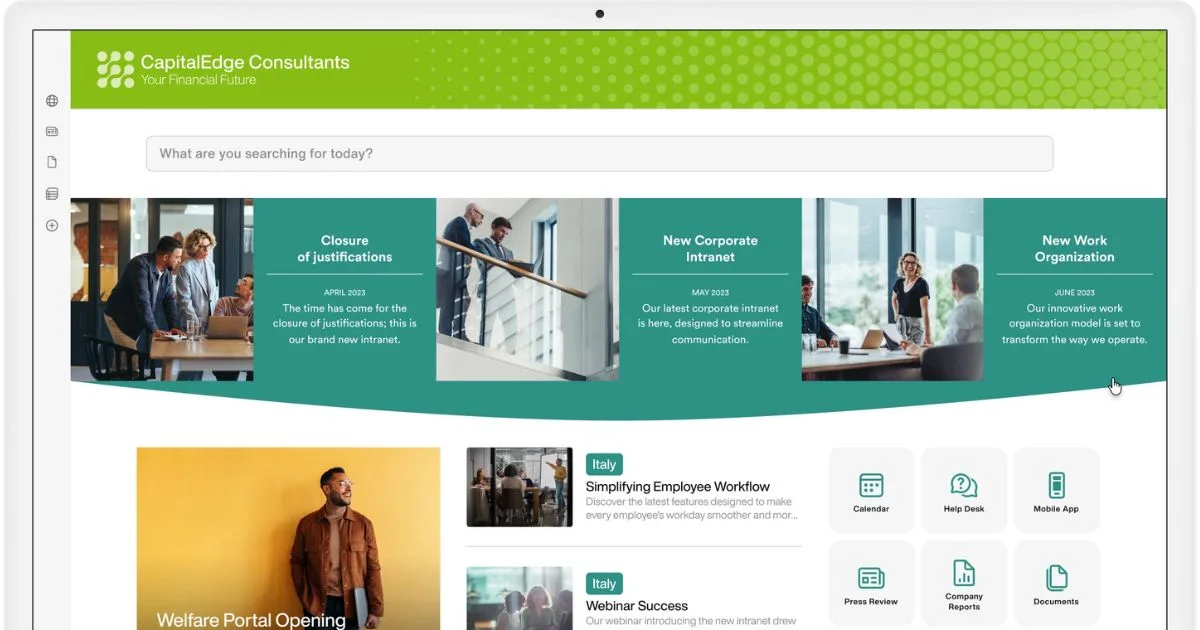
The company intranet, that is, the hub for documents, news, and useful resources for all people in the company. Through the use of applications like SharePoint Online, it is possible to create customized intranets that not only keep the corporate audience informed, but actively engage them.
-
Instant messaging platforms, such as Microsoft Teams, allow fast and direct communication among colleagues. These are tools that support real-time collaboration, enabling corporate teams to work in a coordinated way, wherever they are, without ever having to rely on email.
-
Corporate social networks, based on applications like Yammer (now Viva Engage), offer a digital space where people within an organization can express their voice. These are tools that help strengthen the sense of belonging to the company community, leveraging the communication dynamics of the most popular social platforms.
These tools are accompanied by emerging trends aimed at improving internal communication flows, introducing new ways to engage people and optimize internal processes. Among the main trends we find:
-
Gamification: the use of game dynamics in the workplace is an increasingly widespread strategy to encourage engagement. Everyone loves to play, especially if there’s something to gain at the end. For example, a company might introduce a points or rewards system to recognize individuals and teams that have completed an important project or made a significant contribution to a specific initiative.
-
Automation: thanks to applications like Microsoft Power Automate, it has become easier to create automated workflows to more efficiently manage the most repetitive business tasks. Within the SharePoint intranet, for example, Power Automate flows can automate document archiving and approval.
-
Artificial intelligence: the recent integration of AI into platforms like Microsoft Viva has further improved internal communication management. Through predictive data analysis, AI can identify areas for improvement in a company’s information flows, also providing suggestions on how to intervene to make the user experience more personalized and therefore more engaging.
Management examples with Microsoft 365
SharePoint Online, along with all the applications in the Microsoft 365 suite, provides clear examples of how a company can build a more productive work environment through better internal communication management. First of all, SharePoint allows you to build an intelligent intranet where information, resources, updates, and news can be centralized within the company’s digital workplace.
An intranet built with SharePoint can serve as a communication hub, integrating with other Microsoft 365 apps to simplify:
-
access to shared content
-
real-time feedback collection
-
coordination of corporate events or initiatives
-
centralized management of documents and communications
-
etc.
Also, SharePoint enables intranet customization to display the most relevant information based on each user’s department, role, or workplace location. This way, communication can be segmented to prevent colleagues from being overwhelmed by content unrelated to their daily work.
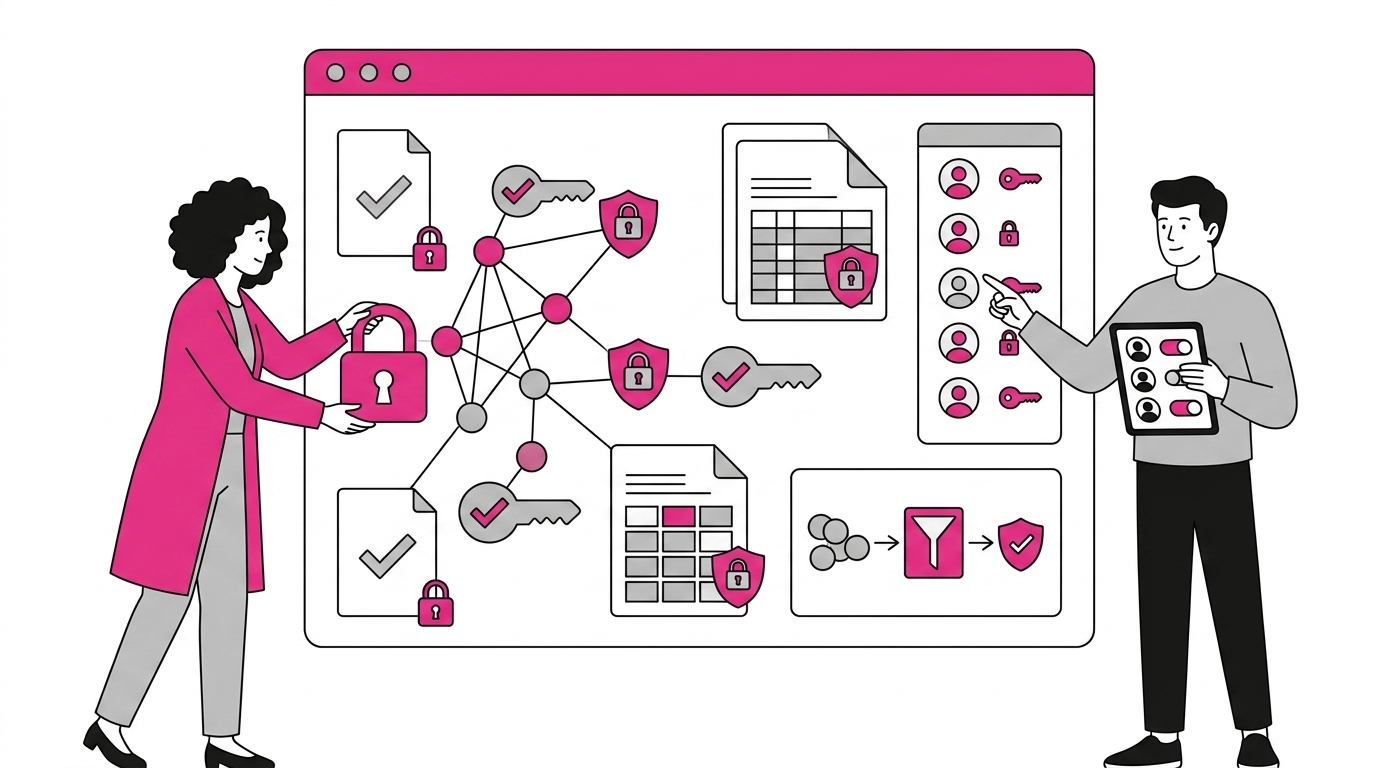
Targeting also offers a second advantage: ensuring that only specific users can access certain information, thanks to the permissions system that characterizes the entire Microsoft 365 ecosystem. Therefore, not only would people have quick access to communications that matter to them, but the company could also ensure the privacy of sensitive data.
Internal business communication: What is SharePoint Online for?
As mentioned earlier, Microsoft 365 integrates a range of tools that enhance the capabilities of SharePoint: the result is a complete ecosystem for business communication and collaboration. Let’s see how this can develop.
SharePoint Online includes features to create communication sites and team sites. Communication sites are designed to share news and updates of general interest, while team sites facilitate collaboration among a specific group of colleagues working on a project.
Microsoft Teams, which we already mentioned, is a platform that combines chat, video calls, and file sharing in a single solution. It is the ideal tool for facilitating virtual meetings, group discussions, and real-time collaboration. Thanks to its native integration with SharePoint, it allows users to access documents stored on a site directly within communication channels.
Viva Engage, the evolution of Microsoft Yammer, focuses instead on engagement (yes, the app’s name is no coincidence) through the creation of an internal social network where people can manage conversations, polls, and forums: it is therefore a platform designed to encourage dialogue within the company. It offers an experience similar to popular social media platforms like Instagram, but adapted to make typical corporate communication more direct and engaging.
This type of communication can be embedded into any intranet page or SharePoint site, allowing users to take part in discussions without constantly switching between platforms.
Let’s look at a practical example of how the Microsoft 365 ecosystem can optimize internal communication management: a company may want to improve communication between the HR department, different project teams, and management. Here’s what the process could look like.
The HR team could benefit from a dedicated area within the SharePoint intranet where they can gather company news, short video messages—such as recorded speeches from management promoting new initiatives—and an event calendar providing an overview of key company meetings and training sessions.
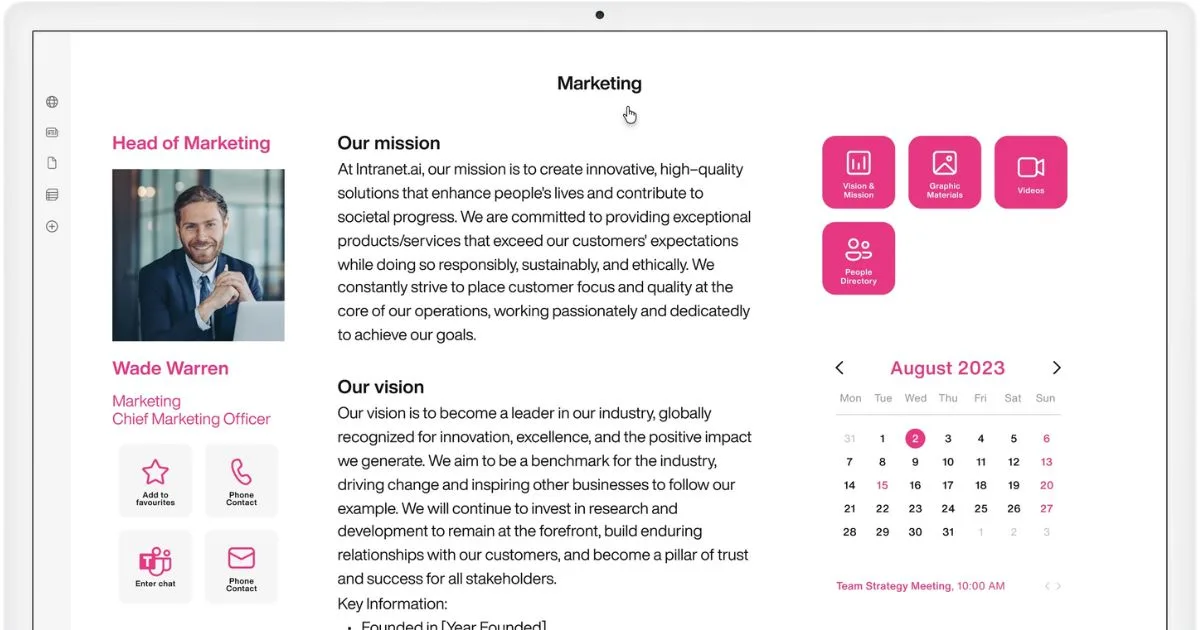
Project teams might use SharePoint to access dedicated sites. For example, the site for the “Product X Launch” project could include updated documentation, progress reports, and a dashboard integrated with Microsoft Planner to track tasks and deadlines.
Then, the team could link the project site to Microsoft Teams to allow access to documents via their group chat. They might also choose to create a dedicated group on Viva Engage. In this space, members are encouraged to share tips, questions, and updates, taking advantage of interactions with colleagues from other departments to find new ideas or alternative solutions.
Tips for planning
We’ve learned that well-structured internal communication is not the result of chance, but of careful planning and ongoing adjustments. Let’s now look at some tips to assess the current state of internal communication in your organization and create a roadmap based on proven strategies and best practices.
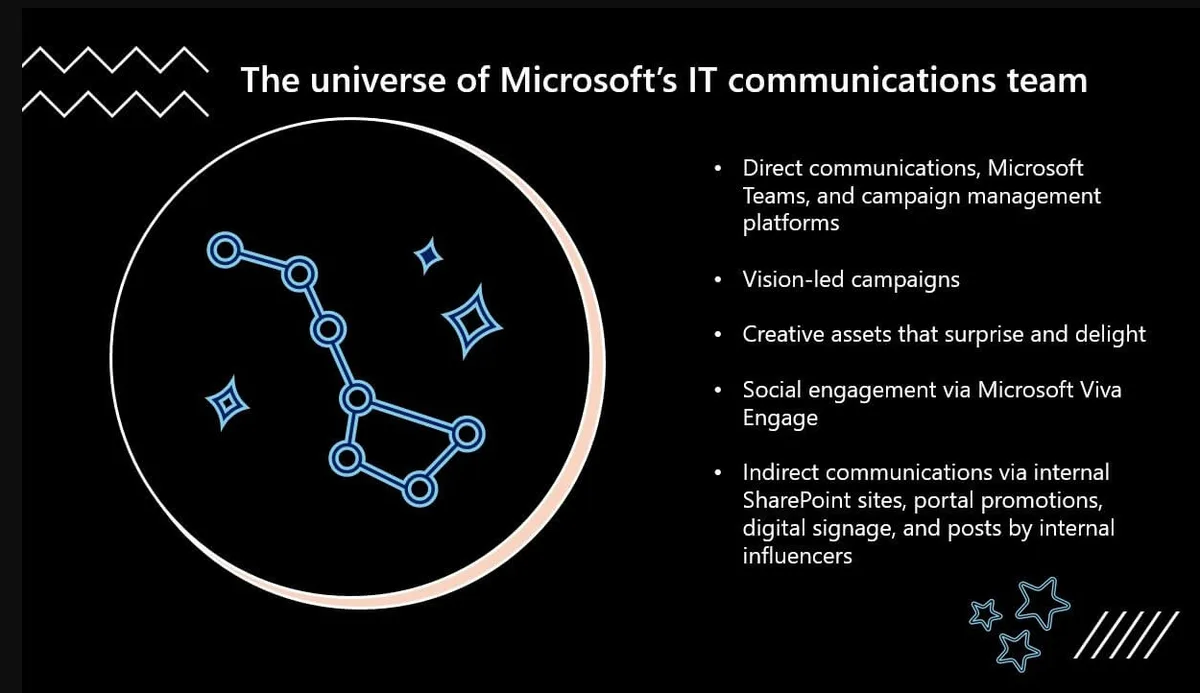
The first step to improving internal communication is the analysis of the current state.
This step is important because it helps identify the strengths and weaknesses of the strategy implemented by the company, as well as understand the level of colleague engagement and their actual needs.
Some key questions to ask are:
-
Which internal communication tools are being used?
-
Do these tools allow coordination between teams and individual employees?
-
Do the messages and information flow smoothly across different levels of the organization?
To answer these questions, if the company lacks communication tools integrated with analytics features, it is possible to use surveys, forums, and focus groups to collect direct feedback from colleagues.
Once enough data has been gathered, the company may discover, for example, that communications sent via email are not being read by all employees. This may suggest the need to shift to more dynamic tools.
At this point, it is important to document the identified issues, along with possible solutions, and create a roadmap to plan and monitor the implementation of the new communication strategy.
There are essentially four steps to follow:
-
Define the objectives: What should the new communication strategy achieve? Should the focus be on actively engaging employees or on better coordinating operations across different offices?
-
Identify the target audience: Who is internal communication addressing? Here, it may be helpful to segment the company audience based on role, location, department, or common needs.
-
Select the channels: Identify the most suitable communication channels for each audience segment. The selection should include a mix of traditional and digital tools: emails should not be ruled out entirely, but they should become a secondary support tool in favor of more modern platforms, such as the company intranet built on SharePoint Online.
-
Plan the content: It is always useful to create an internal editorial calendar, which includes the schedule for sending updates, promotional messages, gamification initiatives, themed newsletters, and recognitions.
Best practices for internal communication represent a shared path for companies of all sizes. Whether it’s a small business or a large multinational, what changes is the scale and complexity of relationships to manage, but the core principles remain the same.
The key to success lies in the ability to adapt these processes to meet the real needs of the people within the organization.
Good communication is not a matter of quantity, but of creating a personalized experience capable of including, engaging, supporting, and connecting every individual in the company community.