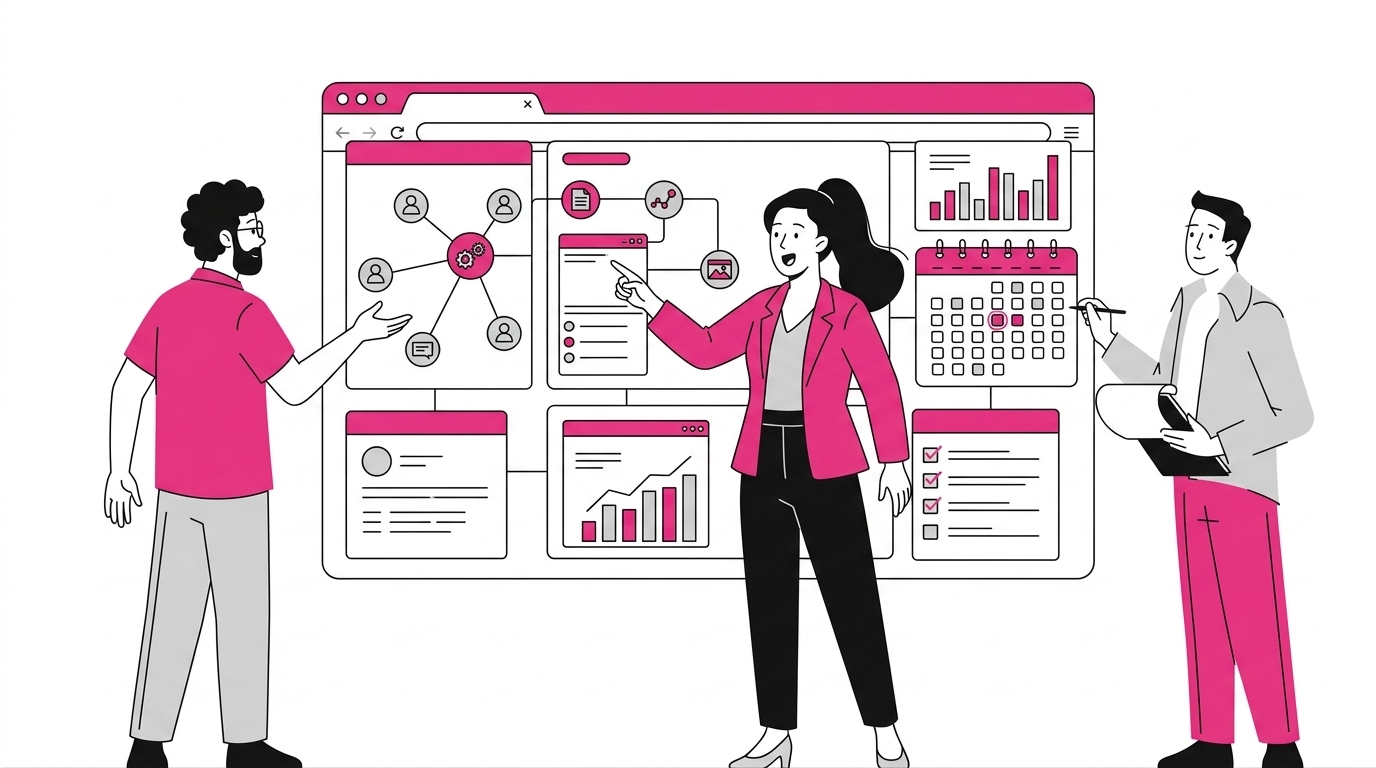
What the intranet offers to digitalize companies, and why it is important today.
What you will find in this article
Digitized work: what it is and how it works today
When we talk about “digitized work,” it’s important to clarify that it’s not just about implementing software to digitalize business processes or a single collaboration platform. It refers to something that involves the entire structure of an organization: a paradigm shift that blends culture, activities, and internal infrastructures to generate long-term value sustainably.
In essence, the term “digitized work” refers to a strategy that involves migrating data, information, and operational flows from analog to digital.
This way, everyone in the company can access the resources they need for their work at any time, overcoming the geographical barriers and time constraints typical of a “traditional” business.
The transition from analog to digital is fundamental in many ways.
Consider one of the most important: the digitization of paper documents. This process allows files that were once stored in folders or on local drives to be archived, retrieved, and shared within seconds.
Converting archives to digital format not only simplifies content management and search, but also eliminates the inefficiencies typical of traditional formats. By using document digitization software (which includes the intranet), companies can:
-
create digital versions of documents, reducing the risk of information loss;
-
apply tags and metadata to precisely organize each document in the archive;
-
integrate full-text search features to easily retrieve the files you need.
To gain the most from digitizing paper documents, however, it’s essential to understand and apply some important strategies. Among them are:
-
Using relevant categories and taxonomies to organize documents based on useful criteria like type or department.
-
Using custom metadata to simplify document retrieval based on information like author, creation date, or file status.
-
Creating a centralized knowledge base to simplify information search and consultation (for example, through thematic libraries).
Internal knowledge management benefits the most, since introducing document digitization software simplifies both archiving and access to information, while automating many repetitive tasks and reducing the risk of errors.
Automation is a particularly clear advantage when it comes to workflow management solutions, which allow routine tasks to be delegated to automated systems integrated into the digital workplace. This shift also enables the standardization of internal procedures and helps optimize time management for all employees.
Cloud platforms and modern intranets, integrated with a collaboration suite like Microsoft 365, also allow access not only to documents but to company services and applications from anywhere and at any time, as long as there is an internet connection.
This leads to better collaboration between remote offices, promoting the inclusion of remote workers and ensuring business continuity even in extraordinary situations (just think of the health crisis a few years ago).
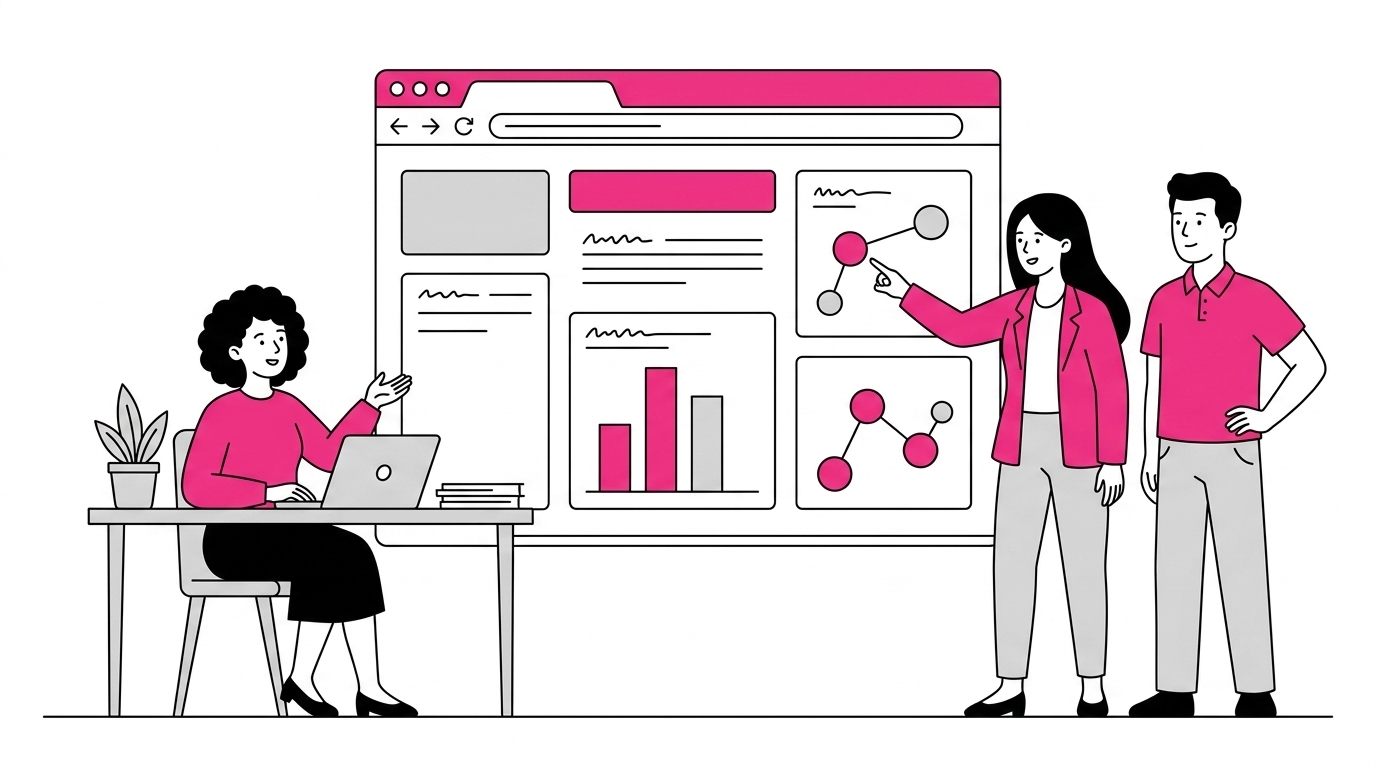
Real-time collaboration in turn supports ongoing alignment between company teams, preventing important updates from being lost or duplicate versions of work documents from being created.
Thanks to a centralized infrastructure, departments can collaborate on a “single source of truth”, achieving better coordination than with traditional work methods, where information was often handled separately and in a disorganized way.
But the digitization of documents and activities is not only about productivity and work quality within an organization.
The cost factor should not be underestimated.
By eliminating or reducing physical archives, it becomes possible to rely on systems that can autonomously manage document backup, updates, and distribution. As a result, companies can cut costs related to storage space management and minimize expenses associated with creating unnecessary duplicate copies of documents.
Speaking of better financial management, it’s worth noting that cloud infrastructure models allow companies to scale their IT resources based on actual organizational needs. This helps avoid excessive fixed costs by favoring a variable spending model that reflects the real volume of data to store and the number of daily operations carried out by staff.
The role of the intranet in the digital workplace
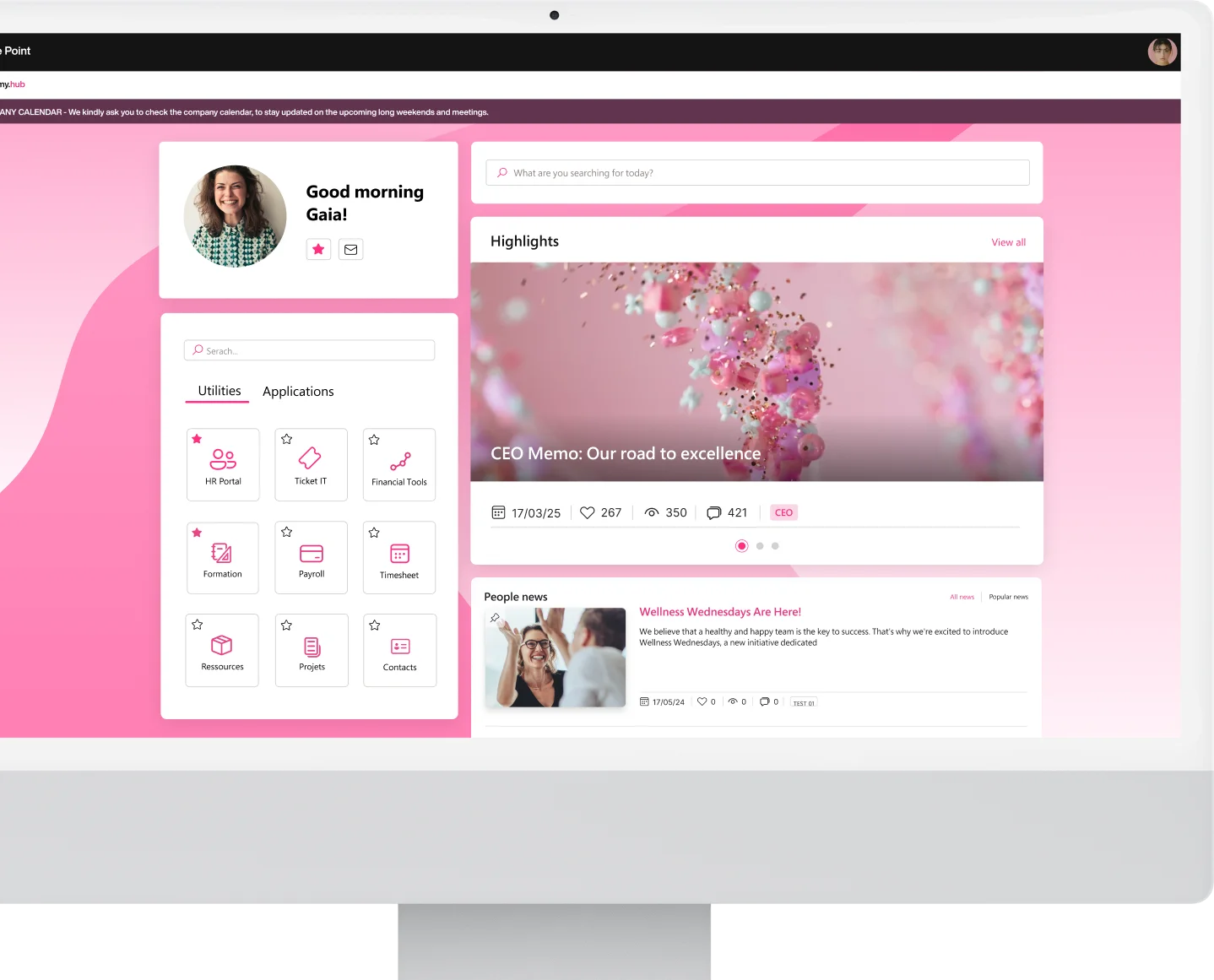
In the past, the company intranet was seen as an informational portal, where news and useful links for staff were uploaded. Today, it serves as a collaborative digital hub, capable of integrating instant messaging tools, project management apps, social spaces, and shared storage areas.
This evolution reflects the need to create a virtual space where every person can find the resources and information they need to do their job, with a stronger focus on engagement and the creation of a more united community. The goal is to break down the barriers that often separate colleagues from different teams or departments, facilitating interaction and knowledge sharing.
The modern intranet is no longer a separate, standalone island.
On the contrary, it becomes the operational center of an integrated ecosystem: the well-known “digital workplace”, where apps, resources, information, and contacts interact to support people’s work and their company’s sustainable growth.
Focusing on the Microsoft 365 digital workplace, the SharePoint Online intranet plays exactly this role, enabling the digitalization of internal processes.
At the heart of this transformation is internal communication, which is gradually shifting from traditional email to instant collaboration platforms. In the SharePoint intranet, communication happens through:
-
News posts, with dedicated comment sections;
-
Virtual bulletin boards for sharing ideas and preferences;
-
Microsoft Teams channels and Viva Engage conversations integrated;
-
Interactive surveys and questionnaires created with Microsoft Forms.
Certainly, a work environment that significantly reduces email use in favor of more immediate and engaging channels like those listed can greatly improve decision-making processes, thanks to the speed at which information is shared. But that’s not all.
With the creation of internal blogs, surveys, sections to recognize colleagues’ achievements, and celebrations of major company events, an inclusive company culture is promoted. This culture listens to every voice within the organization and values the contribution each person brings to its growth.
See intranet.ai in action
A ready-to-use intranet on SharePoint Online, live in days. Book a free demo with our team.
Book a demoIntranet features to digitize company documents
As mentioned, the digitization of paper documents is one of the areas where companies can benefit the most by adopting a platform like the intranet based on SharePoint Online.
With the intranet.ai solution in particular, the entire document lifecycle is managed centrally, integrating SharePoint’s native features with a set of customized tools that can automate workflows.
Let’s explore the most useful features in more detail.
Document management
To effectively digitize documents, it is essential to rely on a platform that supports every phase of their lifecycle: from creation to review, from approval to publishing and distribution within the company.
A document management system like the one developed by intranet.ai is therefore an excellent investment, as it allows the entire document lifecycle to be carried out and monitored without ever leaving the SharePoint intranet environment.
The table below summarizes its main features.
Features of the intranet.ai document manager
Features to digitize documents Description
Creation The company can set up predefined templates aligned with its brand and adopted best practices to define the document style and properties, including registration codes.
Review Authorized users can collaborate in real time, leave comments, and edit files in co-authoring mode, with every action saved in SharePoint’s version history.
Approval Document managers have access to automated flows that move files from “draft” to “approved” status, involving the relevant users, and finally to “published”.
Electronic signature Thanks to integration with DocuSign, documents can be signed with legal validity in just a few clicks, without ever leaving the intranet.
The result is a digital environment where every department has the tools needed to manage its documents independently, while also sharing them securely and consistently with the rest of the company.
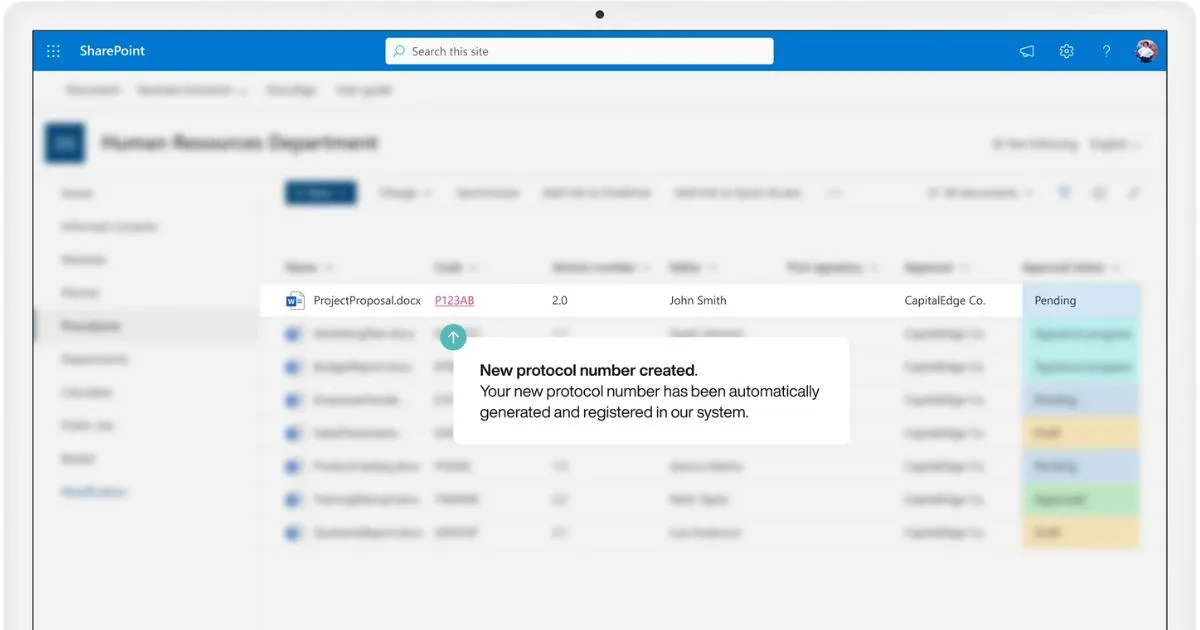
Automatic registration of documents created in intranet.ai’s SharePoint intranet
One of the most appreciated features by companies that have chosen to adopt the SharePoint Online intranet is likely the ability to collaborate on a document in co-authoring mode, while staying within the Microsoft 365 ecosystem.
In practice, multiple users can work on the same file at the same time without creating copies or duplicates. Every edit is saved in real time and instantly updates in the online version of Word, Excel, or PowerPoint.
The SharePoint versioning system also stores every action, making it possible to restore any previous version if needed.
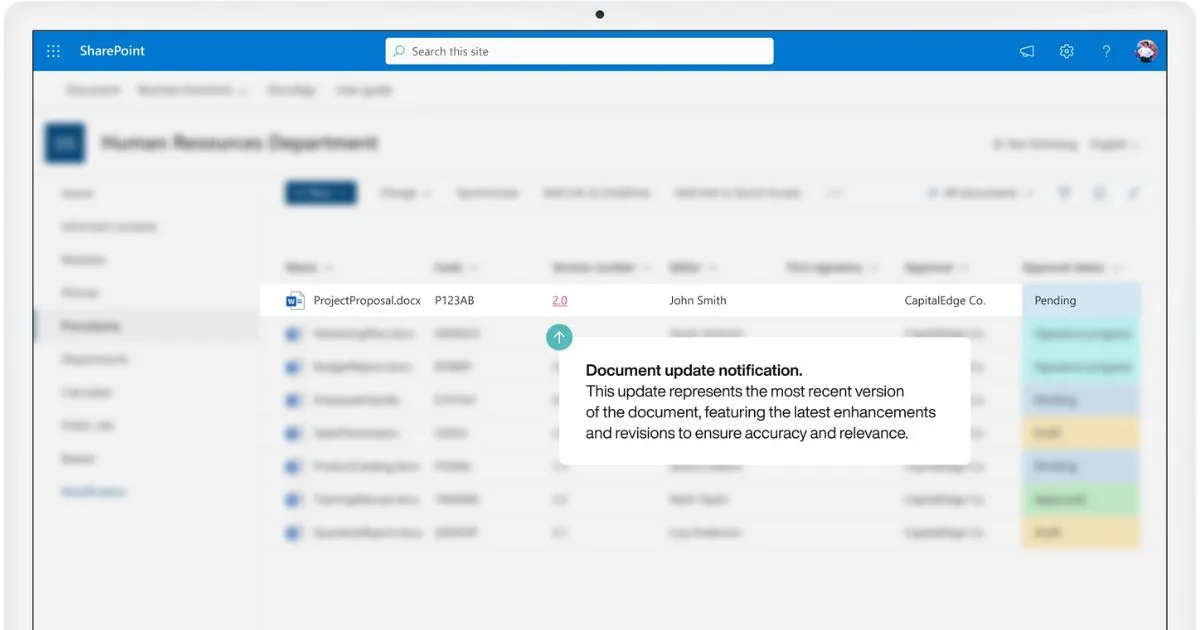
Our solution also supports two approval methods:
-
Electronic signature (with DocuSign): ideal for contractual documents or procedures that require formal validation.
-
Standard approval via email: better suited for cases where an electronic signature is not required but confirmation tracking is still desired.
These workflows are designed to reduce the time and errors associated with traditional approval processes, which relied solely on email and lacked any tracking system.
Once approved, documents can be distributed through the intranet.
With intranet.ai, this is done through an automatic notification system that alerts selected recipient groups whenever new procedures are available for review.
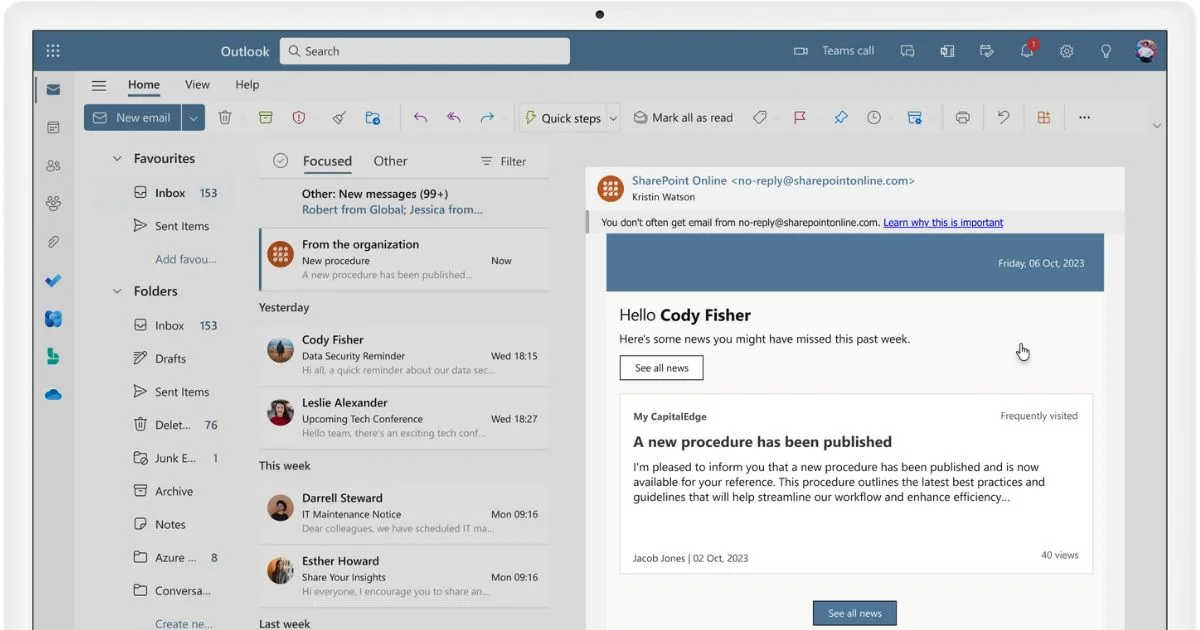
Distribution of documents published in intranet.ai’s SharePoint intranet
Smart archives
Many studies, including those by IDC, Gartner & Forrester, show that company staff and collaborators can waste up to 30% of their time searching for documents. This loss results in delays, decreased productivity, and increased operating costs.
To solve this issue, our SharePoint intranet solution offers unified archives where all company documents can be accessed, regardless of their original library.
Thanks to this feature, resources from different departments or offices are aggregated, simplifying navigation through a single content interface and offering customizable filters based on tags, categories, and metadata.
Here’s how it works:
-
Use of tags, meaning keywords that describe the content of documents (Quality, HR, Marketing).
-
Use of categories, meaning macro-topic sections that group documents of the same type (Procedures, Manuals, Reports).
-
Use of metadata, meaning structured fields integrated with SharePoint search that specify contextual information about a document (publication date, version number, author).
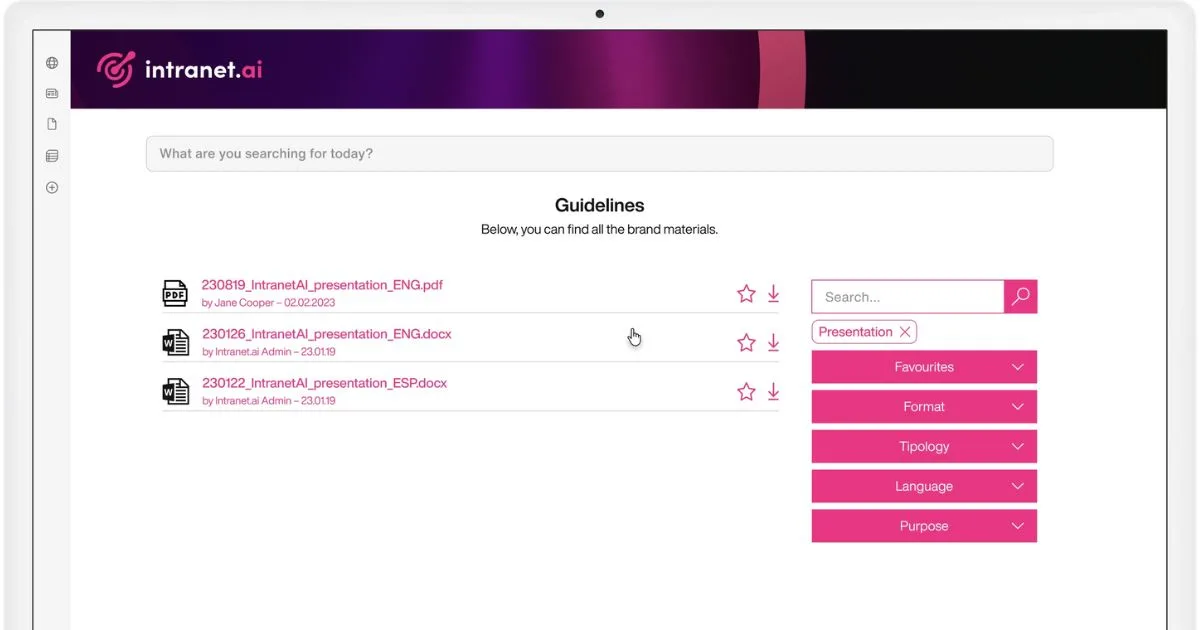
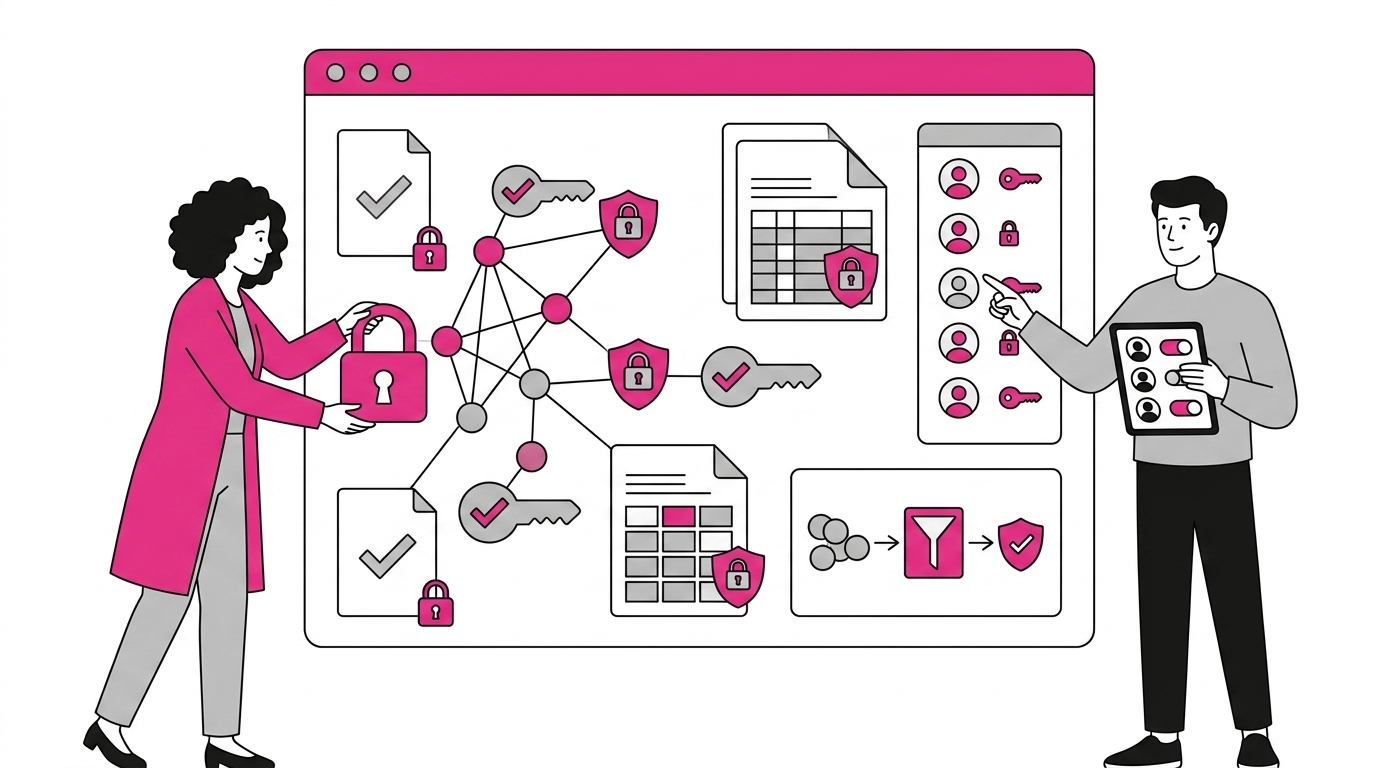
Focusing on the security of information stored in corporate archives, intranet.ai leverages Microsoft 365 permissions to finely control document access.
Each file, folder, or library can be assigned to specific groups or individual users, defining who can view, edit, or share the content.
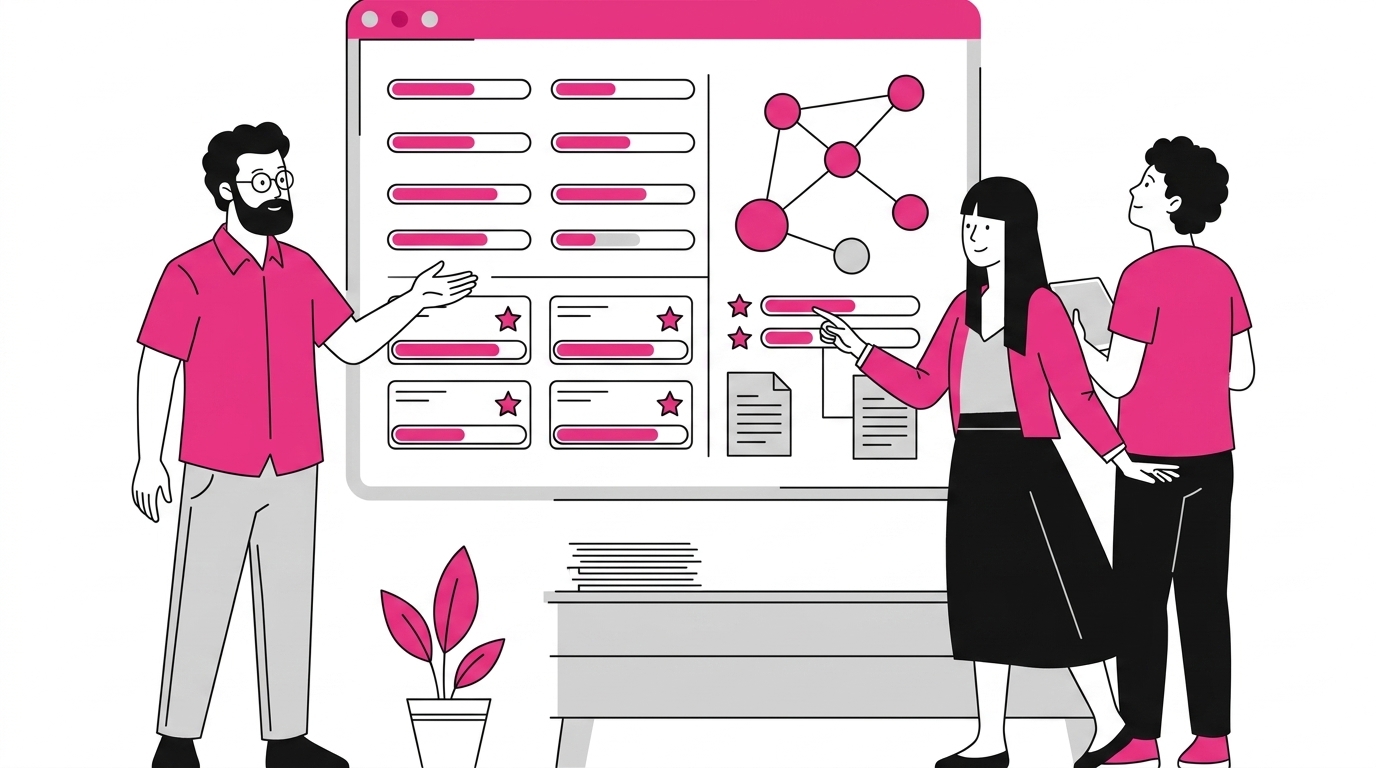
Thanks to integration with Viva Topics, the company can build its own knowledge base by using artificial intelligence to connect information and create “topic cards” that group documents, conversations, and contacts related to specific subjects.
This provides an overview of the most important information related to a given topic, with the option to explore it further through direct links to key files and discussions.
Digitized work: What’s new from the Microsoft ecosystem?
Microsoft 365 and SharePoint Online are, now and in the future, the go-to platforms for companies undergoing digital transformation, thanks to the continuous introduction of advanced features for creating and expanding the digital workplace.
These innovations are not just technical updates. They are concrete responses to new business needs, ranging from process automation to smart data management, and support collaboration both in-office and remotely.
Among the most important recent innovations is certainly the launch of Microsoft Copilot AI, the evolution of the virtual assistant powered by artificial intelligence. While Copilot used to focus on suggesting corrections or text completions, today it aims to automate nearly all internal operations within an organization.
Returning to document digitization, Microsoft’s new AI enables companies to optimize approval workflows. Copilot can identify required approvals, send reminders to involved users, and track the document lifecycle through to its final validation.
Another major innovation in the document field is the introduction of Content Assembly in SharePoint Premium. This feature allows the creation of standardized documents from dynamic templates, with the goal of accelerating the production of repetitive files (such as forms, policies, or reports).
Thanks to integration with Copilot AI, the system can suggest personalized content based on data already present in the company’s digital workplace. While drafting a contract, Content Assembly can auto-fill fields related to standard clauses, client data, or payment terms by pulling information from internal databases or integrated CRMs.

Speeding up digital document creation with SharePoint Premium’s Content Assembly
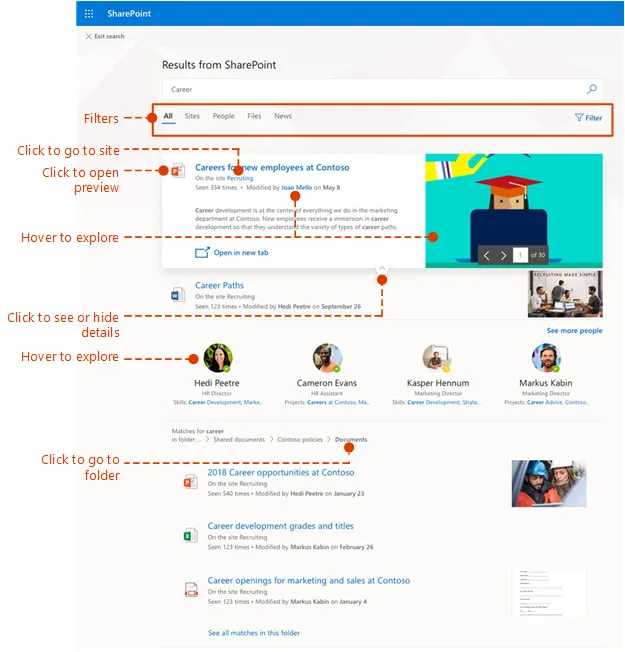
Searching for information within large archives presents one of the most complex challenges.
The new Advanced Search Experience in SharePoint, powered by artificial intelligence algorithms, speeds up this process as well. This is not just a simple keyword search: the system can understand the context of queries and return relevant results, even in cases of ambiguous requests.
A user can type a question like “approved contract for project X last year” and instantly get the correct document, without having to browse through dozens of folders.
This is made possible by intelligent semantic filters that analyze metadata, document structure, and even textual content to identify the most relevant information for each search.
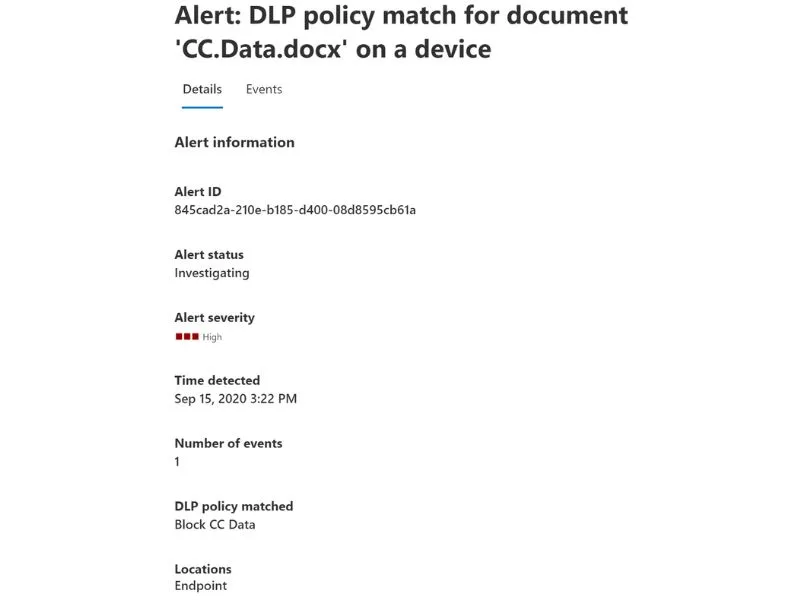
In the area of security, it’s important to mention the introduction of Data Loss Prevention 2.0, through which Microsoft has strengthened the protection mechanisms for sensitive data by offering advanced real-time security controls.
The new DLP allows the definition of granular rules to monitor document access, automatically identifying suspicious activities such as unauthorized export attempts or unusual access from external devices.
In the event of potential violations, the system can even block the action and notify the company’s internal IT administrators to inform them of the situation and allow them to intervene before any damage occurs to the infrastructure.
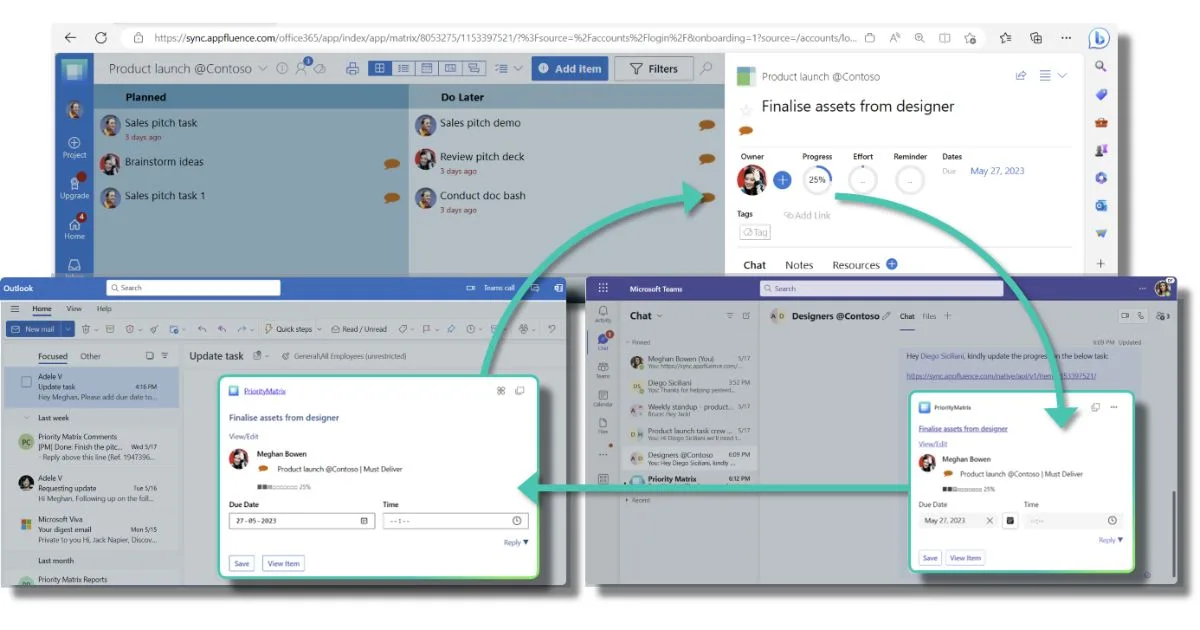
Another innovation that is redefining the concept of digitized work is represented by the components of Microsoft Loop, which can be best described as interactive content modules that can be embedded and edited in real time within applications like Teams, Outlook, and SharePoint.
Loop components allow users to create and update tables, task lists, shared notes, or interactive dashboards that automatically sync across all participants.
For example, a project team can manage a task list directly in a Teams chat, while the same list updates in real time on a SharePoint dashboard visible to the entire department.
We’ve reached the end of our brief overview on digitized work, the role of the intranet (especially SharePoint), and the features companies should invest in to see tangible results.
The solutions we’ve discussed may seem complex to implement, but with the right support and proper training sessions, it’s entirely possible to understand and adopt these tools quickly in day-to-day work.