Let’s take a look at the features and solutions that define the best corporate intranets.
What you will find in this article
-
[Best intranets: Why is SharePoint Online the top choice?](#best_sharepoint_intranets)
Intranets: How can you recognize the best?
Corporate intranets are much more than simple internal communication platforms; they are in fact powerful collaboration tools that, if well designed, can positively impact the daily work of everyone in an organization.
One can evaluate each year which are the best intranets by assessing their originality, their impact on company performance, and the level of innovation they have enabled. However, these results change constantly because technology evolves—as do the needs of professionals and businesses.
It is not uncommon for an intranet, once considered the best in a given year, to soon be outpaced by solutions that are more in line with new technologies and user expectations.
The rapid adoption of tools based on AI, the boom in smart working, and the integration of business applications into a single centralized environment (the so-called “digital workplace”) are just a few examples.
Anyone developing or adopting an intranet must therefore strive to understand ongoing changes and leverage them in their digital work environment, with the goal of continuously improving internal processes and coordination among people, offices, and departments.
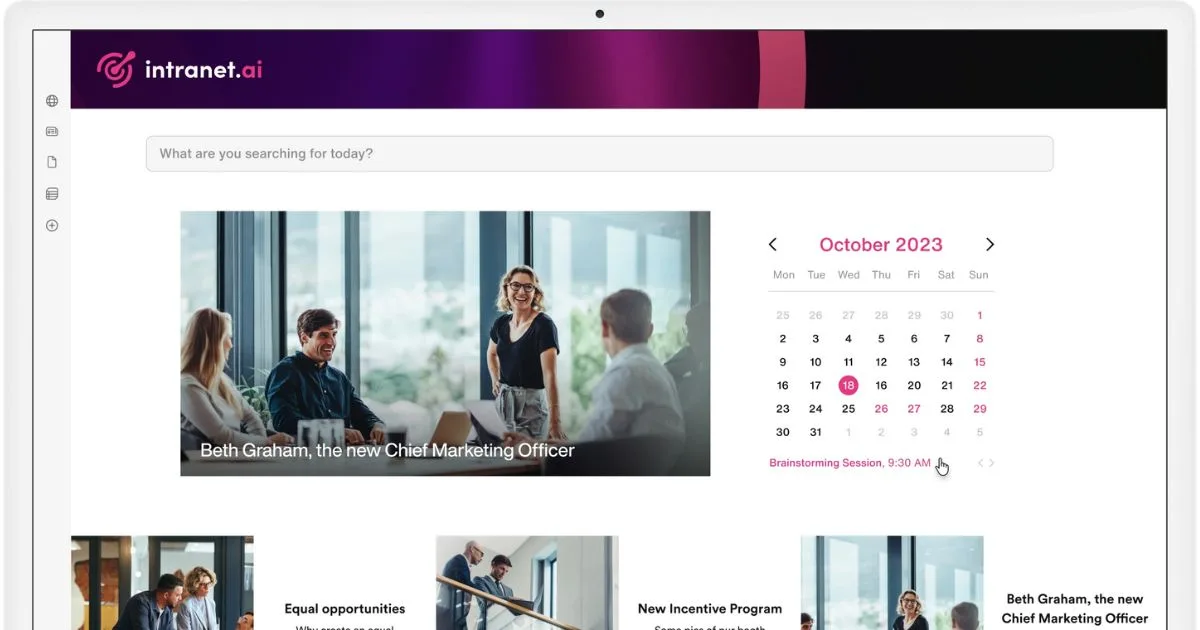
While keeping up with the times is essential to maintaining a company’s competitiveness, there are aspects that define the most successful intranets, regardless of current trends. Generally speaking, these aspects can be summarized into four pillars.
1. Digitization of processes
The best intranets must first and foremost be capable of centralizing and streamlining all internal procedures. Process digitization is not just about replacing paper documents with electronic versions, but about automating the entire workflow, making daily operations more efficient and secure.
Think of a colleague who needs to fill out a form to request vacation time or submit an expense report: through a digital platform like the intranet, they can complete the entire procedure in just a few clicks (no emails, no printed documents). This system not only reduces wait times, it also allows for real-time monitoring of request statuses, assigning permissions based on user roles, and generating reports that help further optimize the process.
Another key benefit is the ability to integrate the intranet with core business systems such as ERP, CRM, or HR software. This creates an environment where every process is not only simplified, but also connected to the broader set of activities and information flows that underpin each organization.

2. Collaboration and knowledge sharing
Another key aspect of a successful intranet is its ability to foster collaboration and knowledge sharing within the organization. The best intranets do not simply serve as static archives for company documents; they promote continuous interaction among members of different teams and departments, making it easier for colleagues to work together, even if they are based in different offices or working remotely.
An example of such interaction is the ability to work simultaneously on shared documents, relying on co-authoring features or integrated commenting systems to create, edit, approve, and archive content with one’s team, from any device and at any time.
Chat tools and dedicated spaces for informal communication (similar to an internal social network) can be integrated as well. These encourage the exchange of ideas and experiences, helping every employee feel part of a community where collective knowledge is valued and used to support one another’s work.

3. Modern design and user experience
The quality of an intranet is closely tied to the user experience.
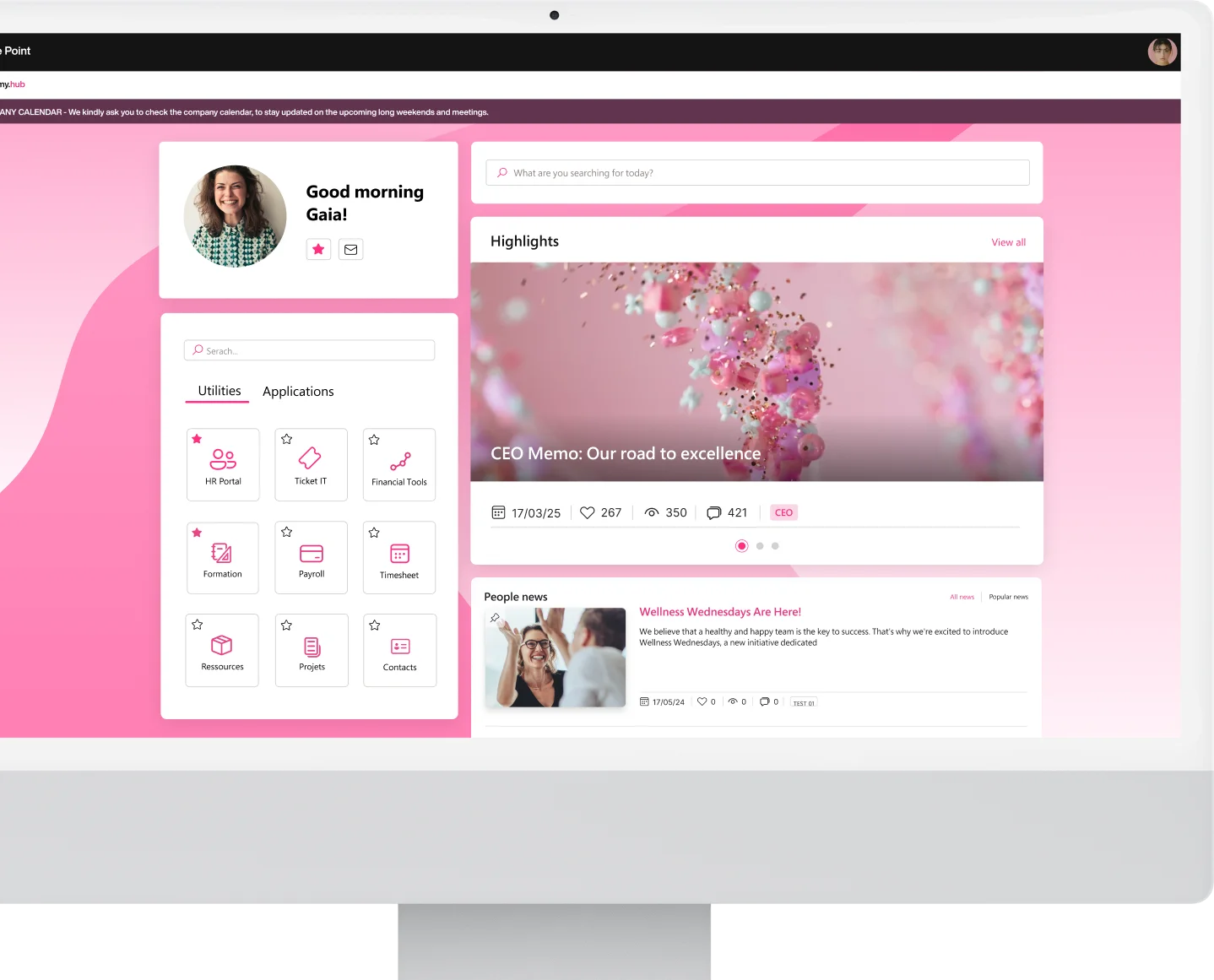
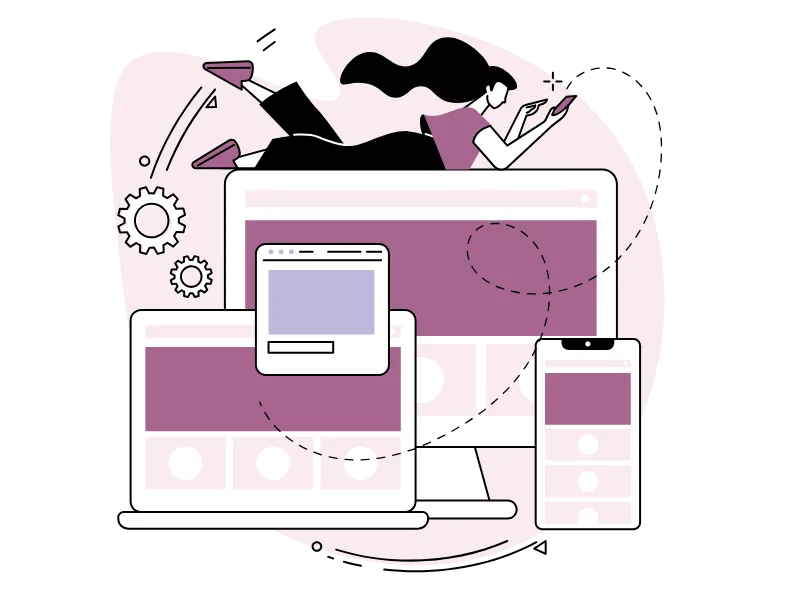
An intuitive, elegant, and functional interface not only facilitates access to information but also makes navigation more enjoyable. A modern design, featuring clear and mobile-responsive layouts, allows users to access the platform from any device, whether at the office or on the go.
Only in this way can every user, regardless of their level of technological familiarity, quickly find the content they need.
Additionally, a design that reflects the brand’s style can help reinforce the company’s identity, making it easier to communicate and instill this identity in new colleagues.
4. Employee engagement
Finally, the fourth and last principle concerns the active involvement of everyone within the organization. Through the intranet, every colleague should have the opportunity to share their ideas and take part in company life.
Spaces dedicated to feedback sharing, forums, and quick surveys are just some of the tools the intranet offers to gather opinions and suggestions from employees, which are always valuable for improving internal processes or launching new initiatives.

See intranet.ai in action
A ready-to-use intranet on SharePoint Online, live in days. Book a free demo with our team.
Book a demoBest intranets: Why is SharePoint Online the top choice?
In recent years, Microsoft 365’s SharePoint Online has made a major leap forward, evolving from a primarily on-premises server platform into a cloud hub fully integrated within the Microsoft ecosystem.
This shift translates into a broader offering of features and benefits for companies aiming to build an intranet, enabling access to a complete and scalable environment for collaboration, security, process automation, and data analysis.
SharePoint was originally designed as a solution for document and content management installed locally on company servers. While it already offered a solid set of standard features (lists, document libraries, team sites, version control), on-premises management came with high maintenance costs, the need to manually apply every update, and the requirement for in-house technical expertise to ensure infrastructure scalability.
SharePoint Online is the result of the move to the cloud, becoming an integral part of Microsoft 365 and fully leveraging the SaaS architecture (Software-as-a-Service).
Organizations no longer have to manage patches and updates, as Microsoft handles the distribution of new features independently. As a result, IT departments can now focus entirely on improving their organization’s digital workplace, instead of investing time and resources in maintaining the underlying infrastructure.
What do the best intranets have in common? The must-have features of SharePoint Online
Tightly integrated with the Microsoft 365 ecosystem, SharePoint is the core of the modern digital workplace, capable of transforming the collaboration and data management experience within an organization. In addition to optimizing internal processes, it enables access to the features of complementary tools, creating a synergy that goes beyond simple file and information sharing.
The strong integration with Microsoft Teams, OneDrive for Business, and Power Automate makes it possible to build smart, automated workflows that natively connect various business functions. For example, Teams conversations and meetings can be documented in SharePoint, ensuring immediate access to information and supporting the work of different teams across the organization.
At the same time, OneDrive ensures that every file is synchronized and available in real time, allowing users to collaborate seamlessly (even remotely) without interruptions or compatibility issues.
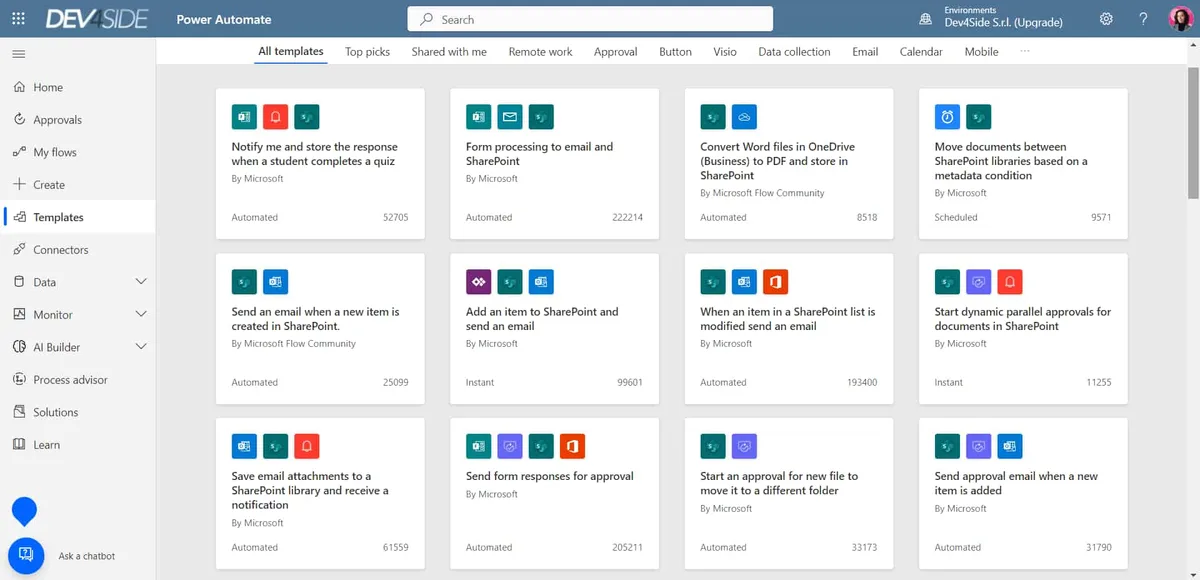
Power Automate, on the other hand, allows for the orchestration of repetitive tasks and integration of data flows across different applications, making it possible to build custom solutions that automate complex processes.
From a security perspective, SharePoint Online stands out for its use of advanced measures that protect data both in transit and at rest.
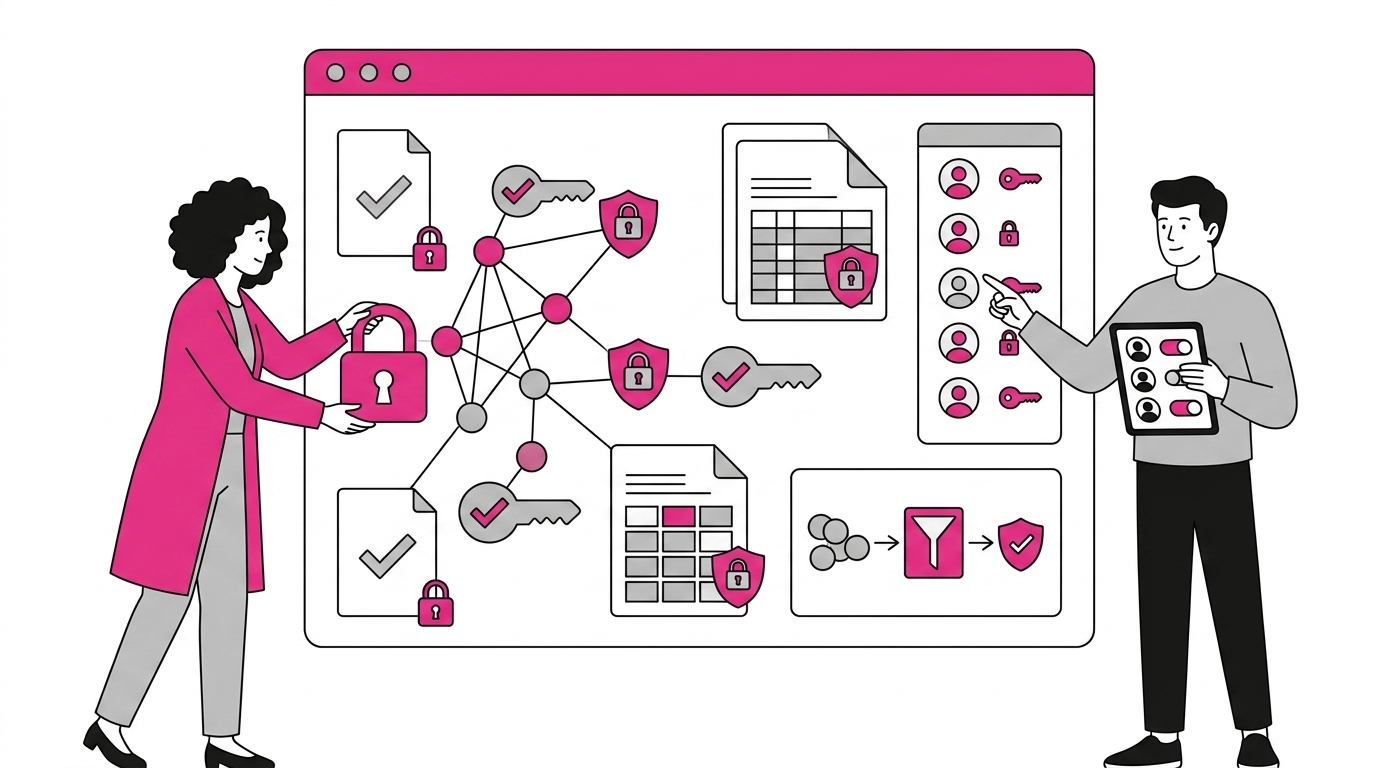
End-to-end encryption ensures that information is protected during every stage of transfer, while access policies allow for specific permissions to be defined for individual users or groups, reducing the risk of unauthorized access.
The cloud also offers scalability, enabling companies to adapt the digital workplace to their needs and gain operational insights through integrated analytics tools, such as Power BI custom reports that monitor platform usage in real time and identify potential areas for improvement.
Intranets based on SharePoint Online are therefore capable of supporting increasing workloads and integrating with ever more applications, addressing the evolving needs of a distributed and flexible workforce without imposing excessive implementation and maintenance costs on companies.
In fact, costs are kept to a minimum; but there’s something else to pay close attention to.
To successfully implement an intranet based on SharePoint, it’s not enough to simply install the product or activate licenses. What’s needed is careful planning that includes five key actions.
Let’s look at them below.
1. Preliminary analysis and goal setting
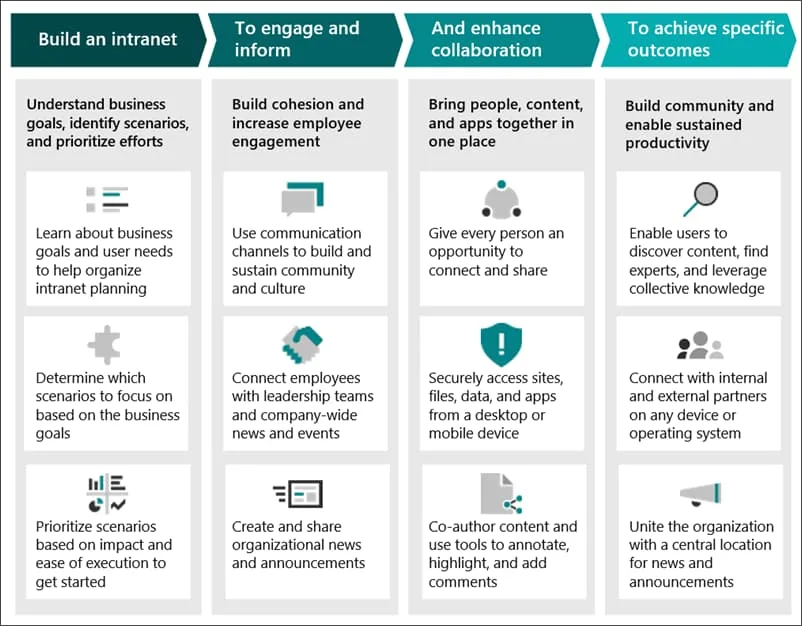
Before starting any development project, it’s essential to conduct an in-depth analysis of the business processes and information flows you intend to digitize.
SharePoint is an advanced collaboration platform that enables the management of complex information flows, automation of processes, and creation of customized digital environments. For this reason, it’s important to carefully examine the internal processes to be digitized, identifying not only critical areas but also opportunities for improvement through features like lists, document libraries, and integration with other Microsoft 365 or third-party tools.
You can start with questions such as:
-
Which processes can benefit the most from automated management?
-
What types of content need to be made accessible to the entire organization?
Answering these questions helps define the project roadmap, including clear objectives and the features needed to achieve them.
2. Engaging stakeholders
The value of a platform like the SharePoint intranet becomes evident when it is actively adopted across the entire organization. In addition to the IT team, it’s essential to involve roles such as HR, Marketing, and Operations managers to ensure that the new solution truly addresses the needs of employees.
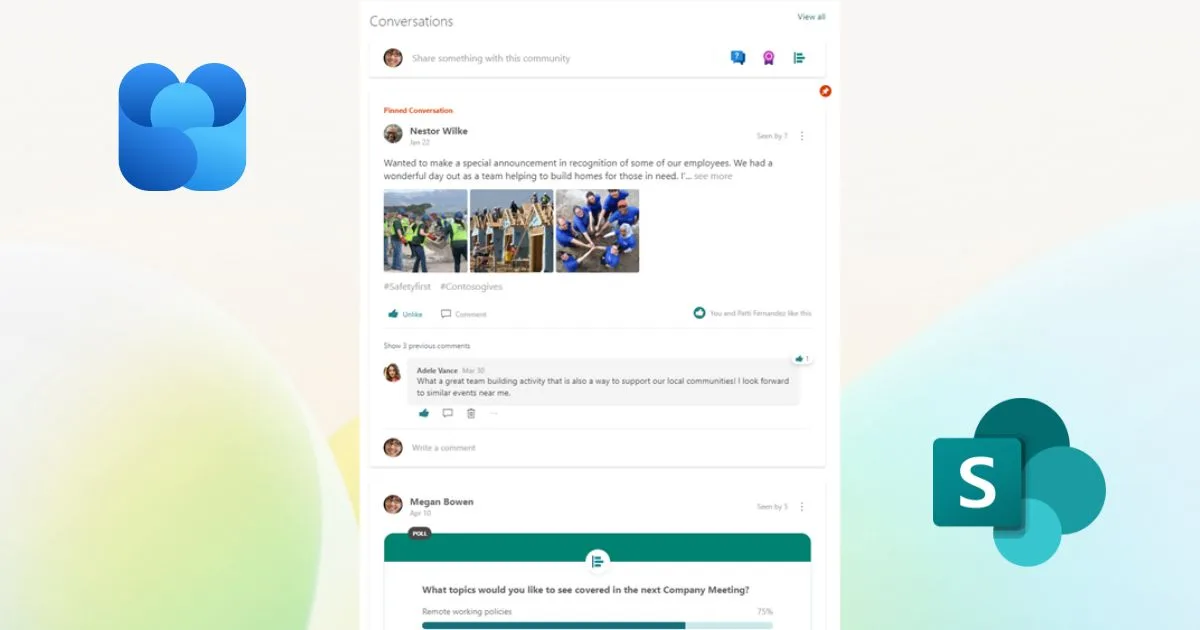
Thanks to its modern web parts and the integration of tools like Viva Engage, SharePoint makes it possible to gather real-time feedback to understand how the intranet is being used and how it can be improved to better support everyone’s work across the company.
3. Designing site architecture and managing permissions
This step is crucial to prevent the uncontrolled proliferation of sites and subsites (a common risk in poorly structured SharePoint environments).
The best approach is to define a site map that reflects the company’s organizational chart or major operational areas, leveraging SharePoint’s hub site features to maintain consistency across digital spaces. This allows, for example, team sites for specific projects to be linked with global communication sites.
This is followed by configuring user permissions.
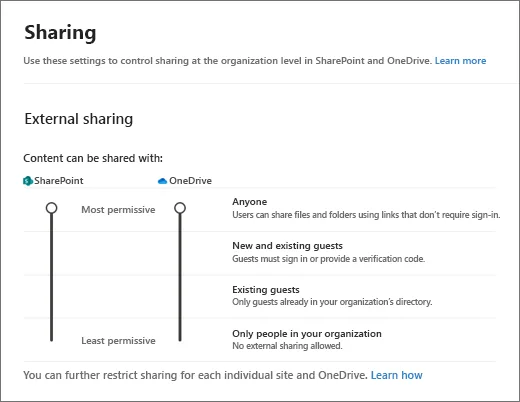
Here too, technical expertise can be replaced by solid planning. Integrated with Microsoft Entra ID, SharePoint Online enables the configuration of granular access controls based on security groups, roles, or individual users.
It’s therefore essential to plan how company information will be distributed, deciding which user groups will have greater control over data, who will have read-only access, and in which areas access should be restricted for confidentiality or compliance reasons.
4. Customization and integration with other services
Once the basic architecture has been defined, the next step is customization.
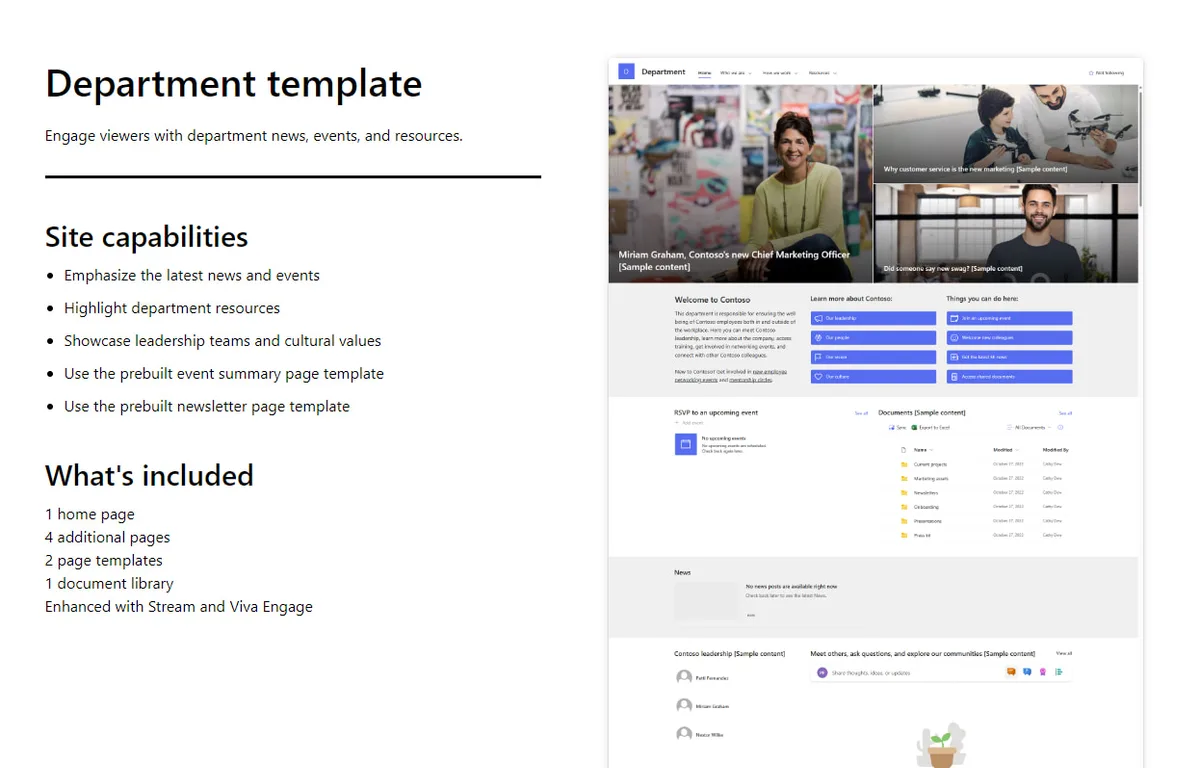
SharePoint is a flexible platform, offering the ability to freely structure pages and libraries, a wide range of ready-to-use templates (available in the Microsoft Lookbook and organized by activity and department), and advanced management of layouts and navigation, allowing the intranet to be adapted to the company’s brand style.
Additionally, with the native integration of tools like Microsoft Teams, Planner, Power BI, and Microsoft Viva modules, SharePoint allows the digital workplace to be enriched with features tailored to any business area, from internal communication to large-scale data management.
The ability to connect the platform to external systems such as ERP or CRM further extends the intranet’s capabilities beyond the Microsoft environment.
5. Adoption and change management
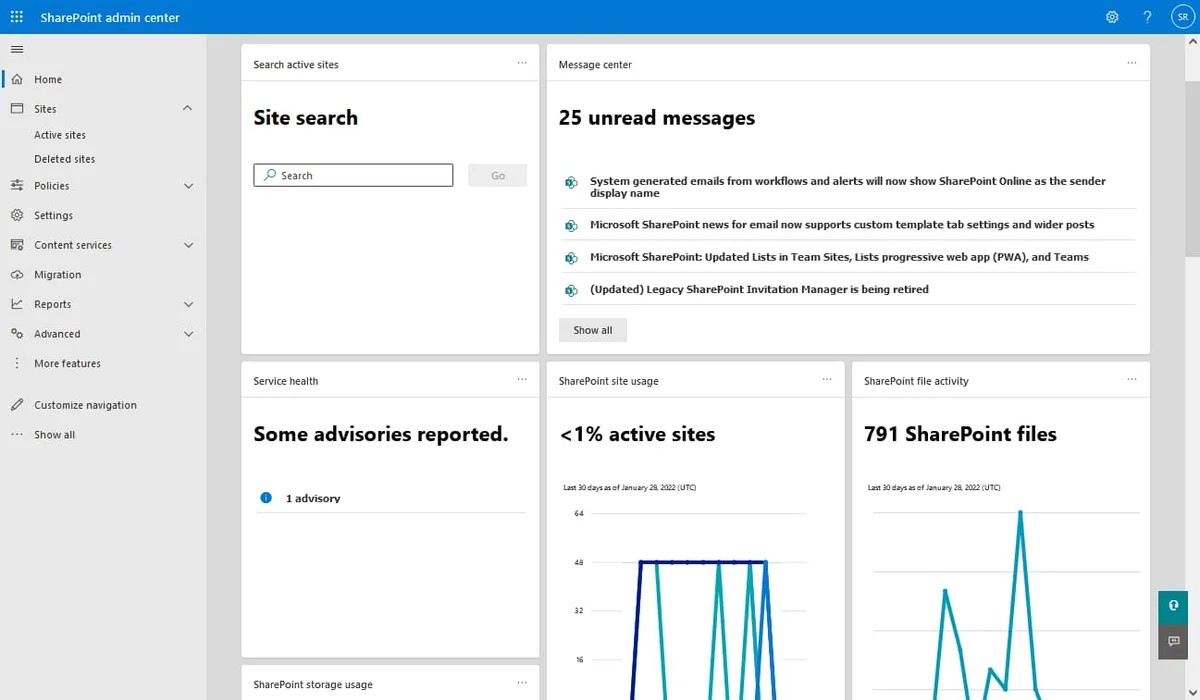
Even the best intranet risks being underutilized if it is not supported by an effective adoption strategy. To this end, SharePoint offers integrated analytics tools in the SharePoint Admin Center, which are useful for monitoring user engagement and identifying areas for improvement.
To encourage adoption, it’s also helpful to plan training sessions, workshops, and internal communication campaigns that highlight the intranet’s benefits for all staff, such as reduced request management times or easier access to documents.
At this stage, the initial stakeholders return to play a key role (especially managers and HR teams) who act as ambassadors of change and points of reference for collecting feedback that helps improve the platform based on employees’ needs.
To better illustrate what has been described so far, we can simulate a real-world example of implementation for a mid-sized company with offices in various regions, where a system of shared folders on local servers and mostly manual document management is in place.
This company aims to reduce the time needed to find information, streamline approval processes, and improve communication between departments.
These goals can be achieved in four phases, which are briefly summarized in the following table.
How to implement the best SharePoint intranets
Implementation phases Description
Phase 1: analysis and initial setup The IT team, supported by department leads, conducts an audit of existing documents and procedures. A SharePoint Online migration plan is defined, with the goal of creating communication sites for company news and team sites for each department.
Phase 2: site configuration and permissions Department sites are created, with dedicated libraries for each priority process. Permissions are assigned based on user roles. A metadata system is then introduced to classify documents and make them easier to retrieve via SharePoint search.
Phase 3: customization and integration The interface is aligned with the company brand, using custom graphics and web parts. Workflows are created with Power Automate to automate expense approval or vacation requests, integrating them with the existing HR system.
Phase 4: adoption and training The company organizes workshops to showcase the intranet’s features and collect feedback. At the same time, support channels are activated to answer user questions during the initial transition phase.
The capabilities of SharePoint Online, combined with careful planning and proper stakeholder engagement, can lead to the best possible intranet for your company.
However, it’s worth noting that the implementation process can also be optimized through ready-to-use features like those offered by intranet.ai, which can extend SharePoint’s functionalities while implementing proven best practices to improve internal communication, collaboration, knowledge management, and overall efficiency in the tasks most commonly carried out by company teams.
What is the best intranet for your company?
When we choose to build an intranet based on SharePoint Online, we have the opportunity to enrich its native functionalities with specialized modules in areas critical to business productivity, such as document management, information search, interdepartmental collaboration, and employee engagement.
intranet.ai is the solution we developed to meet all these needs (common to all companies) through a set of ready-to-use components natively integrated into the Microsoft 365 environment.
Our solution is not a standalone software product, but rather a set of features that integrate directly into SharePoint Online, leveraging the security, versioning, authentication, and permission management infrastructure provided by Microsoft 365.
In this way, each component behaves like a web part: easy to configure without having to overhaul site structures or resort to costly development work.
The most evident advantage is the speed of implementation.
The platform is installed through guided procedures, providing immediate access to the selected features for your digital workplace. Moreover, alignment with SharePoint updates keeps the solution up to date with the latest innovations, reducing the maintenance costs typical of non-native products.
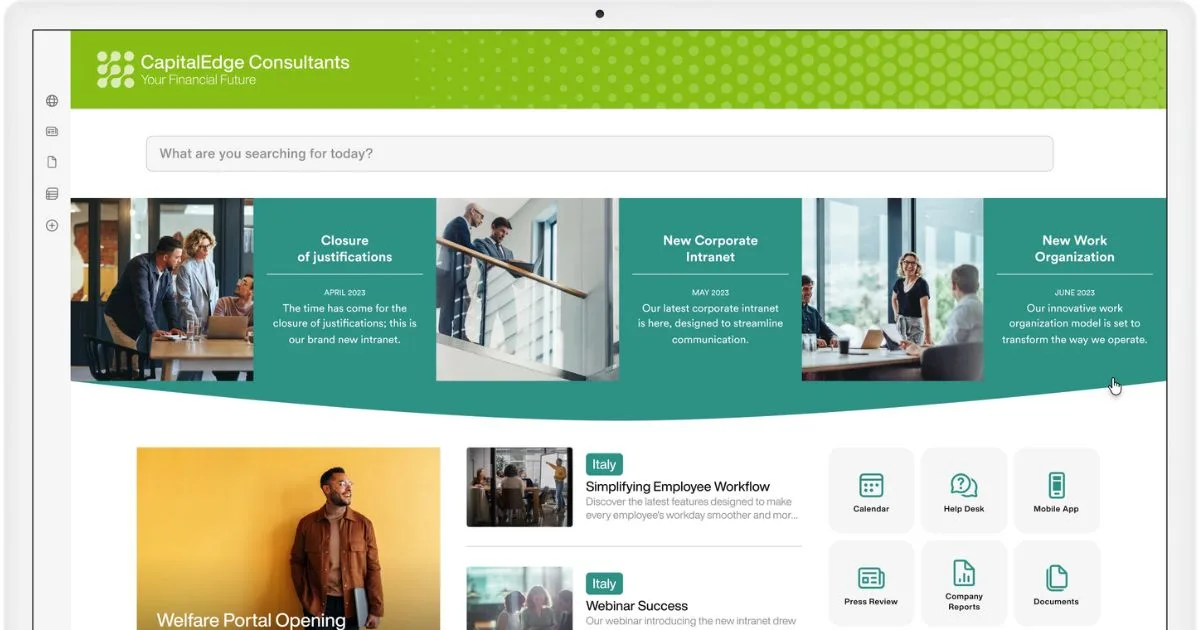
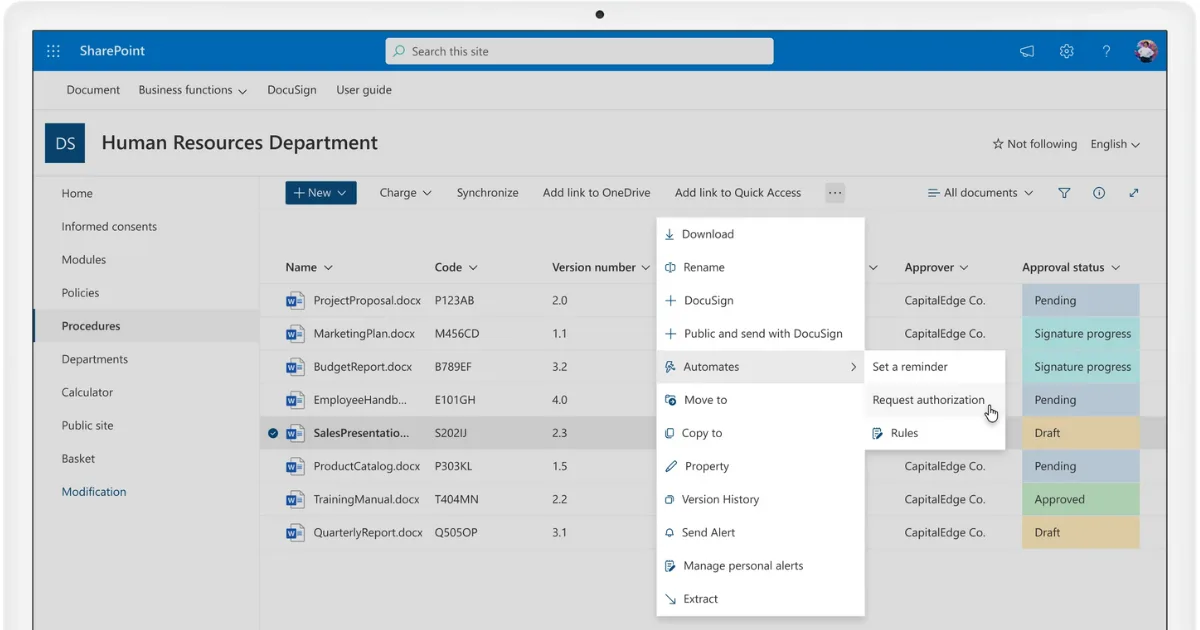
Document management
One of the most sensitive aspects of any intranet concerns the management of the company’s informational assets, which include procedures, guidelines, and contracts.
With our document management system, the creation, review, and publication of such content can finally take place within a single environment.
The company can set up custom templates, version numbers, co-authoring and approval workflows, and even activate electronic signature mechanisms (with providers like DocuSign) or notification flows to the relevant colleagues.
These features help eliminate email exchanges almost entirely while ensuring traceability and compliance for every change made.
The result is tighter control over documents, leading to higher content quality and a significant reduction in the time needed to manage the entire document lifecycle.
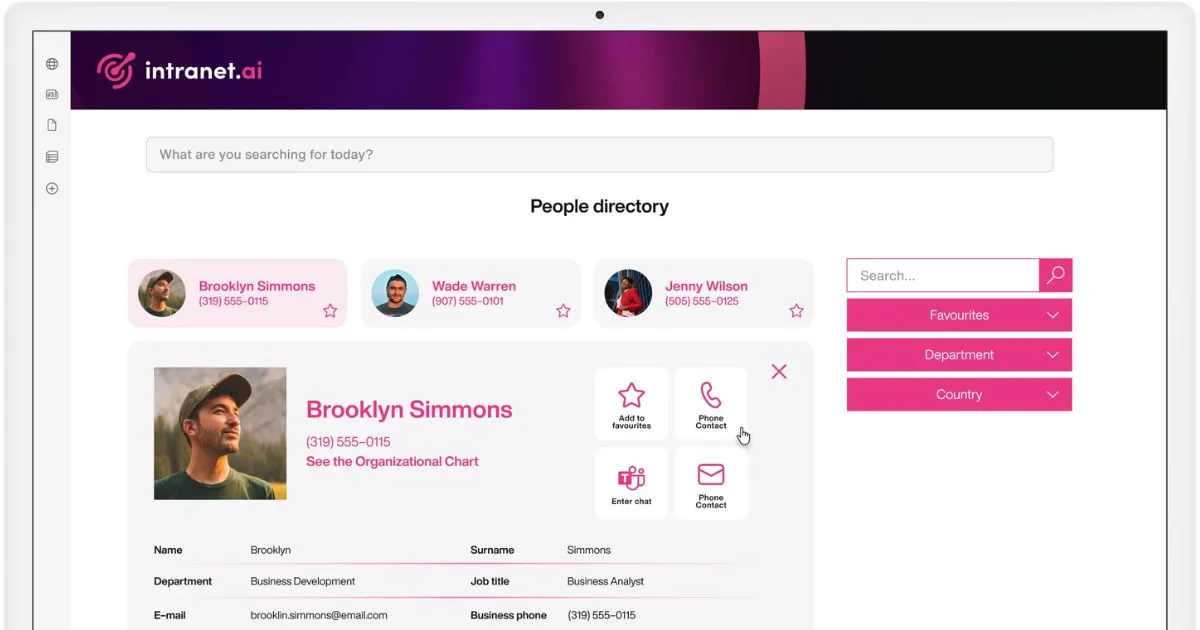
Organization chart and people directory
Creating an interactive organization chart, as well as an internal directory, is often overlooked. Yet, these are important features to make the company structure clear to staff and to provide colleagues with the contacts they need.
Users can use these features to understand:
-
how offices and departments are organized;
-
who the managers of each department are;
-
what roles people hold in the company;
-
who has specific skills or expertise.
All of this is especially useful in companies with offices and teams spread across different locations. For example, a new hire who needs clarification on an HR procedure can quickly find the right contact person (also thanks to customizable filters), without wasting time searching or depending on more senior colleagues.
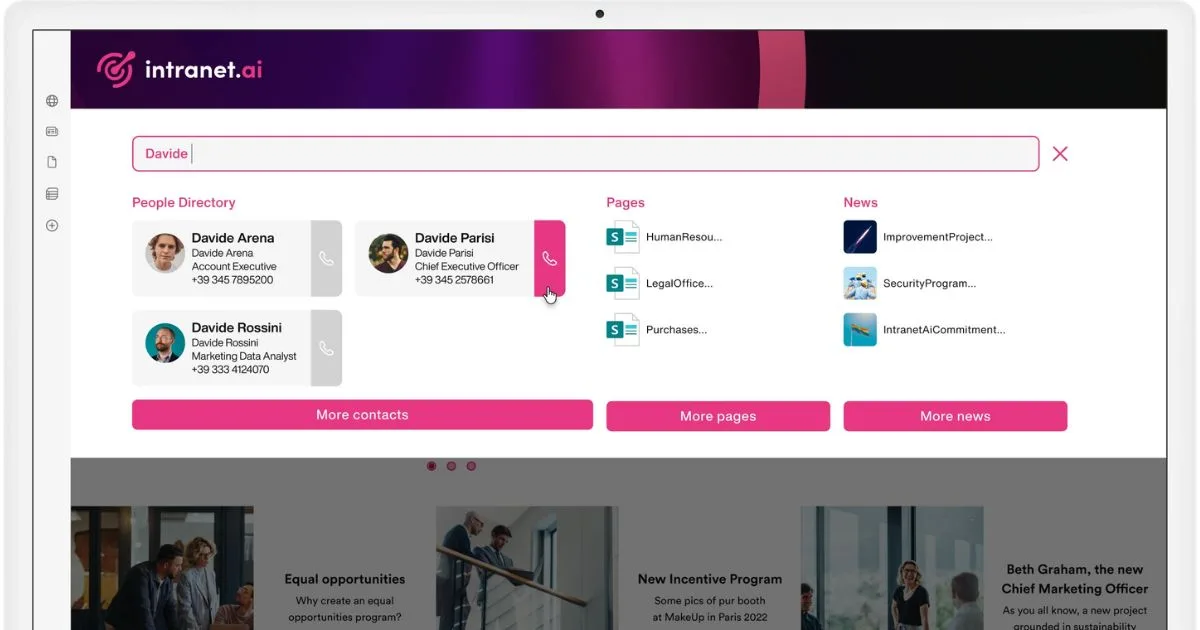
Advanced Search
SharePoint already includes a solid search engine, but the Advanced Search by intranet.ai extends its capabilities, enabling the system to:
-
interpret search queries, even based on synonyms;
-
suggest the most relevant documents, contacts, and resources;
-
provide insights into the most searched keywords.
These features are essential for any company where the volume of documents grows rapidly, and users risk getting lost among folders, libraries, pages, and sites.
Our search engine manages file metadata in real time, allowing results to be filtered with precision. People are also included in the index, so a user can find the right contacts based on skills, location, role, and even interests.
Communications and news
Providing a constant flow of relevant information for each colleague’s work is what defines effective internal communication.
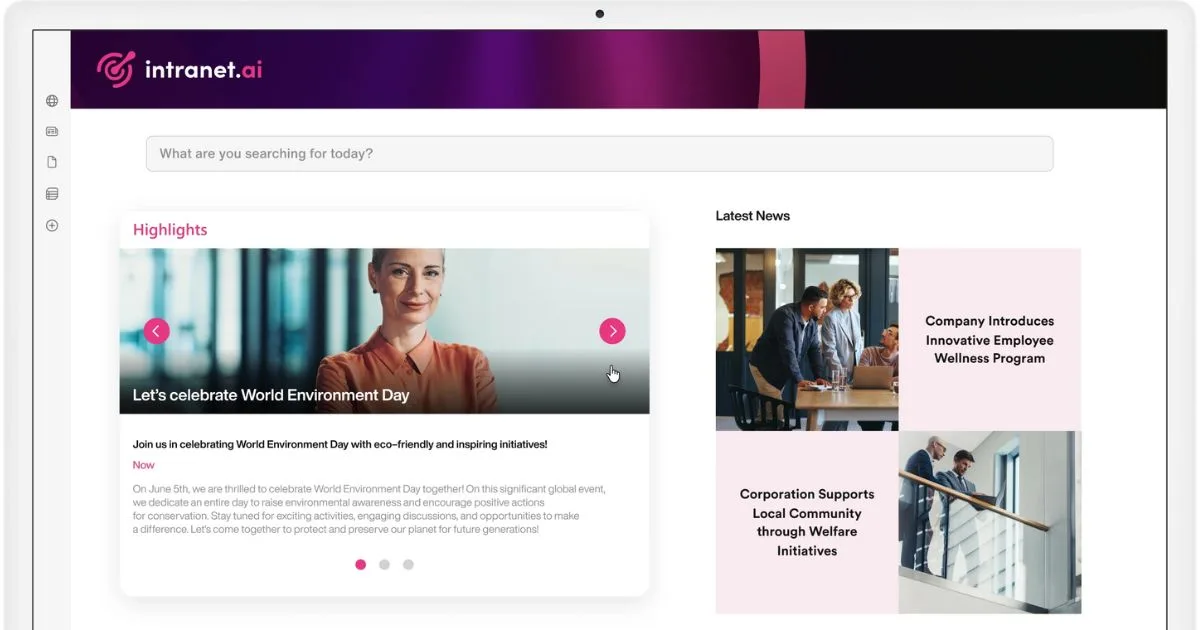
With intranet.ai, it’s possible to create and publish news with a modern layout, including areas for sharing and comments; but that’s not all. Each communication can be highlighted on any intranet page and reach the right recipients even on Microsoft Teams, thanks to custom alerts.
Surveys and engagement features
Many companies recognize the importance of collecting feedback and new ideas, but struggle to introduce the right tools to do so.
In our solution, they can find components specifically designed to increase intranet adoption and encourage active participation from all colleagues in company initiatives.
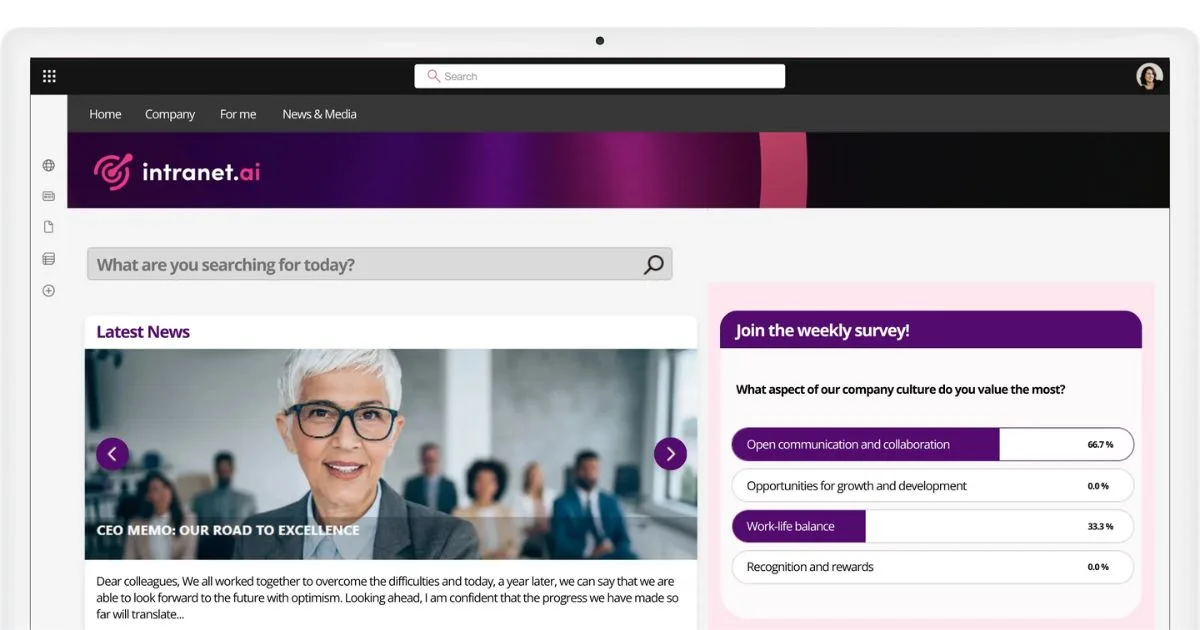
Among these are the instant surveys, which allow quizzes and questionnaires to be published on any SharePoint page in just a few minutes, offering immediate reports on response rates.
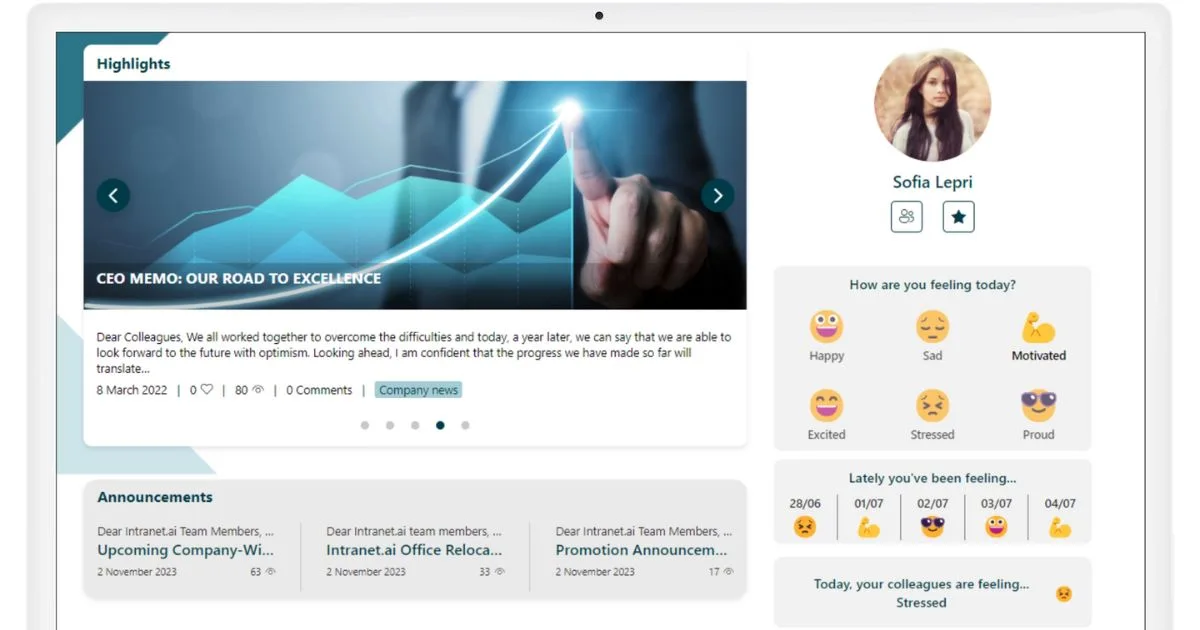
Mood, on the other hand, offers a set of customizable icons to gather useful insights on colleagues’ moods or their opinions about a new initiative.
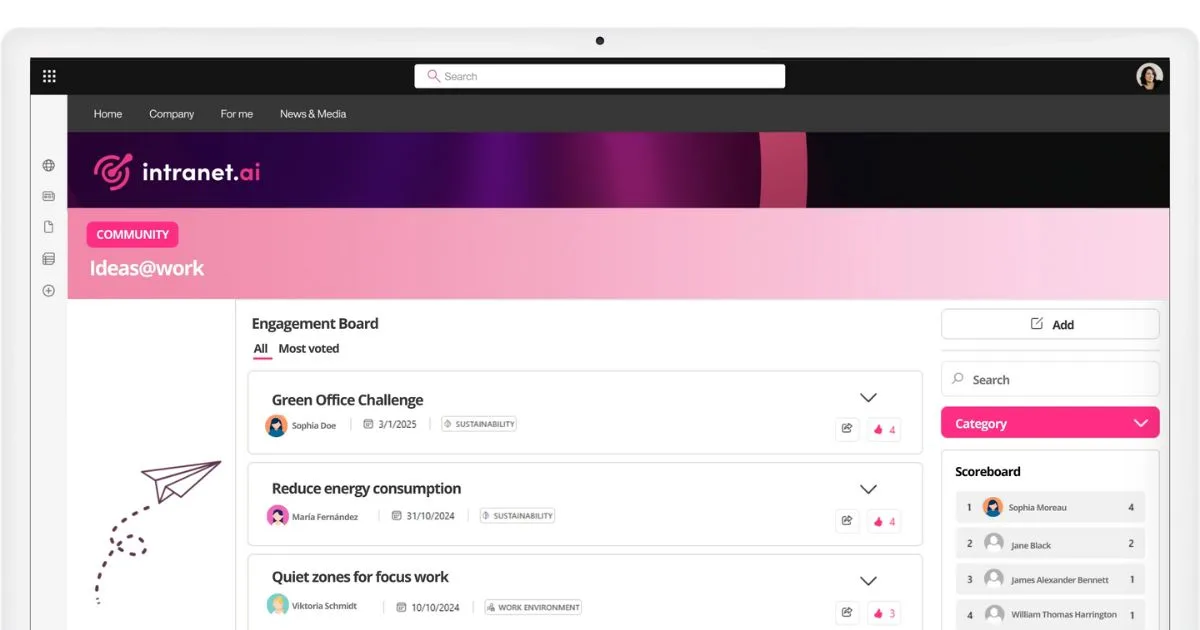
Additionally, our solution offers the Engagement Board, a virtual board that can be embedded on any intranet page to make corporate communication more engaging.
It allows users to share feedback and ideas, propose initiatives, and suggest improvements to internal processes, giving them the ability to vote for the proposals they like most.
Perfect for managing internal brainstorming sessions and contests.
This is how intranet.ai can enhance SharePoint Online to meet the most common needs of those looking to build a complete digital workplace, optimizing processes from onboarding to information sharing, with greater employee engagement.
The benefits are clear and proven by the satisfaction of hundreds of companies that have chosen our solution as the best intranet in terms of time savings, process simplification, and increased collaboration.
The result is a tangible return on investment, especially for organizations aiming to build a modern digital workplace by fully leveraging the Microsoft 365 ecosystem.